Compare the 8 best AR software tools for contractors in 2026: real prices, QuickBooks fit, texting, payments, pros and cons, and a buyer's checklist.

Most contractors don't have a sales problem. They have a getting-paid problem. The job is done, the invoice is out, and then the money sits for 60, 90 or 120 days while someone in the office tries to remember who to call.
Accounts receivable (AR) software fixes that by putting every open invoice on a follow-up schedule. But the tools on the market were mostly built for software companies and big finance teams, not for a roofer waiting on a homeowner or a restoration company waiting on an insurance carrier. Pick the wrong one and you pay for features you never use while your aging report keeps growing.
I owned three restoration companies for more than 14 years and collected over $100 million in receivables, most of it the hard way. In this guide I review eight AR tools contractors actually ask us about, with real prices, what each one is good at, where each one falls short, and which kind of contractor it fits.
Full disclosure: I'm the founder of AR Workflow, which is one of the tools on this list. I've tried to be fair to every product here. Where a competitor is the better fit for a certain kind of business, I say so. Prices come from each company's own pricing page as of November 2026.
KEY TAKEAWAYS
Here is the short version. Each tool gets a full review further down.
| Tool | Best for | Starting price (Nov 2026) | Works with |
|---|---|---|---|
| AR Workflow | Contractors on QuickBooks Online who want every invoice chased by email, text and voicemail | $295/mo (Lite), $395 (Grow), $495 (Enterprise) | QuickBooks Online |
| QuickBooks Online | Very small AR, starting at zero extra cost | Included in your QuickBooks plan | QuickBooks Online |
| Chaser | Small B2B firms that mostly need polite email reminders | From $259/mo (US), less billed yearly | QuickBooks Online, Xero, Sage |
| Upflow | B2B service and software companies with a finance team | Quote, plus a $390/mo platform fee | QuickBooks Online, Xero, NetSuite, Sage |
| Paidnice | Budget late-fee and reminder automation | From $69/mo | Xero, QuickBooks Online, Stripe |
| InvoiceSherpa | The lowest-cost reminder and autopay tool | $49 to $199/mo by open invoices | QuickBooks Online, Xero |
| Siteline | Commercial subcontractors billing general contractors | Quote | Construction ERPs and QuickBooks Online |
| Versapay | Mid-market and larger companies on an ERP | Quote | NetSuite, Sage, Microsoft Dynamics |
TABLE OF CONTENTS
Most "best AR software" lists are written for software companies that bill other software companies. Contractors collect money in a messier world. Before comparing tools, it helps to be clear about what makes construction accounts receivable different.
A single water loss can involve a homeowner, an insurance carrier, an adjuster, a mortgage company and sometimes a property manager. A roof replacement might be split between the carrier's first check and recoverable depreciation that only releases after you prove the work is done. Your AR tool needs to handle different follow-up for each payer, not one reminder template for everyone. If you do insurance work, our guide on collecting from carriers, adjusters and homeowners covers the people side of this.
Homeowners and small business owners ignore email. They read texts. A tool that only sends email reminders will miss most of the people who owe you money. Look for two-way texting from a business number, and ideally voicemail. We've written a full guide to payment reminder templates and collection email templates, but the channel matters as much as the words.
Most small and mid-size contractors run their books in QuickBooks Online. Your AR software should pull open invoices in on its own and push payments back so nobody re-keys deposits. One-way sync creates a second set of books, and that's how invoices get chased after they're already paid. If you're still setting up your books, start with our QuickBooks for contractors guide.
Every reminder should carry a link to pay by card or ACH. Bigger jobs need payment plans and partial payments. If a customer has to mail a check or call the office to pay, you've added days to every invoice.
Retainage, pay applications, lien deadlines and prompt payment laws all affect when you get paid. Very few AR tools manage these directly, so you need a tool that at least lets you track them alongside the invoice. For the details, see our guides to retainage, AIA pay applications, mechanics lien deadlines by state and the prompt payment act by state.
Most contractors don't have a credit and collections department. They have an office manager who also does payroll, permits and phones. The right tool tells that person who to contact today and sends the routine follow-up on its own. If you want to see what a weekly routine looks like, read our overdue invoice escalation routine.
This guide is written for owners, office managers and controllers at contracting companies doing roughly $1 million to $50 million a year. It fits you if:
If you're a large commercial subcontractor whose main headache is pay applications to general contractors, skip ahead to the Siteline review. If you're a big company on NetSuite or Sage Intacct, look at Versapay and Upflow. And if you're still deciding whether you need software at all, start with what receivables software does and how to choose.
We scored each tool on seven things that decide whether a contractor actually gets paid faster. We used each company's public website, pricing page, help docs and product tours, plus what contractors tell us on demos when they switch from these tools.
| What we checked | Why it matters for contractors |
|---|---|
| Follow-up channels | Email alone misses homeowners. Text, voicemail and call tasks reach people who never open email. |
| QuickBooks Online sync | Two-way sync means invoices come in on their own and payments post back without double entry. |
| Payments | Card and ACH links on every message, partial payments and payment plans shorten every invoice. |
| Contractor fit | Handling insurance payers, multiple contacts per job, retainage and job-based billing. |
| Ease of use | Can an office manager run it in 20 minutes a day without training from a finance team? |
| Reporting | An aging view, a list of who to call today, and the AR numbers an owner should watch. |
| Total cost | Subscription, per-user fees, payment processing and setup, measured against the cash it frees up. |
We did not accept payment from any company on this list, and none of them reviewed this article before it was published.
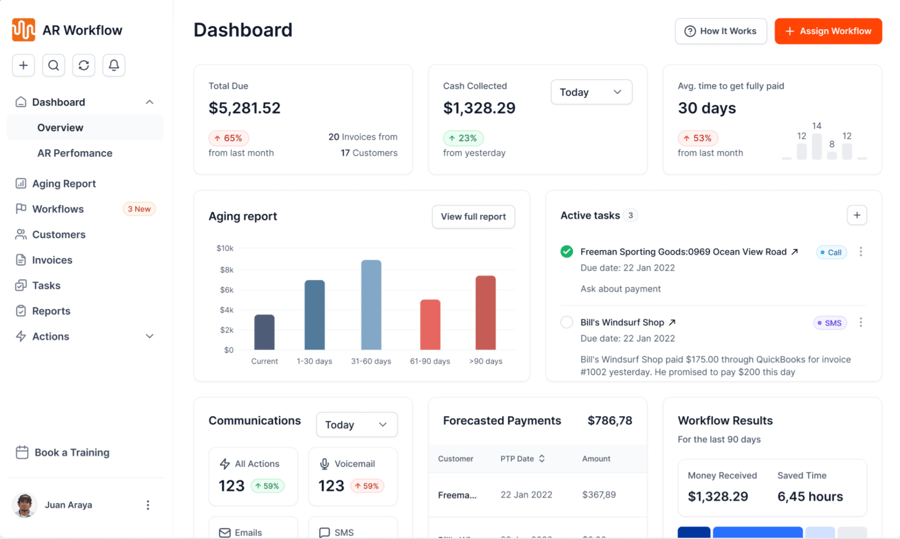
The AR Workflow dashboard: what's owed, what came in, and who to contact next.
AR Workflow is accounts receivable software built for contractors. It syncs two ways with QuickBooks Online, so open invoices come in on their own and payments post back automatically. Every invoice goes on a follow-up workflow of emails, two-way texts, ringless voicemails and call tasks that stops the moment the customer pays.
It was built inside the restoration industry, so it handles the messy parts of contractor billing. You can add the adjuster, property manager or mortgage company as contacts on a job, run different workflows for homeowners, commercial accounts and insurance jobs, and roll several jobs up under one customer. The dashboard shows "unprotected AR", which is money nobody is chasing yet. The Priority Queue gives your team a short list of who to contact today.
Customers pay by card or ACH from a link in every message, in full, in part or on a payment plan. Where the law allows, you can pass card fees to the customer. More than 3,200 users rely on it, and customers report getting paid an average of 21 days faster and getting back about 18 hours a week of office time. SERVPRO of Northeast San Diego cut its average days to pay from 105 to 52 (read the story), and Horizon Roofing went from 45 days to 25 (read the story).
Key features
Pros
Cons
Pricing: Lite $295 a month (50 open invoices, 1 user), Grow $395 (100 open invoices, 10 users), Enterprise $495 (unlimited). Pay yearly and it drops to $278, $370 or $462 a month. See the pricing page.
Skip it if: you're on QuickBooks Desktop, you carry fewer than 15 open invoices, or your main need is pay applications to general contractors.
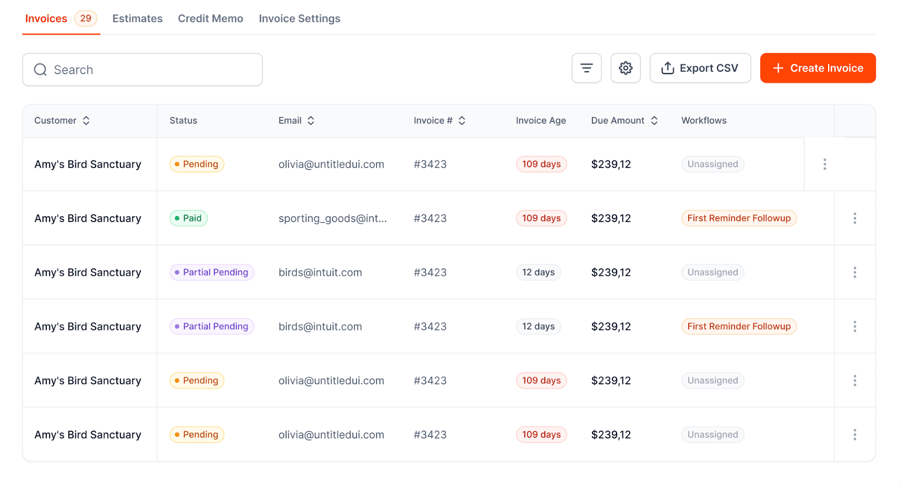
Every QuickBooks invoice with its status and the follow-up workflow it's on.
If you already use QuickBooks Online, you have basic AR tools built in. You can send invoices by email, turn on automatic invoice reminders, accept card and ACH through QuickBooks Payments and run an aging report. For a business with a few open invoices and customers who pay on time, that may be enough.
The limits show up as you grow. Reminders are email only and look the same for every customer. There's no text, no voicemail and no shared call list, and you can't easily see who was contacted or what they promised. We break this down in QuickBooks accounts receivable automation and Upflow vs QuickBooks for contractor AR.
Key features
Pros
Cons
Pricing: Included with QuickBooks Online. QuickBooks Payments charges processing fees per transaction.
Skip it if: you carry more than about 20 open invoices, or most of your customers are homeowners who don't read email.
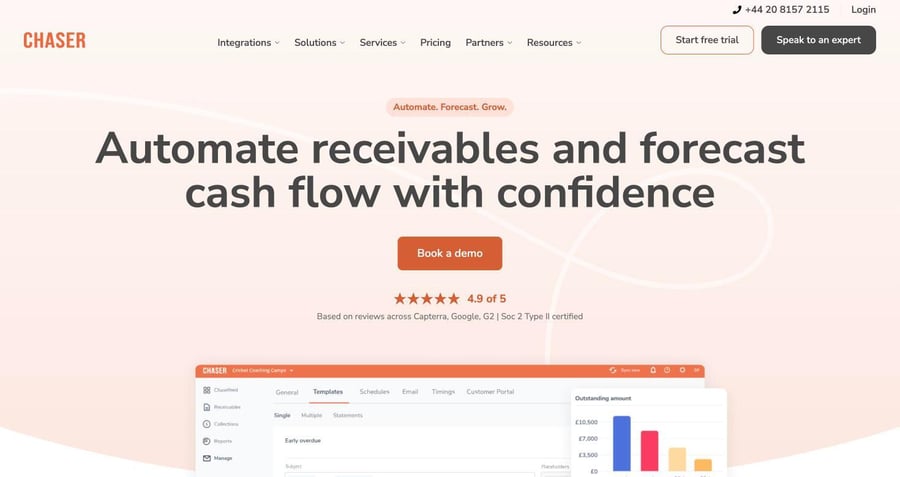
Chaser's homepage, November 2026.
Chaser is a UK-born receivables tool that sends personalized reminder emails from your own email address. It also offers SMS reminders, a customer payment portal, payment plans and an optional phone-call service. It connects to QuickBooks Online, Xero and Sage.
Chaser is polished and well reviewed. It fits businesses that bill other businesses and need a professional, consistent email schedule. It's less focused on contractor-specific needs like insurance payers or job-based billing. Compare it with other options in our Upflow alternatives roundup.
Key features
Pros
Cons
Pricing: From $259 a month in the US, or $233 a month billed yearly, for smaller companies with up to 4 users. The next tier starts at $779 a month. Prices from Chaser's pricing page, November 2026.
Skip it if: most of your customers are homeowners, or you need voicemail and texting built into one workflow.
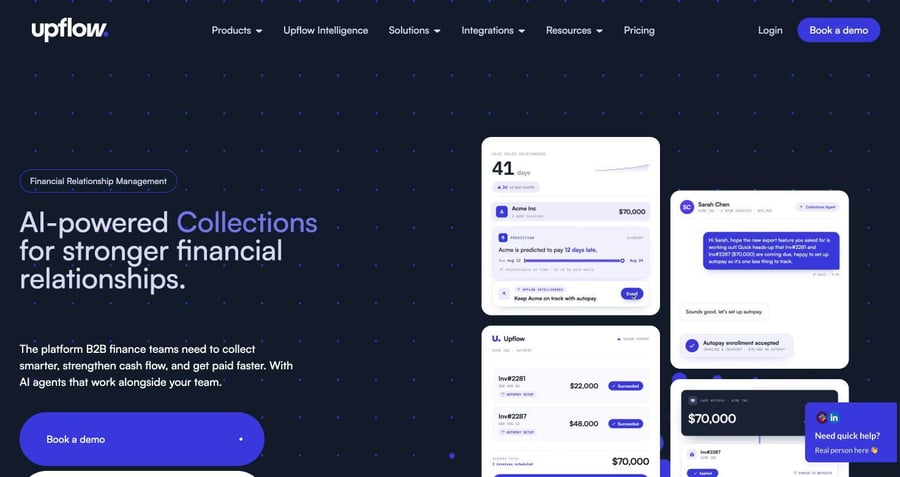
Upflow's homepage, November 2026.
Upflow is an AR and collections platform for B2B companies. It offers reminder sequences, a customer payment portal, a shared view of every account, and AI agents that help the finance team decide what to do next. It connects to QuickBooks Online, Xero, NetSuite and Sage.
It's a strong product for finance teams at software and service companies. For contractors, the fit is weaker: text messaging isn't its focus, there's no voicemail, and pricing starts at a quote with a platform fee on top. We cover this in depth in Upflow alternatives for contractors and Upflow vs QuickBooks.
Key features
Pros
Cons
Pricing: Plans are quoted by annual invoiced revenue, with a $390 a month platform fee listed on its pricing page. Payments cost 3.5% + $0.30 for cards and 0.8% capped at $5 for ACH.
Skip it if: you're a small contractor who wants published pricing and texting built in.
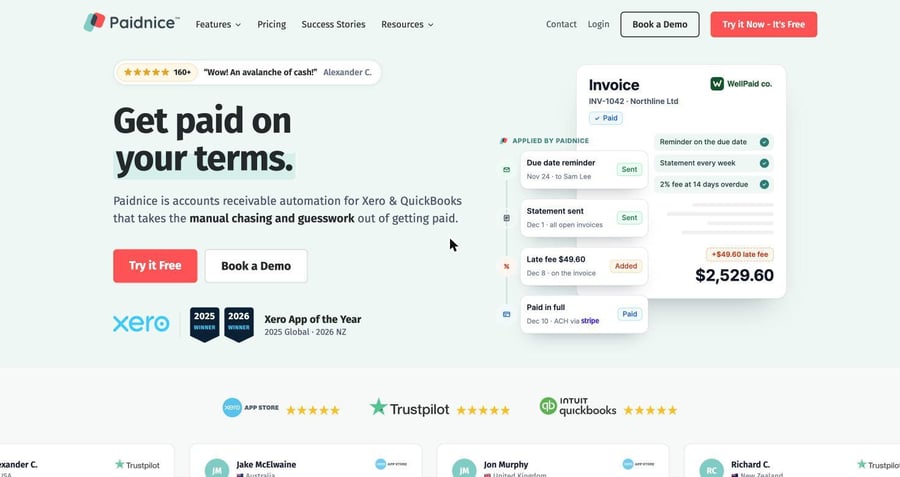
Paidnice's homepage, November 2026.
Paidnice is a low-cost AR automation tool that started on Xero and also connects to QuickBooks Online and Stripe. It's known for automatic late fees and early-payment discounts, plus email and SMS reminders, statements and a payment portal. Higher plans add in-app calling with call transcripts.
It's a good choice for small businesses that want rules-based reminders and late fees for little money. Before turning on automatic late fees, read our guide to what late fees contractors can legally charge, because state rules vary.
Key features
Pros
Cons
Pricing: Essentials is $69 a month for up to 150 invoices, 600 emails and 2 users. Pro runs from $99 to $279 a month and up, tiered by invoice volume, with unlimited users.
Skip it if: you need voicemail, insurance-payer workflows or a hands-on setup.
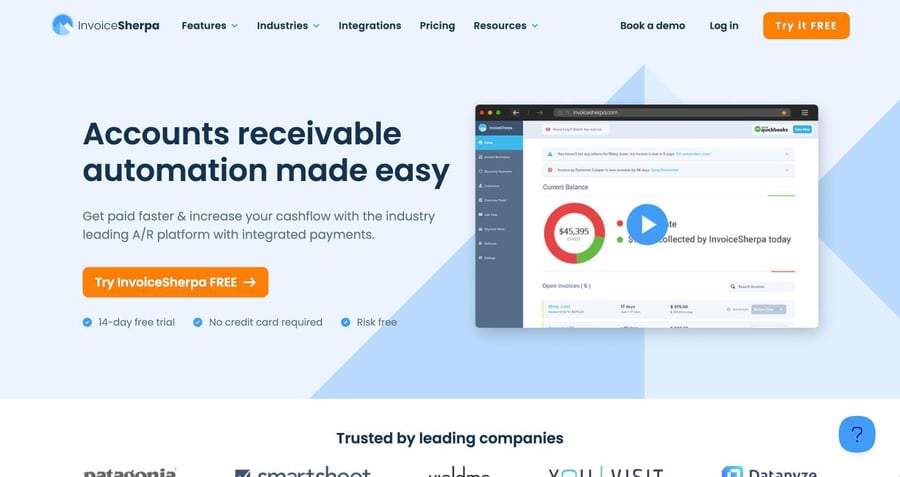
InvoiceSherpa's homepage, November 2026.
InvoiceSherpa automates invoice reminders and can charge saved cards or bank accounts on a schedule. It has a customer portal, late fees and integrations with QuickBooks Online and Xero, among others. Pricing is set by how many open invoices you carry.
It's simple and cheap, which makes it a reasonable first step up from QuickBooks' own reminders. It doesn't try to manage the whole collections process, so you'll still do calls and escalation by hand. Our automated invoice reminder software guide compares it with other reminder tools.
Key features
Pros
Cons
Pricing: $49 a month for up to 100 open invoices, $99 for 101 to 500, and $199 for unlimited. Billed yearly, $41, $83 or $166 a month.
Skip it if: you have more than a few dozen overdue invoices that need real follow-up, not just reminders.
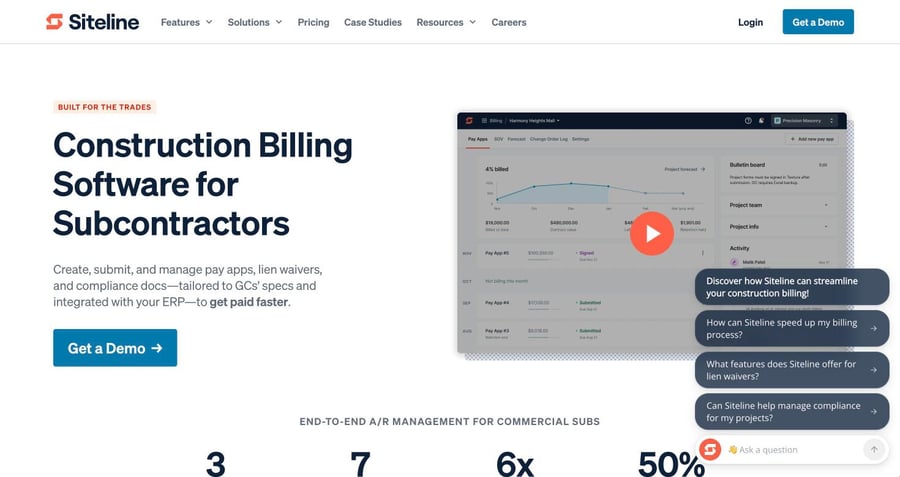
Siteline's homepage, November 2026.
Siteline is construction billing software for commercial subcontractors. It builds and submits pay applications to each general contractor's format, tracks change orders, and collects lien waivers and compliance documents from lower-tier vendors. It integrates with construction ERPs such as Sage and Foundation.
Siteline is a different kind of tool from the rest of this list. It speeds up the billing side of commercial work so pay apps go in right the first time. It isn't built to chase homeowners or insurance carriers. Many subs pair a billing tool like Siteline with an AR follow-up process. Read our schedule of values guide and lien waiver guide for the basics.
Key features
Pros
Cons
Pricing: Quote only. Its pricing page asks for your revenue range and how many projects you bill each month.
Skip it if: you're a residential contractor, a restoration company or anyone whose customers are homeowners and insurers.
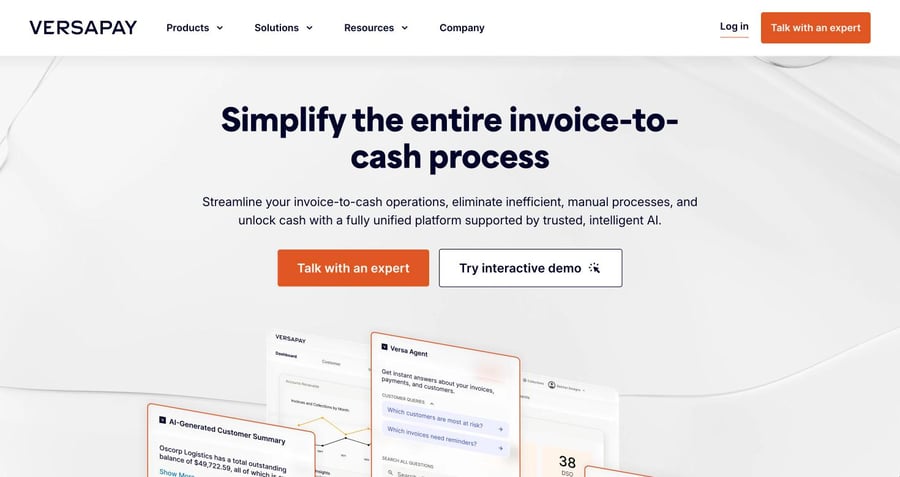
Versapay's homepage, November 2026.
Versapay is a collaborative AR platform for mid-size and larger companies. It offers a customer portal, cash application, collections workflows and dispute handling, and integrates with ERPs like NetSuite, Sage and Microsoft Dynamics. Building-supply distributors are a common customer.
It's powerful, but it's priced and built for finance departments, not contractor offices. Implementation takes longer than most small contractors want. See our Versapay alternatives guide and our look at Billtrust competitors, which sit in the same enterprise group.
Key features
Pros
Cons
Pricing: Quote only. Expect enterprise-level pricing.
Skip it if: you run your books in QuickBooks Online or have fewer than a few hundred business customers.
This table shows which tools cover the features contractors ask about most. "Partial" means the feature exists but is limited, an add-on, or on higher plans only. Check each vendor's current plan before you buy.
| Feature | AR Workflow | QuickBooks | Chaser | Upflow | Paidnice | InvoiceSherpa | Siteline | Versapay |
|---|---|---|---|---|---|---|---|---|
| Email reminders | Yes | Yes | Yes | Yes | Yes | Yes | Partial | Yes |
| Two-way texting | Yes | No | Partial | Partial | Partial | Partial | No | No |
| Ringless voicemail | Yes | No | No | No | No | No | No | No |
| Call tasks or calling | Yes | No | Partial | Partial | Partial | No | No | Partial |
| Card and ACH pay links | Yes | Yes | Yes | Yes | Yes | Yes | Yes | Yes |
| Payment plans | Yes | No | Yes | Partial | Yes | Yes | No | Partial |
| Two-way QuickBooks Online sync | Yes | Native | Yes | Yes | Yes | Yes | Partial | No |
| Multiple payers per job (insurance) | Yes | No | No | No | No | No | No | No |
| Pay apps and lien waivers | No | No | No | No | No | No | Yes | No |
| Published pricing | Yes | Yes | Yes | Partial | Yes | Yes | No | No |
| Free trial | No | n/a | Yes | No | Yes | Yes | No | No |
Two things stand out. First, only a few tools reach customers outside of email, and contractors' customers live on their phones. Second, no single tool does everything. If you do commercial pay apps and residential service work, you may need a billing tool and an AR tool working side by side. For a wider look at the billing side, see the best construction billing software.
The subscription is the smallest number in this decision. What matters is how much cash the tool frees up and how much office time it saves. Here's how to think about it.
Let's say Ridgeline Roofing, a made-up company, does $4 million a year. That's about $11,000 of revenue a day. Its average invoice takes 52 days to pay, and it carries about 80 open invoices.
| Before AR software | After cutting 21 days | |
|---|---|---|
| Days to get paid | 52 | 31 |
| Cash tied up in receivables (about) | $570,000 | $340,000 |
| Cash freed up, one time | About $230,000 | |
| Office hours chasing payments each week | 20 | About 2 to 5 |
| AR Workflow Grow plan, per year | $4,740 |
In this example, $230,000 of cash comes back into the business once, and the office gets most of a person's week back. Even if the tool only cut 5 days, it would free about $55,000. Plug in your own numbers with our free construction DSO calculator, and see our guide to fixing construction cash flow gaps.
Different trades get paid in different ways. Here's what we'd recommend for each.
| Trade | Typical payers | What matters most | Our pick |
|---|---|---|---|
| Restoration (water, fire, mold) | Homeowner, carrier, adjuster, mortgage company | Multi-payer workflows, insurance follow-up, supplements | AR Workflow |
| Roofing | Homeowner, insurer, recoverable depreciation | Texting homeowners, tracking depreciation releases | AR Workflow |
| HVAC | Homeowners, property managers, small businesses | Fast pay links after service calls, maintenance plans | AR Workflow, or InvoiceSherpa for very low volume |
| Plumbing | Homeowners, landlords, commercial accounts | Texts and pay links, quick follow-up | AR Workflow |
| Electrical | GCs, businesses, homeowners | Progress billing, retainage, follow-up | AR Workflow, plus Siteline for commercial pay apps |
| Commercial subcontractors | General contractors | Pay apps, lien waivers, compliance | Siteline for billing, plus an AR follow-up tool |
| Remodeling | Homeowners | Draw schedules, payment plans, texting | AR Workflow |
| Landscaping and lawn care | Homeowners, HOAs, property managers | Recurring invoices, autopay | InvoiceSherpa or AR Workflow |
Trade-specific guides go deeper: restoration billing software, fire and water restoration software, roofing invoice collection software, roofing software, HVAC software that works with QuickBooks, accounting for plumbers and accounting software for electrical contractors.
For a printable version, use our 2026 buyer’s checklist.
Before buying software, many owners consider two other options. Here's how they compare.
| AR software | Collection agency | Hiring an AR clerk | |
|---|---|---|---|
| Cost | About $50 to $500 a month for small-business tools | Usually a percentage of what they collect | A full salary plus benefits |
| Best for | Every invoice, from day one | Debts that are already very old or in dispute | Large AR with complex disputes |
| Customer relationship | Stays with you | Often damaged | Stays with you |
| Speed to start | Days | Days | Weeks to hire and train |
| Works nights and weekends | Yes | No | No |
Most contractors use software for the first 90 days of every invoice and save an agency for the rare account that truly won't pay. If you're already there, read debt collection software, payment recovery software, our payment demand letter template and how to file a notice of intent to lien. You can also check your deadline with the free mechanics lien deadline calculator.
Here's the rollout we walk customers through. It works with most tools on this list.
| When | What to do |
|---|---|
| Day 1 | Connect QuickBooks and let open invoices sync. Clean up old invoices that are already paid or written off. Our AR reconciliation guide helps. |
| Days 2 to 3 | Turn on card and ACH payments. Merchant approval usually takes a few days, so start early. |
| Days 3 to 5 | Build two or three workflows: homeowner, business and insurance. Start from proven invoice email templates and a past due letter. |
| Week 2 | Put every open invoice on a workflow. Work the call list every morning for 20 minutes. |
| Week 3 | Add a clear payment policy to your contracts and invoices. See payment terms that work and how to reduce late payments. |
| Day 30 | Compare your aging report and days to pay with day 1. Adjust the workflows that aren't getting replies. |
Track these numbers monthly. Our guide to the 8 contractor AR metrics explains each one, and the best AR dashboards for QuickBooks shows how to see them in one place.
There's no single best AR software for every business. There is a best fit for yours.
Whatever you pick, the biggest win is the same: every invoice gets followed up on time, every time, without depending on someone remembering. Read more customer stories from contractors who made the switch, or see how AR automation works.
Bring one overdue invoice to a demo.
We'll show you exactly how AR Workflow would chase it, from the first text to the payment posting in QuickBooks.
Get a demoFor contractors on QuickBooks Online whose customers are homeowners, insurers and small businesses, AR Workflow is the best fit because it follows up by email, text and voicemail and syncs payments both ways with QuickBooks. Very small businesses can start with QuickBooks' built-in reminders. Commercial subcontractors who mainly need pay applications should look at Siteline.
Accounts receivable software tracks money customers owe you and helps you collect it. It pulls open invoices from your accounting system, sends reminders on a schedule, gives customers an easy way to pay, and shows reports like your aging and days to get paid.
Simple reminder tools start around $49 to $69 a month. Contractor-focused tools like AR Workflow run $295 to $495 a month with all features included. Enterprise platforms like Versapay and Billtrust are quote-based and usually cost far more. Texts, calls and payment processing are often billed on top.
QuickBooks Online includes basic invoice reminders and payments at no extra cost. Some tools, like Paidnice and InvoiceSherpa, offer free trials or a limited number of free actions. Truly free tools are usually email only and don't track calls, texts or promises to pay.
Yes, but it's basic. QuickBooks Online can send automatic email reminders and accept card and ACH payments. It can't text customers, leave voicemails, give your team a call list or run different follow-up for different kinds of customers.
Some tools do, but many, including AR Workflow, work with QuickBooks Online only. If you're on QuickBooks Desktop, check each vendor's integration list before booking a demo, or plan a move to QuickBooks Online.
AR software helps your own team follow up on every invoice from the day it's sent, and the customer relationship stays with you. A collection agency takes over old, unpaid debts and usually keeps a percentage of what it collects. Most contractors use software first and an agency only as a last resort.
Some tools can. AR Workflow sends two-way texts from a dedicated business number, and customers can reply. Chaser, Upflow, Paidnice and InvoiceSherpa offer some SMS reminders. QuickBooks Online, Siteline and Versapay are mainly email and portal based.
Not if they're short, friendly and stop the moment the customer pays. Most late payers simply forgot or got busy. A clear reminder with a pay link is a help, not a hassle. Save firmer messages for invoices that are well past due.
Connecting QuickBooks usually takes minutes. Turning on card and ACH payments needs merchant approval, which can take a few days. Most contractors have their first workflows running within a week.
Most AR tools can't, because they assume one customer pays each invoice. AR Workflow lets you add the adjuster, homeowner and mortgage company to a job and run insurance-specific follow-up. See our guide to collecting from carriers, adjusters and homeowners.
Very few AR tools manage retainage or liens directly. You can track retainage as its own invoice or note in most tools. For lien deadlines, use a state-by-state reference or a lien deadline calculator alongside your AR software.
Construction billing software, like Siteline, helps you create and submit invoices and pay applications correctly. AR software focuses on what happens after the invoice is sent: follow-up, payments and reporting until the money is in the bank.
You probably need it if you carry more than 20 open invoices, more than a quarter of your AR is over 60 days old, or someone spends more than a few hours a week chasing payments. Run your numbers through a DSO calculator to see how much cash is tied up.
DSO, or days sales outstanding, is the average number of days it takes to get paid after you invoice. Lower DSO means more cash on hand to pay crews, buy materials and take on new jobs without borrowing.
In many states you can add a surcharge or convenience fee for card payments, but rules vary by state and card network. Check your state's rules and your payment processor's terms first. AR Workflow lets you pass card fees to the customer where it's allowed.
No. AR Workflow is software your own team uses. It sends your messages, from your business, to your customers. It doesn't buy debt, take a percentage of what you collect or contact your customers as a third party.
No. Every plan starts with a demo and a guided setup with our US-based team, so your first workflow goes out right. Plans are month to month and you can cancel anytime.
Bring one overdue invoice to a demo and see what AR Workflow would send, when, and how your customer would pay.
Book a demo
Sam owned and ran three restoration companies for more than 14 years and collected over $100 million in receivables. He built AR Workflow in 2020 to give contractors the collections system he wished he'd had.

AI writes the emails, sends the texts, and leaves the voicemails. Your team handles the conversations that matter, and your cash keeps moving.
 Keep QuickBooksStart with one invoiceStay in control

 Log in