Compare 6 debt collection software platforms for 2026, how debt recovery and credit collection software differ, and what small business teams should look for.
.png)
If you've been struggling with collections, chances are you've already started looking into different debt collection software platforms. But with so many options available, how do you know which one actually fits your business?
In this guide, we'll compare the six best debt collection software platforms for 2026 based on the industries they serve, including their features, to help you find the right solution for your business.
KEY TAKEAWAYS
These are the six best debt collection software platforms, organized by their primary industry use case:
Businesses generally want the same outcome from debt collection software: improve cash collection without spending unnecessary time managing the process.
However, the work involved depends on who owes the money and what needs to happen before the business receives payment. These differences matter when unpaid invoices turn into financial losses.
According to Bibby Financial Services' Q1 2026 SME Confidence Tracker, late payments disrupted salary payments for 42% of UK SMEs over the previous year.
Another 41% had to use emergency funds because customers hadn't paid on time, leaving them with less money for other business needs.
The report also found that 30% of SMEs experienced losses from unpaid invoices they could no longer recover, with that figure rising to 36% among manufacturing businesses.
While the report focuses on UK SMEs, it shows that collecting outstanding payments remains a challenge for businesses in different industries. When payments don't come in on time, the consequences can go beyond an overdue invoice and affect a company's ability to cover everyday expenses.
Debt collection software is a tool that tracks unpaid invoices and automates the work of getting them paid: scheduled reminders, call and task lists, payment promises, online payments and reporting. The term covers two quite different kinds of collections software, and it helps to know which one you are shopping for.
| Feature | First-party collections software | Agency debt collection software |
|---|---|---|
| Who uses it | A business collecting its own invoices | Collection agencies and debt buyers working accounts for others |
| When it starts | Before or right after the due date | After an account is placed with the agency |
| Main goal | Get paid and keep the customer | Recover the balance at scale |
| Typical features | Accounting sync, reminders, payment links, AR reporting | Account placement, dialers, compliance controls, client trust accounting |
| Rules to know | Contract terms and state law | The federal Fair Debt Collection Practices Act and the CFPB's Regulation F for consumer debts, plus state licensing |
Every platform in this guide is first-party software: it helps you collect your own receivables before you ever need an agency. If you are already weighing an agency for a restoration account, read our guide to restoration debt collection first, and see what to do when a customer won't pay an invoice.
Vendors use several names for the same category, and the label often hints at who the product was built for.
The labels overlap, so judge each platform on what it does for your actual open invoices rather than on the category name.
If your business faces similar challenges, choosing debt collection software that supports your industry's payment processes can help you manage collections more efficiently. Below are six platforms designed to address different collection needs.
| Platform | Overview | Key features | Pricing |
|---|---|---|---|
| AR Workflow | Accounts receivable automation and payments platform for disaster restoration companies. |
|
|
| Handle | Construction credit and compliance management software for suppliers and equipment dealers. |
| See the vendor's website |
| PayProp | Rental payment processing and property management software. |
| See the vendor's website |
| Paidnice | Accounts receivable automation for businesses using Xero or QuickBooks. |
| See the vendor's website |
| Chaser | Receivables management and credit control platform for businesses, including professional services firms. |
| See the vendor's website |
| Thor | Trade credit and collections platform for wholesale distributors. |
| See the vendor's website |
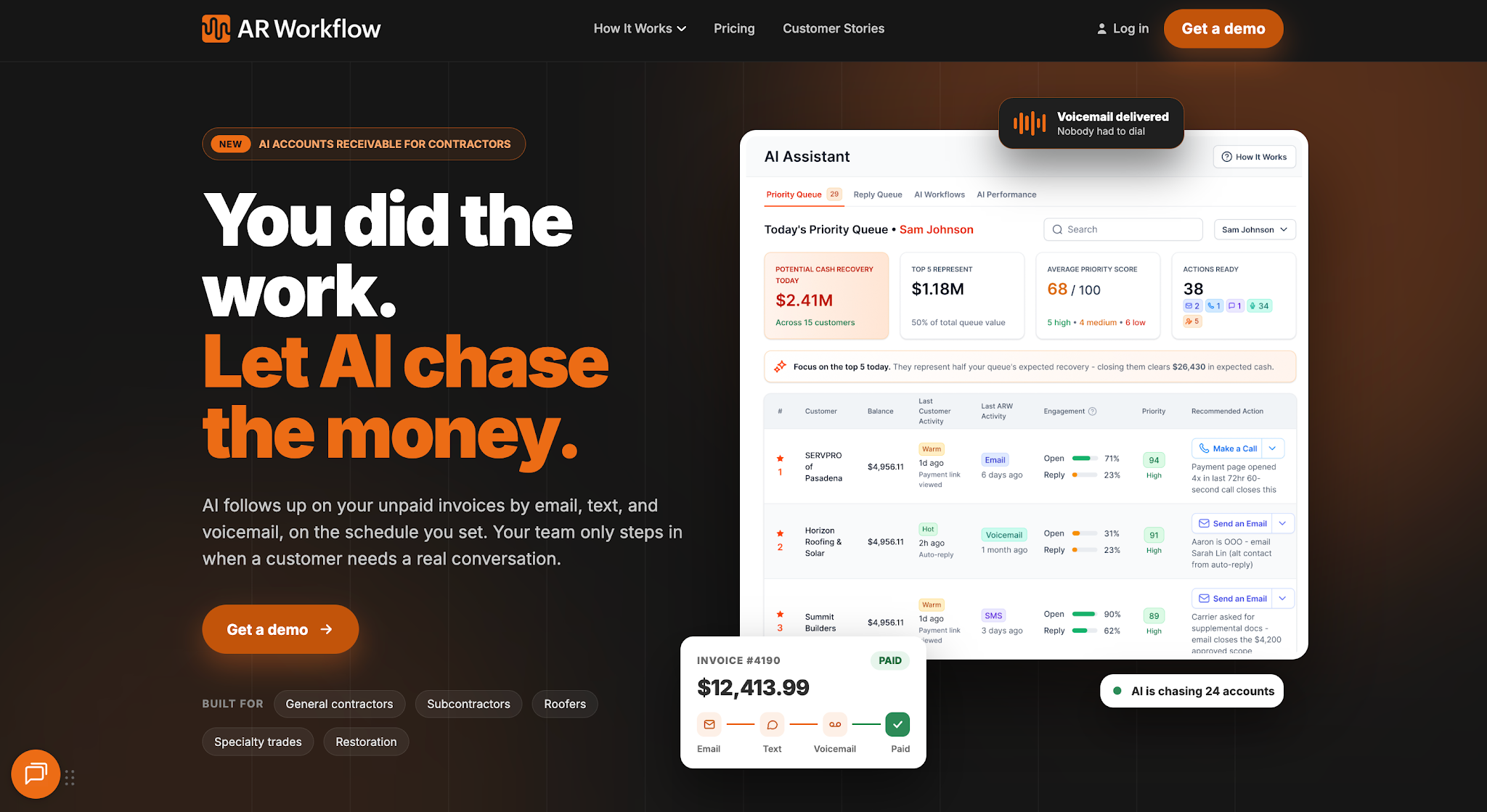
AR Workflow runs follow-up on open QuickBooks invoices for restoration contractors.
AR Workflow is an accounts receivable automation and payments platform built specifically for disaster restoration companies, including businesses specializing in water damage, fire and smoke restoration, and mold remediation.
The platform helps restoration contractors manage outstanding invoices and collect payments for completed restoration work.
It focuses on post-invoicing debt collection, helping businesses stay on top of unpaid balances and manage payment follow-ups through automated systems instead of relying heavily on manual processes.
Key features
Pricing
Bring one overdue invoice.
We'll show you how your restoration team can manage more outstanding invoices without doing it all by hand.

Image source: handle.com
Handle provides construction-specific credit and compliance management software, primarily for material suppliers and equipment dealers.
Its main focus is helping construction credit teams protect payment rights and manage the documentation that accompanies construction payments.
Key features
Pricing
Handle does not list prices publicly.
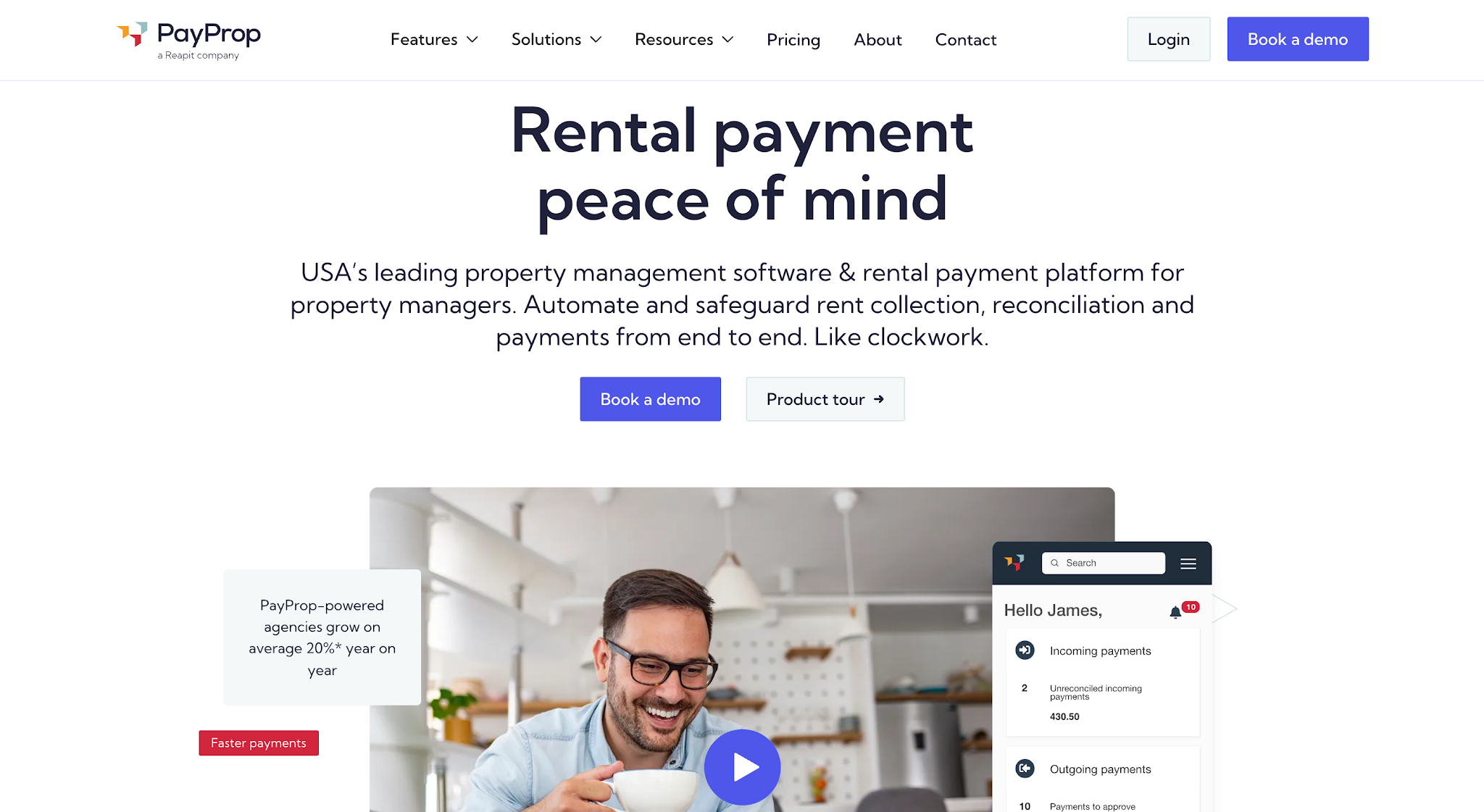
Image source: payprop.com
PayProp is a rental payment processing and property management software platform designed for residential property managers and letting agencies.
It helps property managers handle the financial side of managing rental properties, from collecting monthly rent to managing payments owed to property owners.
The platform also supports rent arrears management, allowing property managers to keep track of tenants who fall behind on their payments.
Key features
Pricing
PayProp does not list prices publicly.
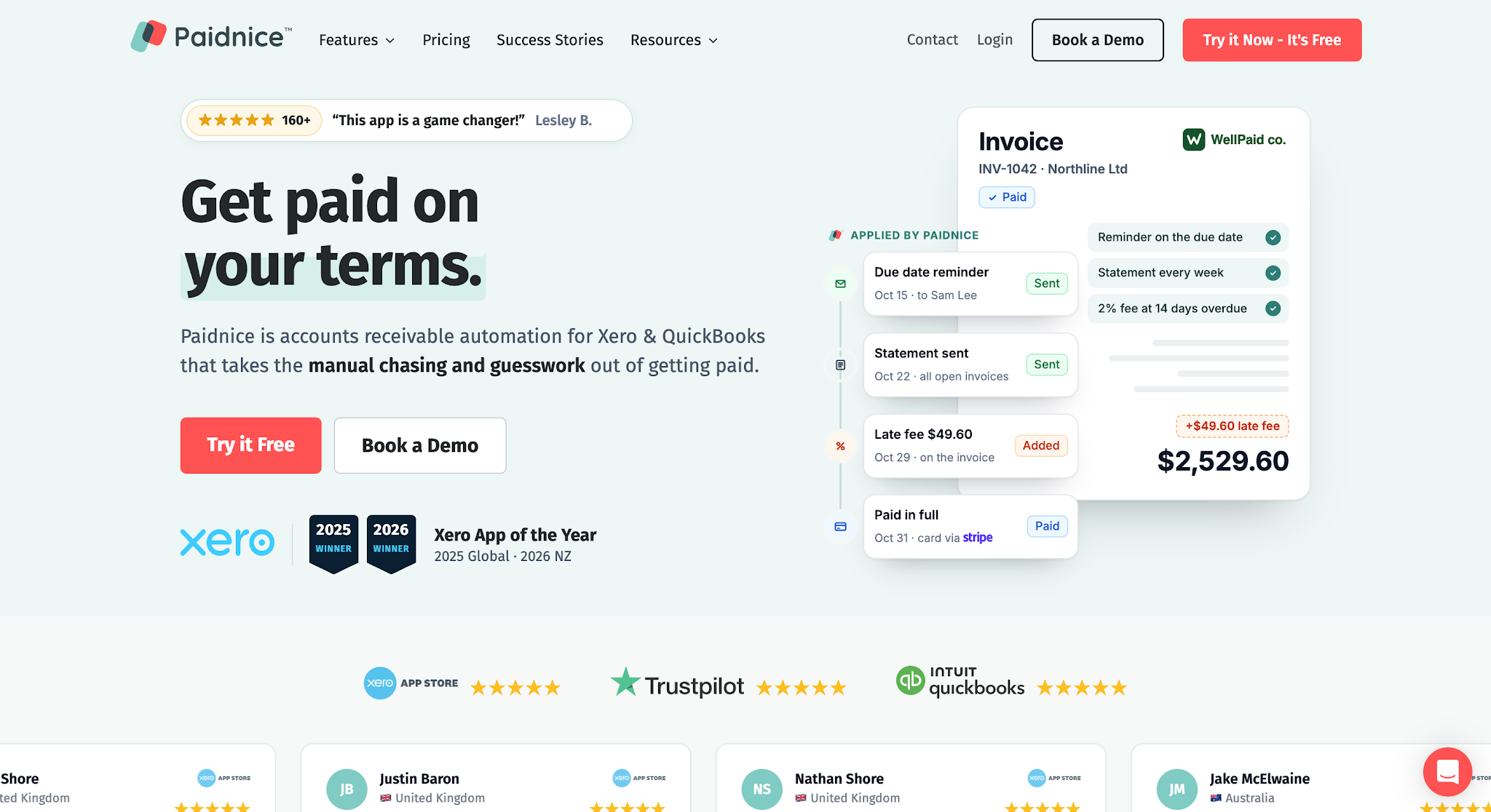
Image source: paidnice.com
Paidnice is an accounts receivable automation platform that helps businesses manage outstanding invoices and collect customer payments through their existing financial software, such as Xero and QuickBooks.
The platform serves businesses in different industries, including automotive repair shops that provide services to commercial fleet operators and trade customers.
It helps these businesses manage overdue payments from customers who receive regular invoices or have multiple outstanding balances.
Key features
Pricing
Paidnice lists its current plans on its website.
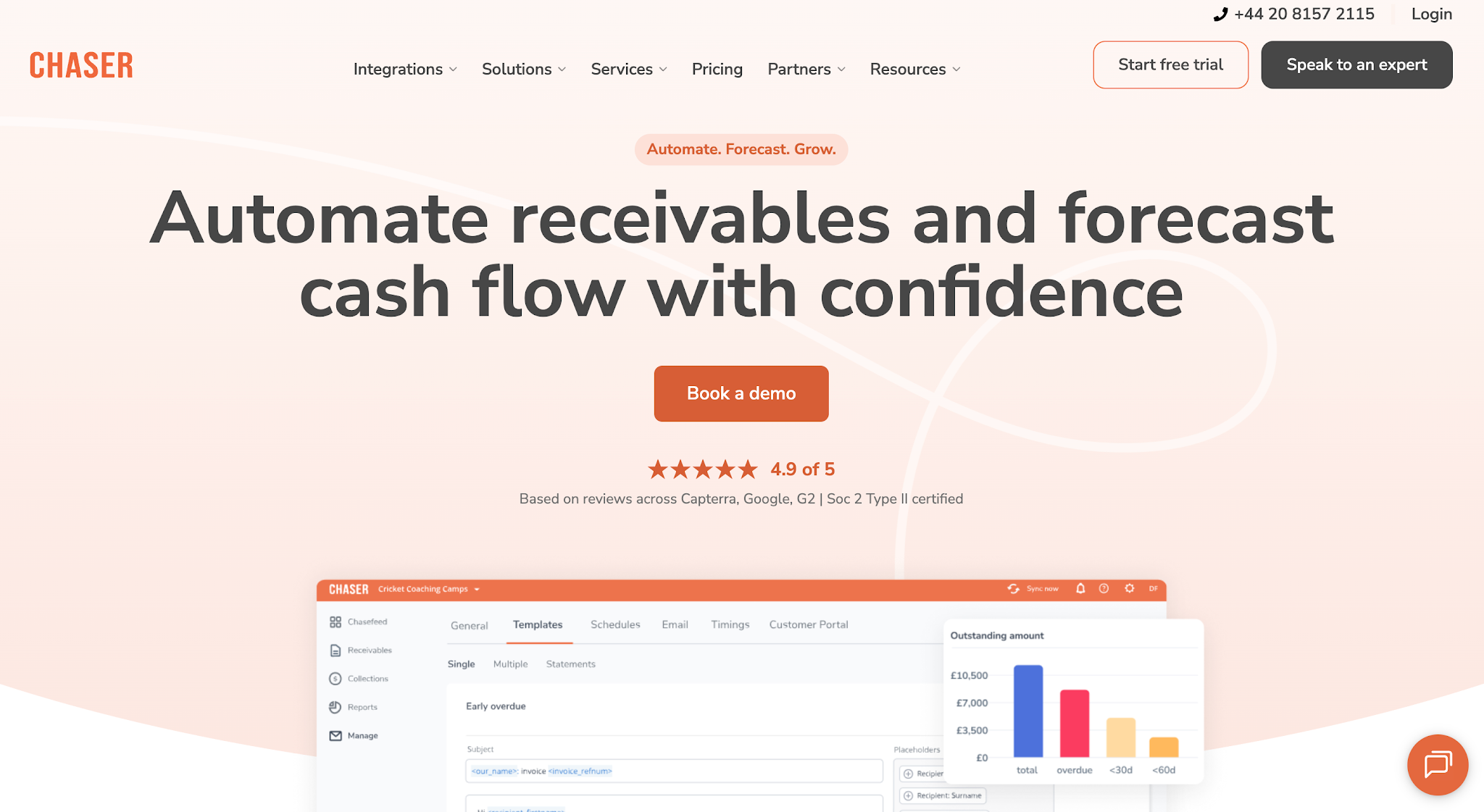
Image source: chaserhq.com
Chaser is a receivables management and credit control platform that helps businesses manage overdue invoices and collect outstanding customer payments.
The platform serves businesses in different industries, including professional services firms that regularly invoice clients for completed projects or ongoing services.
It focuses on helping these businesses manage their collections process and maintain consistent payment follow-ups while preserving customer relationships.
Key features
Pricing
Chaser lists its current plans on its website.

Image source: jointhor.com
Thor is a trade credit management and accounts receivable software platform designed for wholesale distributors and businesses that sell products to commercial customers on credit.
The platform helps businesses manage the credit they extend to customers, from reviewing credit applications and credit limits to monitoring customer payment behavior and collecting overdue invoices.
It focuses on managing the full trade credit and collections lifecycle, including the period before a business approves credit and the recovery process after a sale.
Key features
Pricing
Thor shares pricing on its website or through its sales team.
Now that you have a better idea of what each debt collection software offers, the next step is to determine which one best suits your business. Here are five key factors to consider when comparing your options, whether you need enterprise tools or debt collection software for small business teams.
One of the first things to look for in debt collection software is how well it can automate your existing collections process.
For example, when an invoice becomes overdue, your team might send an initial reminder and wait a few days for a response. If the customer still hasn't paid, the next step might involve another reminder or a phone call.
The software should allow you to set up these follow-ups in advance so your employees don't have to manually track when to contact each customer. If you need wording for those reminders, start with our past due invoice letter templates.
However, you'll also want some flexibility in how these workflows operate. Check whether you can adjust reminder schedules, assign collection tasks to specific employees, and use dispute management controls to pause follow-ups when a customer disputes an invoice.
This helps your team optimize collection strategies by maintaining consistent follow-ups while giving employees control over accounts that need personal attention.
Beyond automating follow-ups, you'll also need a clear view of which invoices remain unpaid and what your team has already done to collect them.
Most businesses already use aging reports to see how long invoices have been outstanding. However, knowing that an invoice is 90 days overdue doesn't tell you whether someone contacted the customer yesterday or whether the customer promised to pay next week.
That's why it's important to look for software that shows payment history and collection activity alongside your outstanding invoice balances. Good AR reporting software puts both on one screen.
With that information in one place, employees can review previous communication before deciding what to do next. Managers can also identify which accounts need attention without having to ask employees for individual updates or search through separate email threads.
Since your business already uses accounting software to manage invoices and record payments, you'll also want to make sure your debt collection software integrates with those existing systems, including any automated billing tools you use.
For example, if your team uses QuickBooks, check whether the platform can automatically retrieve outstanding invoice information and update payment records when customers pay.
This reduces manual data entry when employees transfer invoice details between systems or reconcile payments that the collections platform hasn't recorded in the accounting software.
However, don't stop at checking whether a vendor lists your accounting software as an integration. Ask which versions it supports and what financial data the two systems can exchange so you know exactly how the integration will work for your business.
Once you've confirmed that the software can manage collection follow-ups and connect with your accounting system, the next thing to consider is how customers will actually make their payments.
After all, sending reminders is only one part of collecting an outstanding invoice. Customers also need a convenient way to review what they owe and settle their balances.
Check whether the platform provides an online payment portal and supports the payment methods your customers typically use. You'll also want to see whether customers can access their invoices directly from the reminders they receive.
At the same time, consider how the software manages communication with those customers. If several employees handle collections, they should be able to review previous messages and payment discussions before contacting someone again.
This helps prevent duplicate reminders and allows employees to maintain customer relationships without repeatedly asking for the same information.
Finally, consider whether the software can support the collection strategies your particular industry requires. Businesses don't always follow the same process when collecting payments.
For example, construction suppliers need compliance and data security features that account for lien notices and waiver requirements, while property managers need to manage overdue rent according to their rental agreements.
Restoration companies face a different situation because collecting payment for completed work can involve homeowners and insurance carriers. This means employees need to keep track of who is responsible for payment and who they should contact when an invoice remains outstanding. Our restoration insurance billing guide covers how to split that work.
Tip: On insurance jobs, the adjuster gets status requests and documentation, and the homeowner gets payment reminders for their share. Never send a payment link to an adjuster or carrier.
With these differences in mind, ask vendors to demonstrate how their software handles a collection scenario that reflects your business's actual process.
That way, you can see whether the platform supports the work your employees perform rather than relying entirely on the features listed on its website.
If one office manager or bookkeeper handles collections alongside everything else, a few points matter more than a long feature list:
If your business has a growing number of overdue invoices and your team struggles to keep up with collections, it's time to consider dedicated debt collection management software.
The clearest sign is when your existing process starts affecting how quickly you collect payments. Your employees may spend too much time reviewing aging reports and managing follow-ups, yet overdue accounts still go without attention.
As late payments continue, your business has less cash available to cover operational costs and take on new work.
At that point, improving collections requires more than asking employees to follow up more frequently. You need a process that keeps collection activity consistent without increasing your team's workload. Our guide on how to improve the collections process walks through that in nine steps.
Dedicated debt collection platforms help improve recovery outcomes by automating routine follow-ups and giving employees a clearer view of accounts that need attention.
This improves operational efficiency by helping your team manage growing receivables without adding more administrative staff.
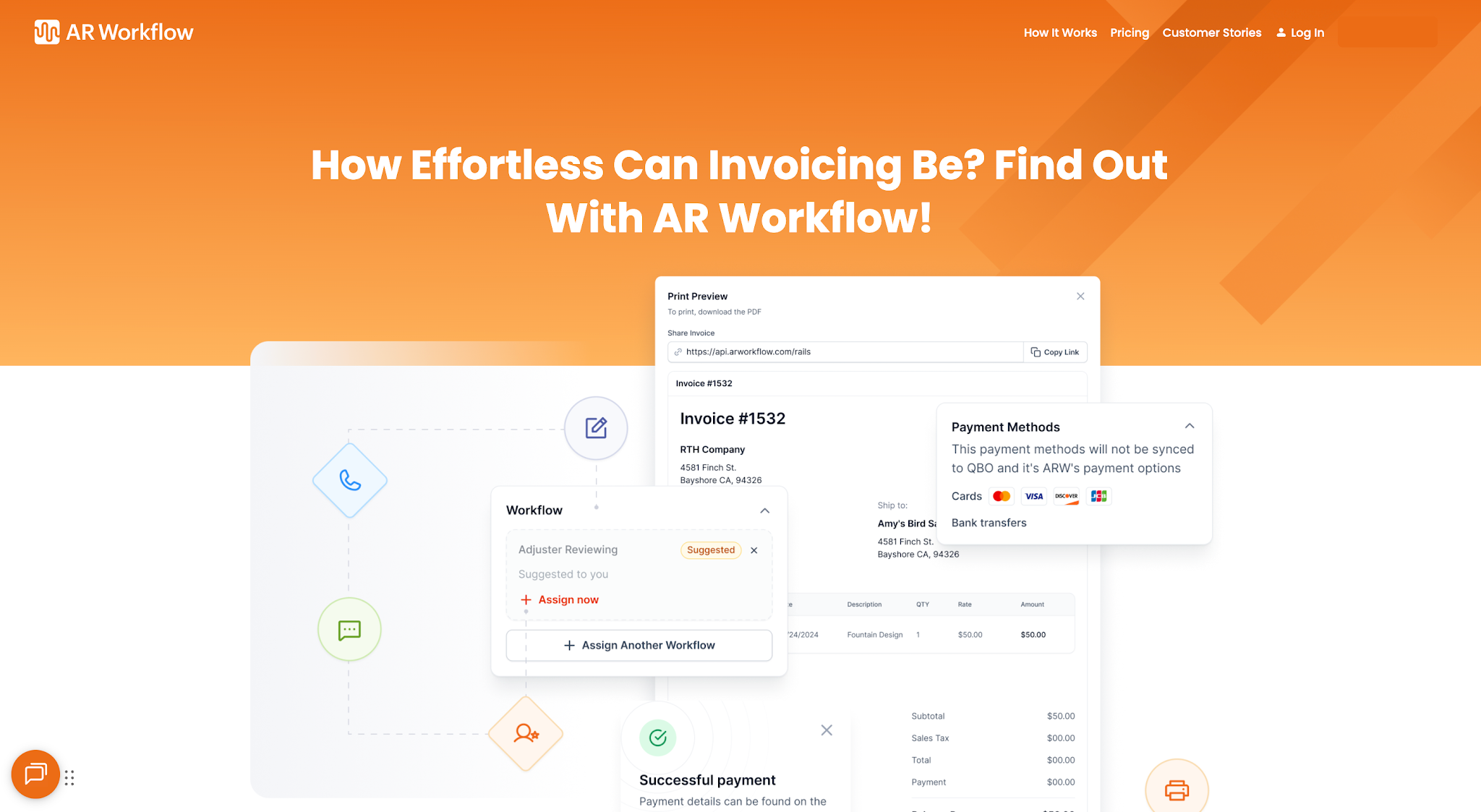
AR Workflow keeps restoration follow-ups consistent without manual tracking.
The right debt collection software depends on how your business handles unpaid invoices. Before choosing a platform, make sure it supports the collection activities your team performs and works with your existing financial systems.
If you're in the disaster restoration industry, AR Workflow is the best place to start. The platform specifically addresses the collection challenges restoration contractors face, helping your team stay on top of outstanding payments and maintain consistent follow-ups without relying on manual tracking.
With AR Workflow managing those routine follow-ups, your team can keep overdue invoices from slipping through the cracks and give your business a better chance of collecting payments before they become a bigger cash flow problem.
Debt collection software helps a business track unpaid invoices, send scheduled reminders, record payment promises and take payments online. Some tools are built for collection agencies, while others, like AR Workflow, help businesses collect their own receivables before an account ever reaches an agency. You will also see the same category sold as debt recovery software, which tends to focus on seriously overdue accounts, or credit collection software, which adds credit applications and credit limits for businesses that sell on terms.
Prices vary widely by vendor, team size and invoice volume, so check each vendor's website for current plans. AR Workflow costs $295, $395 or $495 per month depending on open invoices and users. Agency software is often priced differently, by seat or by recovery.
No. Debt collection software is a tool your own team uses to follow up on invoices and take payments. A collection agency is a third party that pursues the debt for you, usually for a fee or a share of what it recovers, and it must follow federal and state collection laws. Many businesses use software first and only send the hardest accounts to an agency. Tools that run accounts receivable automation on top of your accounting system handle the early follow-up, so fewer accounts need debt recovery at all.
If a collection agency is pursuing a debt you owe, start by requesting verification of the balance and confirming who currently owns the debt.
If the debt is incorrect, you can dispute it with the collection agency or the relevant credit bureau. If the debt is valid, you can pay or negotiate a settlement, although the collection account may still appear on your credit report even after you settle the balance.
The right software depends on which financial tasks your business needs to manage. Accounting platforms such as QuickBooks support accounts payable and accounts receivable records.
Dedicated accounts receivable management platforms such as AR Workflow focus more specifically on collecting outstanding customer payments, while other tools specialize in supplier payments or broader financial management. See our roundup of the best accounts receivable software for more options.
If you don't pay a valid outstanding debt, the creditor or collection agency might continue collection efforts. Depending on the agreement and applicable law, the debt could also lead to additional charges or legal proceedings.
If you receive a collection notice, verify the debt and review your available payment or dispute options before responding.
Related reading
Your invoice, not a feature tour.
Bring one overdue invoice to a demo and see what AR Workflow would send, when, and how your customer would pay.
Sam owned and ran three restoration companies for more than 14 years and collected over $100 million in receivables. He built AR Workflow in 2020 to give contractors the collections system he wished he'd had.

AI writes the emails, sends the texts, and leaves the voicemails. Your team handles the conversations that matter, and your cash keeps moving.
 Keep QuickBooksStart with one invoiceStay in control
 Log in