
 Log in
Automated payment reminders that sound like you wrote them.
Email and text reminders go out on schedule, each one with a link to pay. When the customer pays, the reminders stop.
Get a demo
WHY REMINDERS SLIP
The reminder you meant to send is the one that didn't go out.
Nobody skips reminders on purpose. The crew needs materials, a customer wants a change order priced, and by Friday the follow-up slides to next week again. QuickBooks can send a basic email, but it doesn't text, doesn't pause when someone promises to pay, and doesn't show the reply to your whole team.
- Reminders depend on memoryWhen follow-up lives in someone's head, it stops the day they get busy or go on vacation.
- Email alone gets missedPlenty of homeowners and small business owners read a text long before they read an email.
- Replies get lostA customer answers "I'll pay Friday" to one person's inbox and nobody else ever sees it.
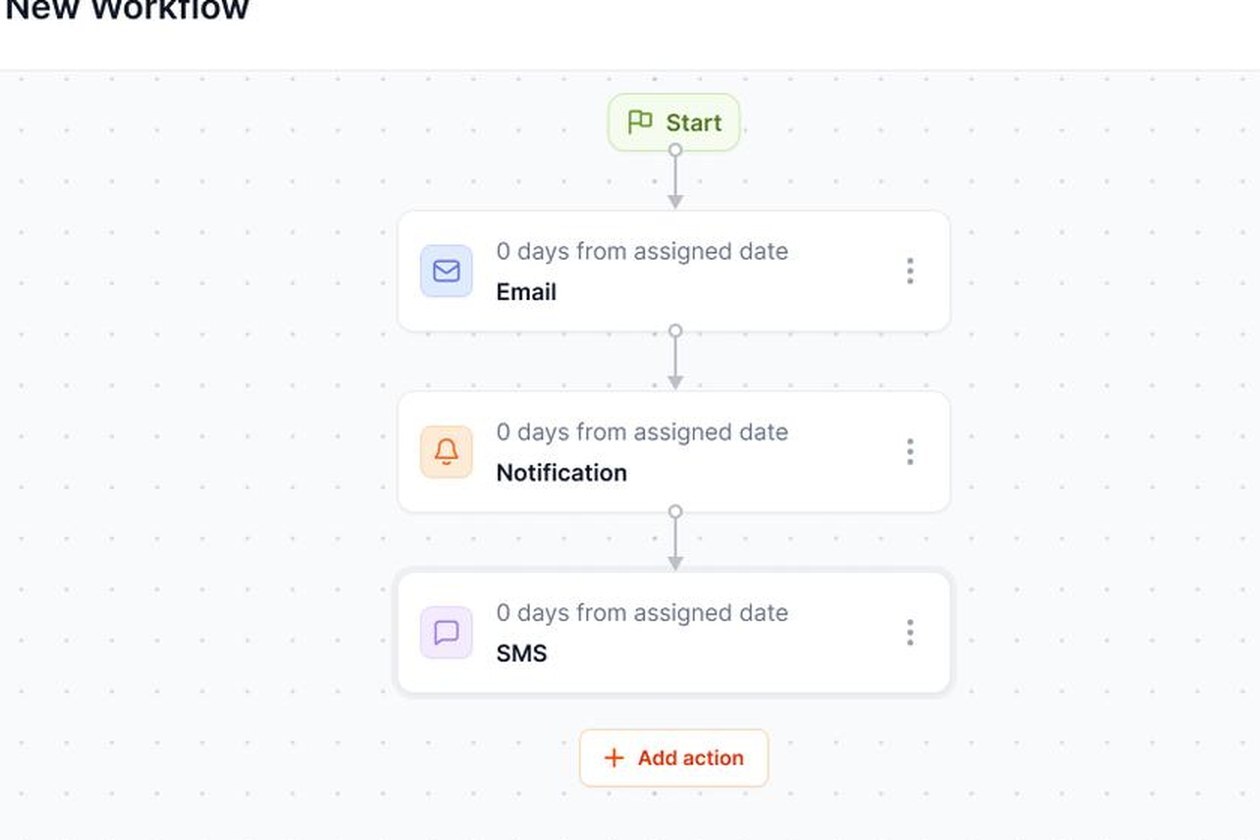
TEXT MESSAGE REMINDERS
Text message payment reminders that customers actually read.
Homeowners read texts. Builders read texts between tasks. A short message with a tap-to-pay link is about as low-friction as collections gets. Numbers that can't receive texts are skipped, and a customer who replies STOP is opted out. Get consent to text in your service agreement and check with your attorney.
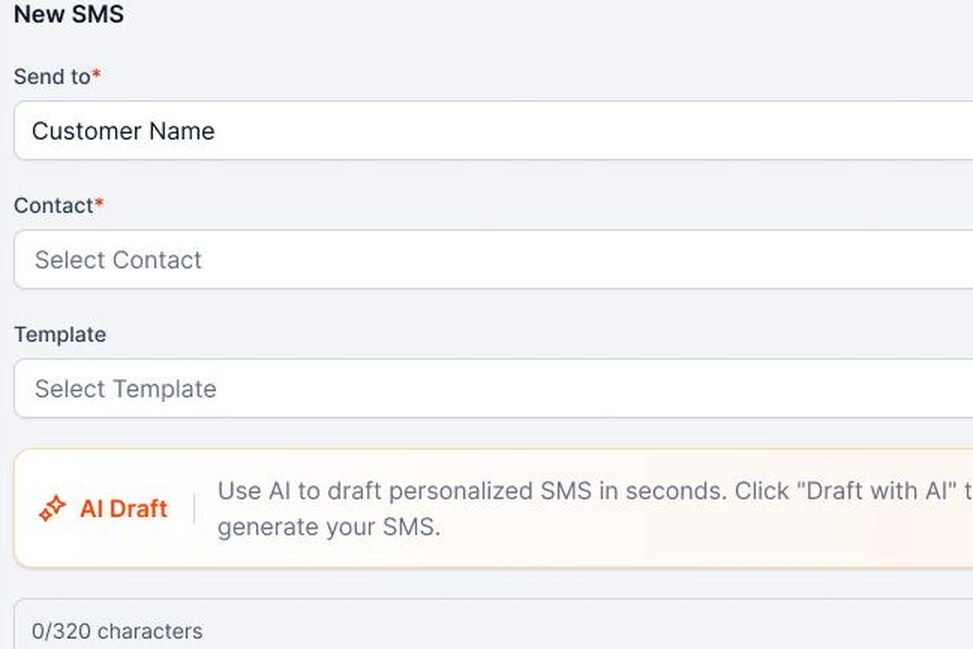
Write it or let AI draft it
Pick a saved template or use AI Draft. Send to one customer, a group, or schedule it for a specific morning.
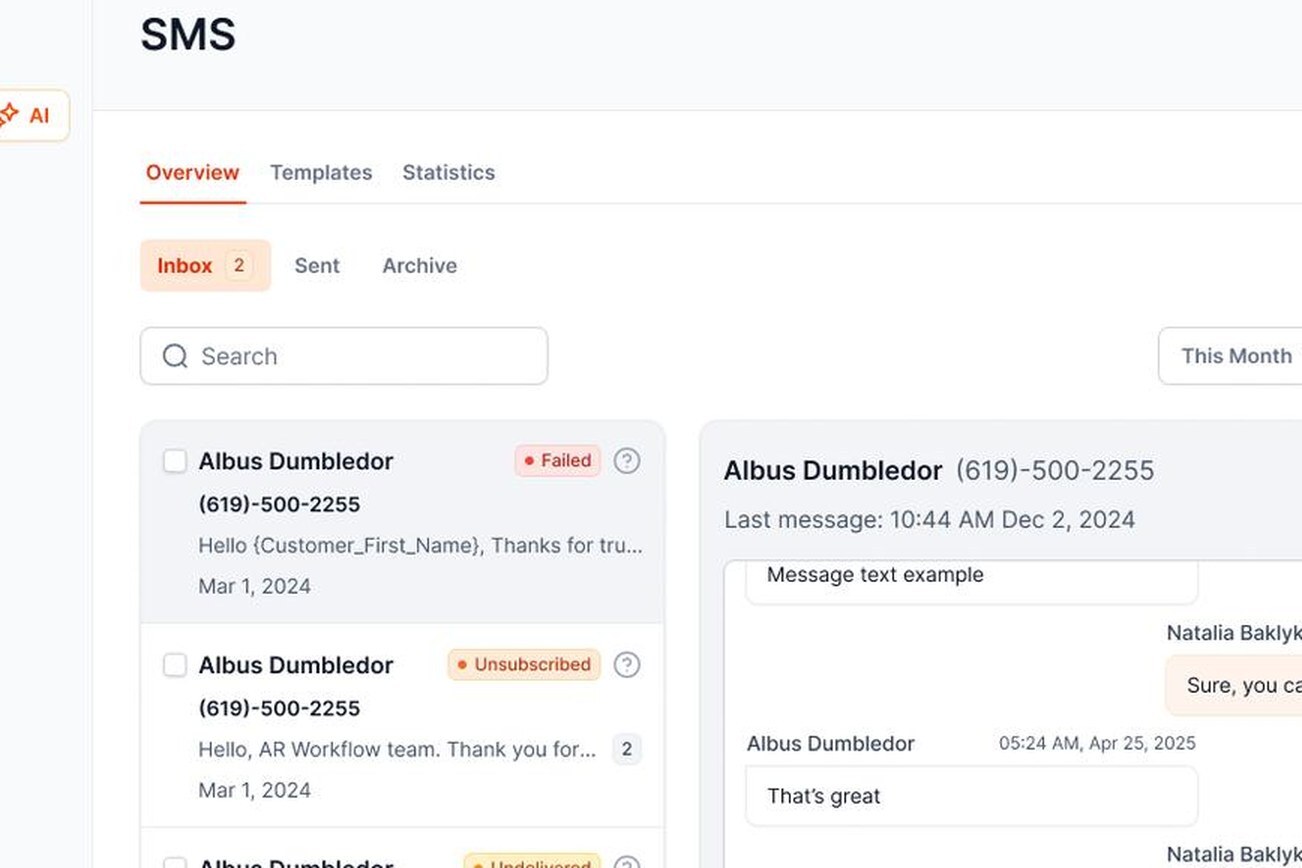
A two-way inbox your team shares
Replies land in one SMS inbox, not on one employee's cell phone.
EMAIL REMINDERS
Invoice reminder emails, with the details that get them paid.
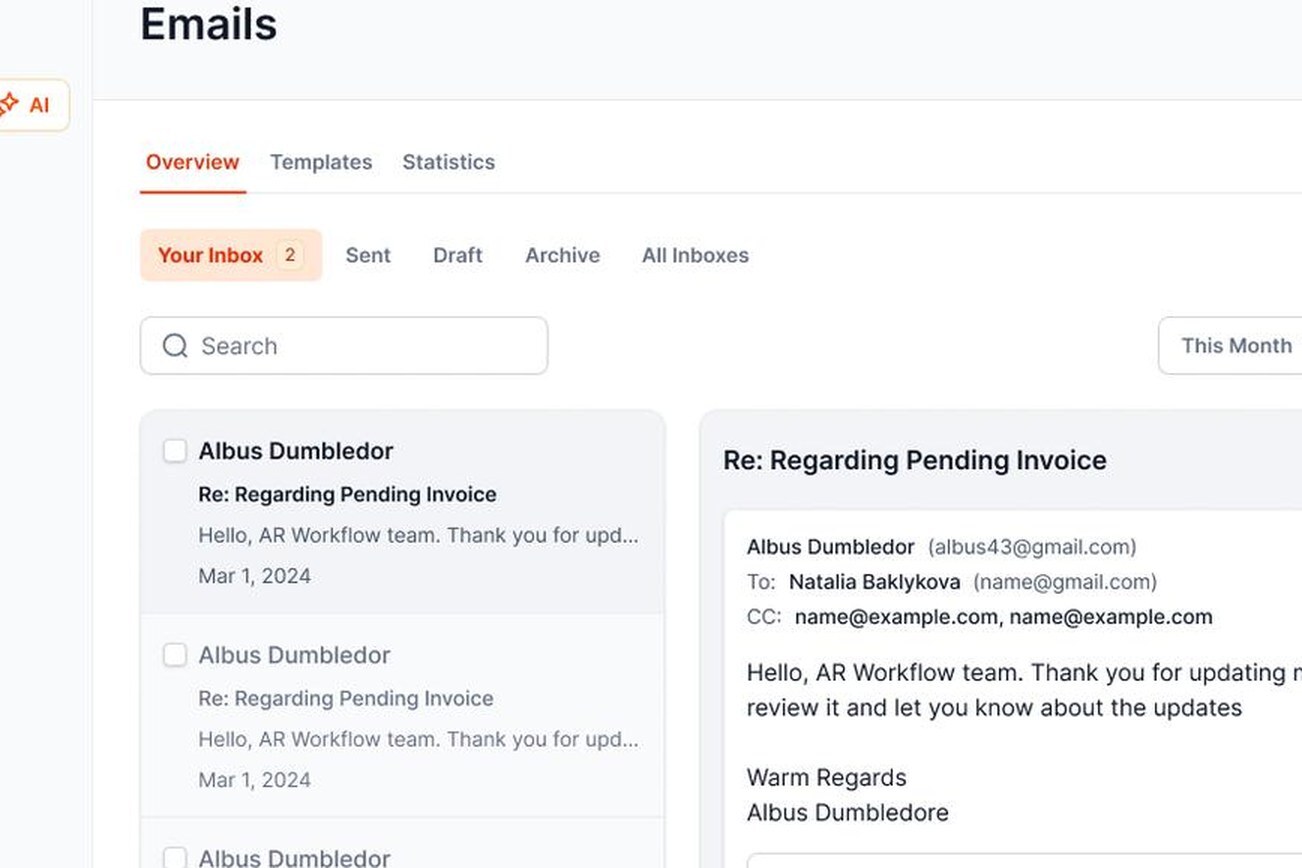
Email is still the right channel for invoices, statements and anything that needs a paper trail. When a customer writes back, AI drafts a suggested reply. Your team approves it, edits it or skips it. Nothing goes out without a person.
- Your own Gmail or Microsoft 365Or the AR Workflow sender.
- Threaded conversationsReplies stay attached to the message and the customer's account.
- SchedulingWrite it now, send it tomorrow at 8 AM.
- AttachmentsInvoices, photos, signed authorizations or lien waivers.
- Open trackingOn emails sent through the AR Workflow sender.
- No payment link for adjustersAI Draft leaves it out for adjusters, carriers and attorneys.

YOUR INVOICE, NOT A FEATURE TOUR
Bring us one overdue invoice. We'll build the reminders around it.
On the demo we build a reminder schedule around one of your real past-due invoices. You'll see:
- 1Each email and text your customer would get, in your wording
- 2How replies land in the shared inbox
- 3How the payment lands in QuickBooks and the reminders stop

YOUR OPEN INVOICE
Past due[YOUR BALANCE]
 Status requestEmail
 Second touchText
 Still openVoicemail
Payer can pay by card or ACH

Paid
Posted to QuickBooks
FAQ
Automated payment reminder FAQs
What are automated payment reminders?

Automated payment reminders are emails and texts that go out on a set schedule to customers with unpaid invoices, without someone sending each one by hand. In AR Workflow they include a payment link and stop automatically once the invoice is paid.
How often should I send overdue invoice reminders?
A common rhythm is a courtesy note at the due date, a reminder every week or so after that, and a firmer message a few weeks past due, followed by a phone call. Adjust it for the customer. A repeat commercial client may need less, a new homeowner may need more.
Can I send payment reminders by text message?
Yes. AR Workflow sends text reminders from a dedicated business number with a tap-to-pay link, and replies come into a shared inbox. Get the customer's consent to text first.
Will automated reminders annoy my customers?
Not if they're polite, accurate and stop when the customer pays. Annoying reminders are the ones that keep coming after payment, or that go out with the wrong amount. Both are handled for you.
Do the reminders come from my email address?
They can. Connect Gmail or Microsoft 365 and reminders send from your address. Texts come from your dedicated AR Workflow number.
What if a customer replies with a question?
The reply lands in the shared inbox, an AI-drafted answer is ready for review, and the customer's timeline shows the whole conversation.
How do I write a friendly payment reminder?
Use the customer's name, name the job, say the amount is due or past due, include a payment link and thank them. Assume it slipped their mind. Save firmer language for later reminders.
Should I send payment reminders before the due date?
Yes. A courtesy reminder a few days before the due date catches customers who simply forgot, and it doesn't feel like chasing.
What's the best time of day to send a text payment reminder?
During business hours in the customer's time zone. Weekday mornings and early afternoons are a safe default. Avoid early mornings, late evenings and weekends.
Can automated reminders include a payment link?
Yes. Every customer-facing email and text in AR Workflow can include a link that opens all of that customer's open invoices for payment by card or ACH.
How much does it cost?
Automated payment reminders are part of every AR Workflow plan: $295, $395 or $495 per month. See pricing. There's no free trial. We set it up with you on a demo.
Which payment reminder tools should I compare?
If you're shopping around, our roundup of payment reminder software compares the options.

Every reminder sent. None after they pay.
See automated payment reminders built around one of your own overdue invoices.
 Keep QuickBooks
- Start with one invoice
- Stay in control