Learn what accounts receivable reconciliation is and how the process works in six steps. Discover how AR Workflow can help you reconcile your AR.

Your accounts receivable (AR) records play a big role in understanding your company's financial health. Your team relies on them to understand how much money customers owe and which payments have already come in.
However, your team needs to review this financial data regularly to make sure it accurately reflects what's happening in your business.
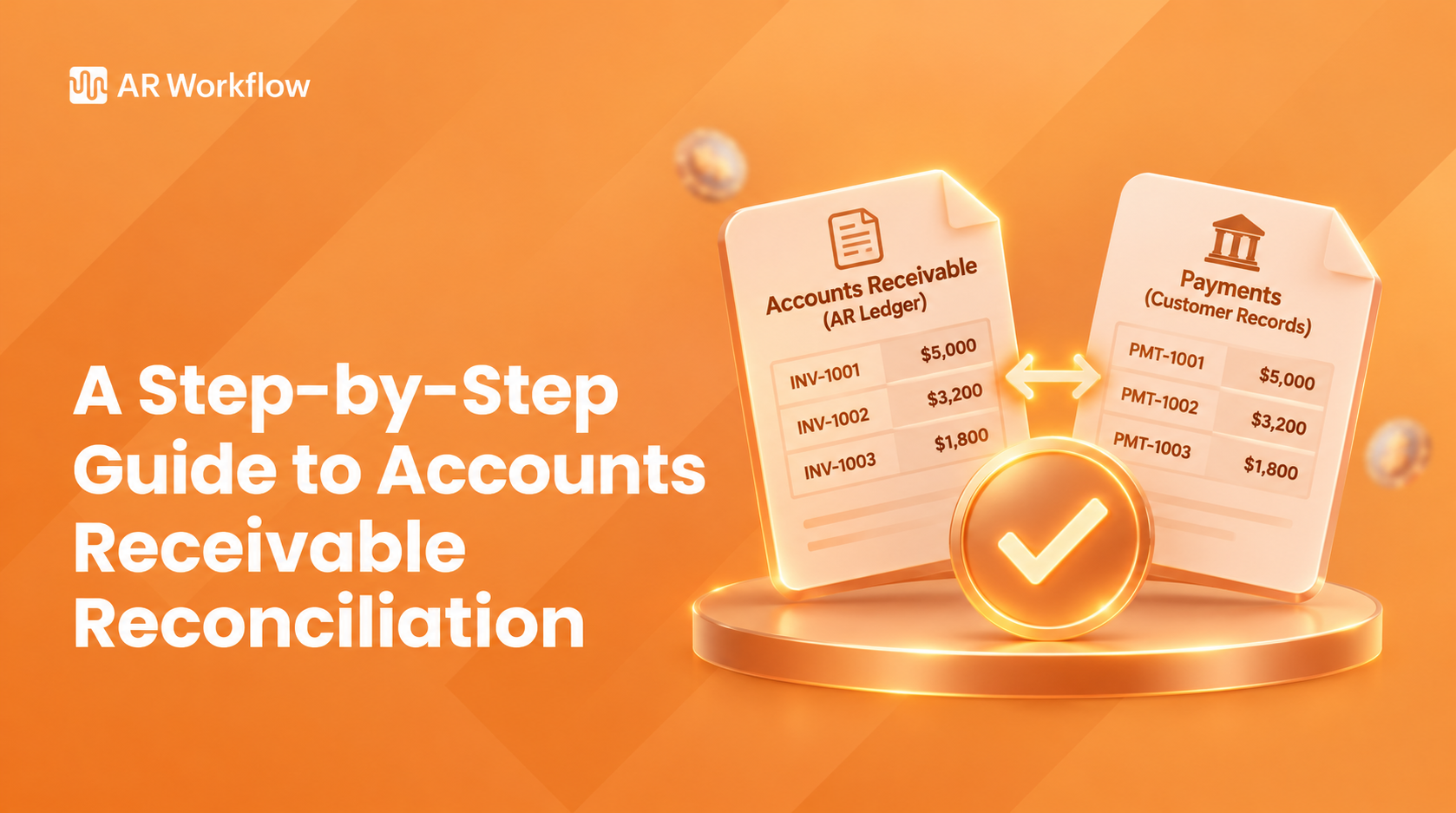
That's what makes accounts receivable reconciliation important. By comparing your customer balances with your general ledger, you can confirm that your records match and address any differences before they affect your financial reporting or collections.
Collections software can also help your team track outstanding balances and keep payment records organized throughout the process.
This guide explains the accounts receivable reconciliation process and what steps your team should follow to keep its AR records accurate.
KEY TAKEAWAYS
Unlike bank reconciliation, which compares bank records with accounting cash balances, accounts receivable reconciliation compares the total AR subledger balance with the corresponding general ledger balance.
The subledger contains the details of individual customer accounts, including invoices and payments. The general ledger, on the other hand, records the company's overall accounts receivable balance, which it uses for financial reporting.
If the two balances don't match, the finance team reviews the underlying transactions to find and correct the difference.
Regular reconciliation also helps businesses:
To follow the AR reconciliation process consistently, the finance team needs a way to check its records and investigate differences.
Here are six steps your team can follow.
Start by collecting the accounting records for the period you want to reconcile.
You'll need your accounts receivable subledger and the general ledger balance for the same reporting date. Make sure both reports cover the same accounts and use consistent reporting settings.
You'll also need supporting records to investigate any differences you discover.
These typically include:
For restoration companies, your team may also need payment details from insurance-related transactions. Those records can help explain which invoice a payment belongs to when several parties participate in settling a claim.
Having these documents ready makes it easier to investigate discrepancies without repeatedly searching for missing information.
Once you've gathered the records, compare the total AR subledger balance with the accounts receivable control account in your general ledger.
Both amounts should represent the same reporting period and accounting basis.
For example, suppose your customer ledger shows $240,000 in outstanding receivables, but the general ledger shows $245,000.
Your team now has a $5,000 difference to investigate.
Before reviewing individual invoices, check whether you've generated both reports using the correct dates and account filters. A report that includes transactions from a different period can produce a misleading difference.
Also, avoid assuming that matching totals automatically mean every customer balance is correct.
Two transaction errors can offset each other and leave the overall amount unchanged. Reviewing individual customer accounts helps catch these issues.
If the totals don't agree, record the difference so your team can trace it during the next step.
Now that you know whether the balances match, look at the transactions that make up those balances.
Start with the reporting period you're reconciling and examine invoices, customer payments, credit memos, and other adjustments.
Check whether your team recorded each transaction correctly and applied payments to the appropriate customer invoices.
For instance, a customer might make a $4,000 partial payment on a $10,000 restoration invoice. Your customer records should reflect the remaining $6,000 balance after your team applies that payment.
If the payment appears in your accounting system but remains unapplied, the original invoice might still appear fully outstanding.
Your team should also review transactions that look unusual, such as duplicate invoice amounts or credits without clear supporting documentation.
These checks help identify the specific entries that could explain a discrepancy between the customer ledger and general ledger.
If you find a difference, trace it back to the transaction or accounting entry that caused it.
For example, suppose your general ledger shows $3,000 more in receivables than the customer ledger.
Check whether someone recorded an adjustment directly in the general ledger without making the corresponding change in the AR subledger.
You should also investigate payments received near the reporting cutoff date. A timing difference can occur when reports include transactions from different periods.
Don't change a balance simply to make the totals agree. First, confirm whether the difference reflects an actual error or a legitimate transaction that requires further review.
If your team can't resolve a discrepancy immediately, document what you've investigated and assign someone to continue the review.
That gives the next person enough information to pick up the investigation without repeating the same work.
After identifying the cause of a discrepancy, make the necessary correction in your accounting system.
The type of correction depends on the error.
For example, if an employee applied a customer payment to the wrong invoice, the team should correct the cash application error. An adjustment posted to the wrong account, on the other hand, may require an authorized accounting entry to correct it.
Keep supporting documentation for every correction so reviewers can understand what changed and why.
Once you've completed the adjustments, rerun the AR subledger and general ledger reports using the same reporting date.
Compare the balances again to confirm that the corrections resolved the discrepancy. If the totals still don't agree, continue investigating until your team can explain the remaining difference.
After confirming the balances, document the reconciliation results.
Your records should show the reporting period, the balances you compared, the differences you identified, and the corrections your team made.
If any discrepancy remains unresolved, record the amount and the next action needed to investigate it.
Assigning someone to review the completed reconciliation also helps your business maintain internal controls. The reviewer can confirm that the team addressed the differences properly and retained the supporting documents.
Your team can then use this reconciliation data as a reference during the next reporting period.
If the same type of discrepancy keeps appearing, the documentation can also help your team determine whether something in its invoicing or payment recording process needs attention.
Let's look at how the process works using a restoration company's customer invoices.
Let’s say your company completed several water damage restoration jobs and issued $40,000 in invoices during the month.
Your team then recorded $12,000 in customer payments and issued a $3,000 credit memo for an approved invoice adjustment.
Assuming the company started the month with no outstanding receivables, the correct ending balance should look like this:
|
Transaction |
Amount |
|
Beginning AR balance |
$0 |
|
Customer invoices issued |
+$40,000 |
|
Customer payments applied |
-$12,000 |
|
Approved credit memo |
-$3,000 |
|
Correct ending AR balance |
$25,000 |
However, when your team compares its records, it finds that the AR subledger shows $25,000 while the general ledger shows $28,000.
The $3,000 difference matches the credit memo.
After investigating, the team discovers that it recorded the credit in the customer subledger but failed to post the corresponding adjustment to the general ledger.
The accounting team then makes the appropriate correction and confirms that both balances show $25,000.
With both balances now matching, the team can complete the reconciliation and use the corrected amount for accurate financial reporting.
Even with an established reconciliation process, finance teams can encounter discrepancies that require additional investigation.
Many of these issues begin when someone records an invoice, applies a customer payment, or makes an adjustment.
Understanding the common causes can help your team investigate differences more efficiently.
An unapplied cash payment occurs when your company records money received from a customer but hasn't matched that payment to the appropriate invoice.
A misapplied payment happens when someone assigns a payment to the wrong customer account or invoice.
For example, a property owner might pay $2,500 toward an outstanding restoration invoice. If your team records the payment without applying it to that invoice, the aging report may still show the original amount due.
This means your team could contact the customer about an amount they've already paid, even though your company has received the money.
These errors don't always create a difference between the total AR subledger and general ledger. However, they can leave individual customer invoice balances incorrect.
To catch these issues, review payments that haven't been matched to invoices and check whether your team applied each payment to the correct customer account.
Missing invoices can cause your records to understate the amount customers owe, while duplicate invoices can make the outstanding balance appear higher than it should.
Imagine your team enters the same $8,000 restoration invoice twice. Unless someone catches the duplicate entry, the customer account could show an additional $8,000 due.
To check whether it's a duplicate, your team can review the original invoice and confirm whether both entries refer to the same restoration job. If they do, the team can correct the duplicate entry so the customer balance reflects the actual money owed.
Similarly, if an invoice appears in one accounting record but is missing from another, your team should investigate where the entry went missing and correct the records accordingly.
Sometimes, your team may need to correct an invoice because of a billing error or a customer dispute.
For example, after reviewing the final job documentation, a restoration company might discover that it incorrectly charged a customer an additional $1,200. The team would then issue a credit memo to remove that charge and update the amount the customer owes.
However, if the accounting team doesn't record that credit correctly, the customer balance or general ledger may still show the original amount.
To prevent this, check that your team has recorded every approved credit or adjustment in the appropriate accounts. Make sure the records reflect the correct amount, especially when your team makes adjustments near the end of a reporting period.
Timing differences occur when the reports or accounting records recognize transactions in different periods.
For example, your team might receive a payment on the final day of the month but record it in the following month. If one report includes the payment and another doesn't, the totals may differ.
Incorrect posting dates can create similar issues.
So start by checking the date range and reporting cutoff for each record. Then review the transaction dates and posting history to determine whether the difference comes from reporting settings or an accounting error.
Once you identify the cause, you can decide whether the transaction requires correction or simply needs proper documentation.
Keeping your AR records up to date throughout the month helps maintain financial accuracy and makes reconciliation easier when it's time to review them.
If payments remain unapplied or employees delay recording invoice adjustments, your finance team will have more transactions to investigate at the end of the reporting period.
To avoid that, make sure your team records payments promptly and applies them to the correct invoices. The same applies to credit memos and other approved adjustments, since missing entries can affect the balances you're trying to reconcile.
Once your records are up to date, ongoing reconciliation helps your team catch differences before they carry over into the next reporting period.
Monthly reviews usually work well alongside the accounting close, although companies with higher transaction volumes may need more frequent checks.
During each review, your team should also follow these reconciliation procedures:
If your team repeatedly finds incorrect payment applications or missing credits, investigate which part of the AR process causes those mistakes so employees don't have to keep correcting them every month.
Reconciling your accounts receivable helps identify overdue accounts by confirming which invoices remain unpaid and how much customers still owe.
With accurate balances, your collections team can focus on the accounts that genuinely need attention without contacting customers about payments they've already made.
However, knowing which invoices are outstanding doesn't mean your team has a process for collecting them. Employees still need to keep track of overdue accounts, contact customers, and monitor whether those customers have responded or made a payment.
Managing all of that manually can take up more time as your company handles more invoices.

AR Workflow helps restoration companies manage overdue balances after their accounting records establish what customers owe.
Through its QuickBooks-connected setup, teams can bring their invoice information into AR Workflow and organize collection activity around those outstanding balances.
The platform lets employees create collection workflows and schedule email or SMS reminders for upcoming or overdue payments, depending on when an invoice needs attention.
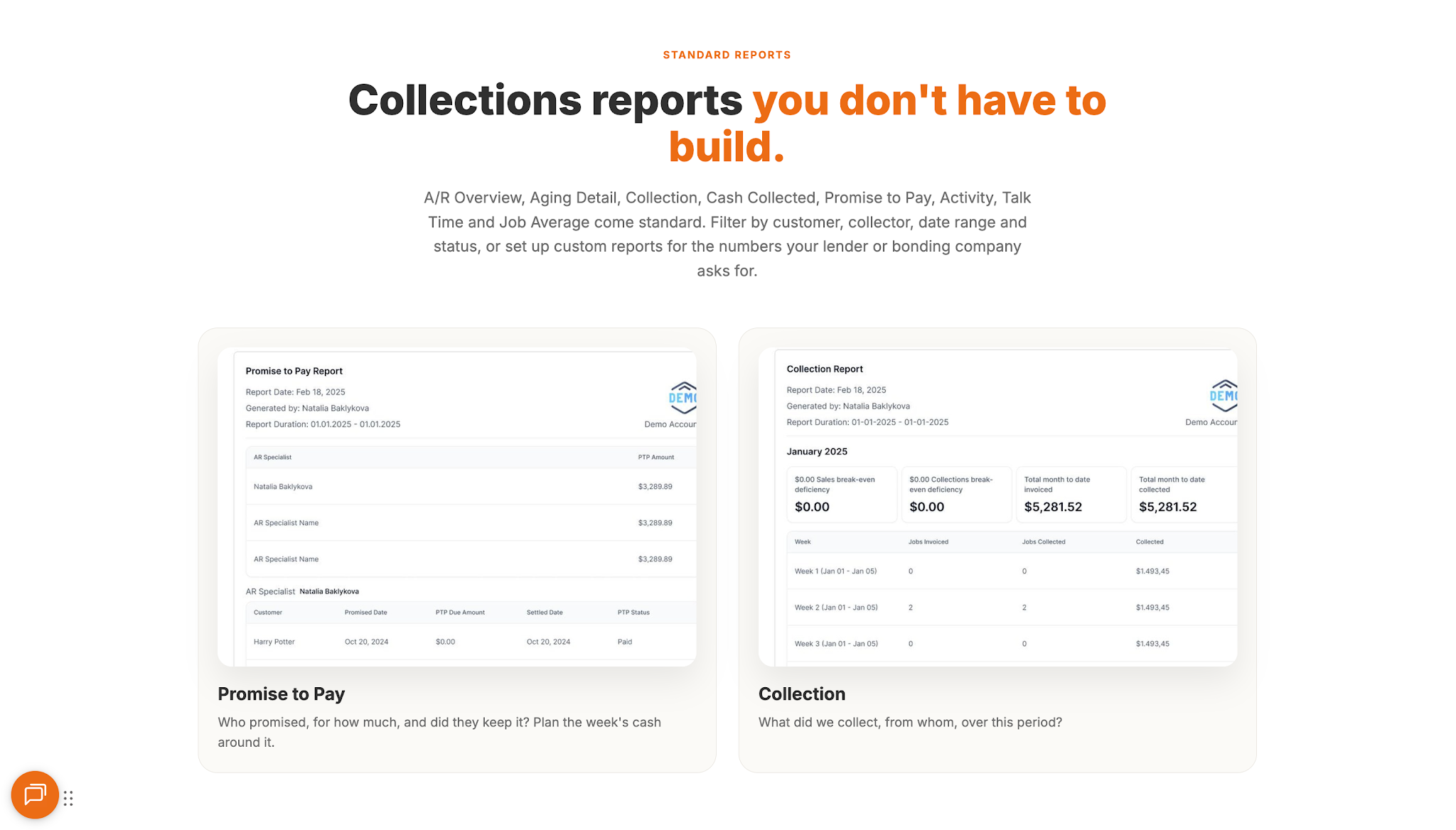
AR Workflow also helps employees track payment activity and review outstanding balances through its AR reports.
Customers can access online payment options when they're ready to settle an invoice.
These capabilities give restoration finance teams a more organized way to manage collections while their accounting system continues to handle the financial records and reconciliation process.
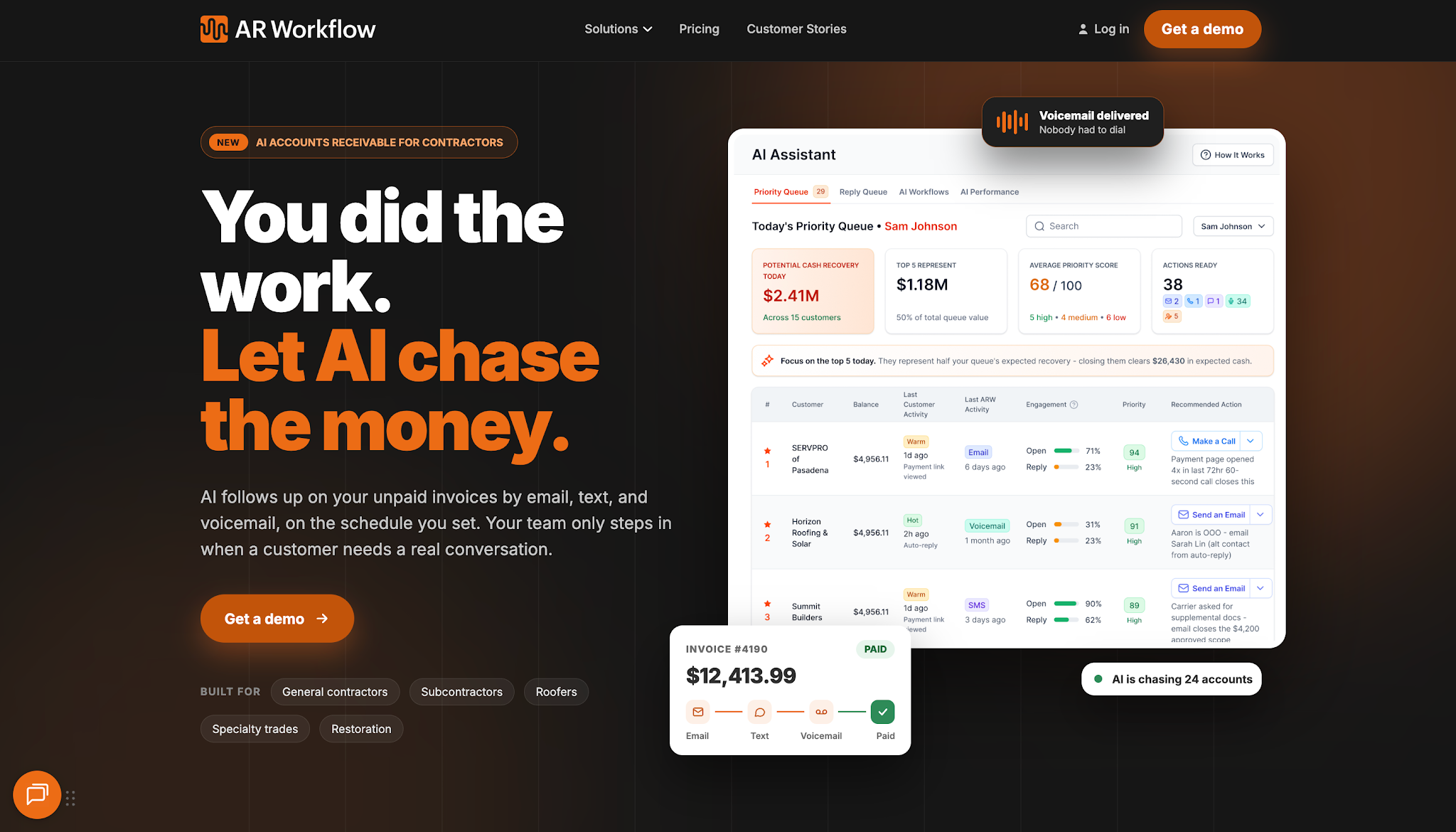
Accounts receivable reconciliation helps your team confirm how much customers still owe and correct the errors that could affect your collections decisions.
However, even with accurate balances, those outstanding payments still need regular attention if you want to keep them from aging further.
AR Workflow helps your restoration team stay on top of that work without having to manually manage every follow-up.
With automated reminders and a clear view of payment and collection activity, your employees can see which invoices still need attention and keep collections moving while they focus on other business operations.
Accurate AR records give your team the information it needs to make the right decisions. Keeping up with collections is what helps you act on that information and collect the payments your business is still waiting for.
The five Cs are character, capacity, capital, collateral, and conditions. Businesses use them to evaluate a customer's credit risk and ability to repay.
Receivables reconciliation involves comparing customer balances in the AR subledger with the general ledger. Finance teams investigate and correct any differences to maintain accurate financial records.
The five basic steps are:
For accounts receivable, this means checking the AR subledger against the general ledger and resolving any differences.
Related reading
Your invoice, not a feature tour.
Bring one overdue invoice to a demo and see what AR Workflow would send, when, and how your customer would pay.
Sam owned and ran three restoration companies for more than 14 years and collected over $100 million in receivables. He built AR Workflow in 2020 to give contractors the collections system he wished he'd had.

AI writes the emails, sends the texts, and leaves the voicemails. Your team handles the conversations that matter, and your cash keeps moving.
 Keep QuickBooksStart with one invoiceStay in control

 Log in