
 Log in
Chaser sends polished reminder emails. AR Workflow reaches homeowners by text.
Chaser is a credit control tool built for B2B firms and accountants. AR Workflow is built for contractors who need texts, voicemail and calls.
The short answer
Which one is right for you?
Stick with Chaser if...
- You bill other businesses on terms and want polished email reminders from your own inbox.
- You use Xero or Sage, or want an outsourced credit control option.
- You want a free trial so you can set it up yourself.
Choose AR Workflow if...
- You are a contractor on QuickBooks Online.
- Your customers are homeowners, insurers or small businesses who answer texts more than emails.
- You want text, voicemail and call tasks in one workflow.
- You want a daily Priority Queue that tells your office who to call today.
Side by side
AR Workflow vs Chaser, feature by feature
Here is how the two tools compare on the features that matter most for contractor follow-up.
Written by AR Workflow's founder, so read it knowing which side we're on. Chaser facts come from its own website and pricing page as of November 2026. We say plainly where Chaser is the better fit.
Where AR Workflow pulls ahead
Where AR Workflow does better for contractors
These are the spots where the source says AR Workflow is stronger for a contracting business.
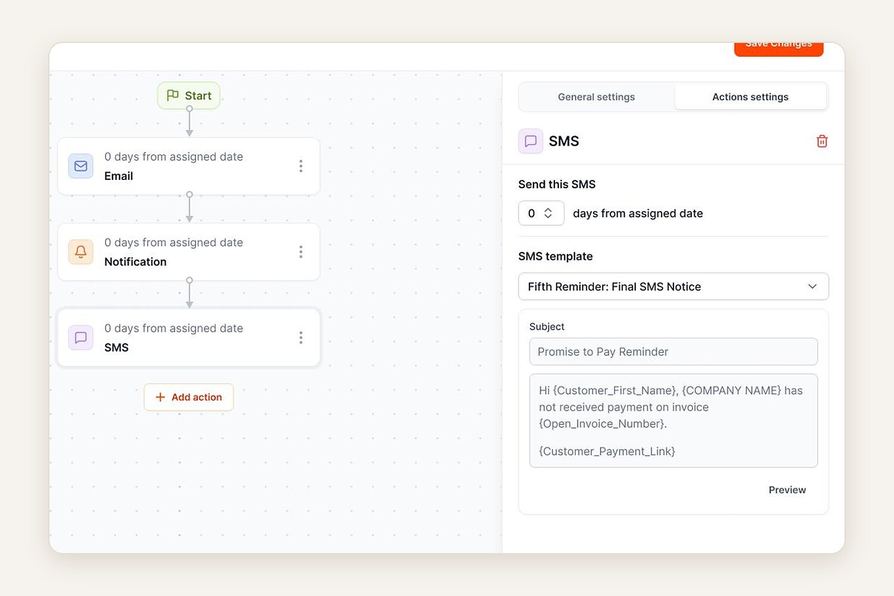
Customers can text back from a business number. Every invoice can get ringless voicemail, which Chaser does not offer.
One job can hold adjusters, homeowners and mortgage companies together. Chaser is not built for jobs with several payers.
The Priority Queue tells your office who to call today. Chaser's calling is an optional service at extra cost.
AR Workflow was built in restoration for contractor billing. Chaser is aimed at business-to-business billing.
One overdue invoice, two ways
One overdue invoice, told two ways
A made-up roofing company has a $9,800 invoice to a homeowner who is 12 days past due after the insurance check came in.
With Chaser Typical
A well-written email goes out from the roofer's own address.
Another reminder email follows a few days later.
A text reminder goes out. The homeowner reads it but has questions about the supplement.
With AR Workflow Automatic
The homeowner gets a text from the business number with a pay link.
They ask about the supplement. Your office sees it in the shared inbox and answers in a minute.
When the homeowner goes quiet, a voicemail lands in their inbox in your owner's voice.
A call task shows up in the Priority Queue on day 10.
The homeowner pays by card from the link.
Cost over a year
Cost over a year for a made-up contractor
Entry tier for up to 4 users, billed yearly at $233 a month.
Grow plan at $395 a month, with 10 users included.
Chaser's entry tier is cheaper, and its price depends on your revenue and users, so a bigger contractor may land on a higher tier. Get a current quote.
Real results
What contractors see with AR Workflow
Numbers from our customers' own stories.
fewer payment delays at Flood Rescue
Read the story →days to collect at SERVPRO of NE San Diego
Read the story →a month saved at ProRestore
Read the story →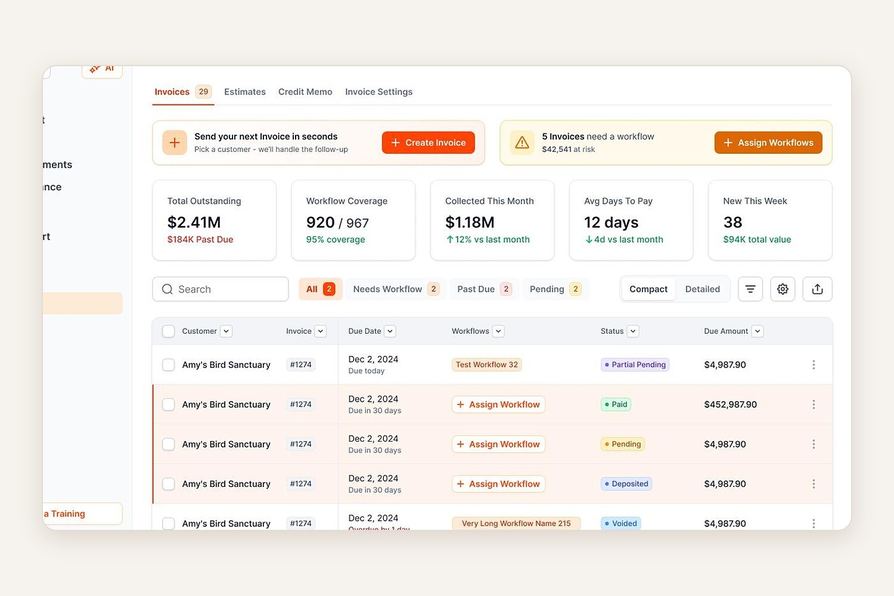
Still deciding?
Ask yourself these questions
If most are businesses with AP departments, Chaser may be enough. If most are homeowners, insurers and property managers, you need text, voicemail and calls, which favors AR Workflow.
AR Workflow works only with QuickBooks Online. If you're on something else, that decides it.
Pull your aging report. If more than 20 percent is past 60 days, reminders alone aren't working.
An office manager with ten other jobs needs a short daily list of who to call, not another dashboard to check.
If yes, check that the tool lets you add adjusters, homeowners and mortgage companies to one job. Most don't.
Making the move
How to switch to AR Workflow
Switching to AR Workflow takes four main steps, and you can start with a single overdue invoice.
Book a demo and bring one real overdue invoice. Open invoices sync in on their own after you connect QuickBooks Online.
Connect QuickBooks Online. Open invoices sync in on their own, so you do not need to re-enter them.
Turn on card and ACH payments, which usually takes a few days for merchant approval. Build workflows with our team.
Turn off reminders in your old tool the same day so customers don't get double messages.
FAQ
AR Workflow vs Chaser: common questions
Is Chaser good for contractors?
Chaser works for contractors who mainly bill other businesses and want polished email reminders. Contractors with lots of homeowner and insurance work usually need text, voicemail and multi-payer jobs, which is where AR Workflow fits better.
How much does Chaser cost in the US?
From $259 a month, or $233 a month billed yearly, for smaller companies with up to 4 users. The next tier starts at $779 a month. Prices are from Chaser's pricing page, November 2026.
Does Chaser send texts?
Chaser offers SMS reminders. AR Workflow offers two-way texting from a dedicated business number, so customers can reply and your team answers from one inbox.
Does AR Workflow work with Xero?
No. AR Workflow works with QuickBooks Online only.
Which is easier to set up?
Chaser has a free trial you can set up yourself. AR Workflow's US-based team sets up your workflows with you, and most contractors are live within a week.
Is Chaser a UK company?
Chaser started in the UK and now sells in the US with US pricing.
Does Chaser leave voicemails?
Chaser offers SMS reminders and an optional calling service. It doesn't offer ringless voicemail. AR Workflow does.
Is Chaser cheaper than AR Workflow?
Chaser's US entry tier is cheaper at $259 a month, or $233 billed yearly, for up to 4 users. Its next tier starts at $779 a month.
Can Chaser handle insurance jobs?
It isn't built for jobs with several payers like adjusters and mortgage companies. AR Workflow is.
Which works better for homeowners?
AR Workflow, because homeowners respond to texts and voicemail more than email, and AR Workflow lets them text back.

Still comparing? Bring one overdue invoice.
Book a demo, bring one overdue invoice and we'll show you how AR Workflow would follow it up.

 Built for contractors on QuickBooks Online
- Setup done with you
- No long-term contract