Every restoration company has money coming in and money going out. Payment timing matters, especially when the business needs to cover payroll or buy materials for another job while waiting for customers to pay their invoices.
Accounting for those payments involves two processes: accounts payable and accounts receivable. Although they cover different sides of a company's finances, both affect a business's financial health.
This blog talks about how they differ and why it matters for you to know them.
TL;DR
- Accounts payable vs accounts receivable: Accounts payable (AP) covers payments a business still needs to make to suppliers, while accounts receivable (AR) covers payments it has yet to collect from customers.
- AP and AR serve different accounting purposes. AP counts as a liability because the business must pay it, while AR counts as an asset because the business expects to collect it.
- Both affect cash flow. A restoration company can earn revenue and still struggle to cover expenses when customer payments arrive after its bills become due.
- Managing both requires consistent financial oversight. Clear payment terms, accurate records, regular balance reviews, and a defined collections process help businesses stay on top of their obligations.
- AR Workflow helps restoration companies manage unpaid receivables by automating payment reminders and providing real-time visibility into outstanding invoices, reducing the time employees spend on manual collections.
Accounts Payable vs Accounts Receivable: Key Differences
The main difference between accounts payable and accounts receivable is who owes the money.
|
Where They Differ |
Accounts Payable |
Accounts Receivable |
|
What it represents |
Money your business owes |
Money customers owe your business |
|
Who pays whom? |
Your business pays vendors or suppliers |
Customers pay your business |
|
Balance sheet classification |
Current liability |
Current asset |
|
Typical document |
Vendor bill or supplier invoice |
Customer invoice |
|
Effect on cash flow |
Creates a future cash outflow |
Represents an expected cash inflow |
|
Main responsibility |
Paying bills accurately and on time |
Collecting customer payments |
|
Restoration example |
Paying a supplier for drying equipment |
Collecting payment for completed water mitigation work |
Understanding Accounts Payable and Accounts Receivable
Although AP and AR represent opposite sides of a transaction, both begin with work or purchases that happen before payment.
Let's look at how each process works.
Accounts Payable
When a company buys products or uses services without paying upfront, the outstanding balance is recorded as accounts payable until the payment is made.
When a restoration company orders materials and receives an invoice with payment due in 30 days, it doesn't need to pay immediately. However, the business still owes that money, so its accounting system records the amount in the company's accounts payable account.
Because the company must eventually pay the balance, accountants classify AP as a liability account. Businesses typically report amounts due within the next year as current liabilities on the company's balance sheet.
Example:
A water damage restoration company purchases $4,000 worth of materials from a supplier. The supplier delivers the materials and issues an invoice with net 30 payment terms.
The restoration company records $4,000 in accounts payable. When it pays the supplier, the business reduces its AP balance by $4,000 and records the corresponding decrease in cash.
How the Accounts Payable Process Works
The AP process generally follows these steps:
- Receive the bill. The supplier sends an invoice for goods or services purchased by the company.
- Verify the charges. The AP team checks the invoice against the purchase order, delivery record, or agreed pricing.
- Record the payable. The accounting system records the amount the company owes.
- Approve and schedule payment. The appropriate employee confirms the bill and schedules payment according to its terms.
- Pay and update the records. The company pays the supplier and clears the payable from its accounting records.
This process helps businesses avoid duplicate payments and meet upcoming financial obligations in a timely manner.
Accounts Receivable
Accounts receivable is the amount a business is owed for purchases or services it has already provided.
For restoration businesses, AR commonly begins when the company completes billable work and issues an invoice that the customer or another responsible payer hasn't paid yet.
Because the company has a right to collect that money, accountants classify AR as an asset account. Businesses generally report receivables they expect to collect within a year as current assets in their financial statements, specifically on the balance sheet.
Example:
A restoration company completes $12,000 worth of water mitigation work and sends an invoice to the customer.
The company records $12,000 in accounts receivable because it has earned the revenue but hasn't received payment.
When the customer pays the full amount, the company reduces its AR balance by $12,000 and increases its cash balance by the same amount.
How the Accounts Receivable Process Works
The accounts receivable process generally follows these steps:
- Complete the billable work. The company provides the agreed restoration services.
- Prepare and send the invoice. The billing team documents the charges and sends the invoice to the responsible payer.
- Record the receivable. The accounting system records the amount owed.
- Monitor the payment status. The AR team checks whether the invoice remains unpaid as its due date approaches.
- Collect payment and record it. The company receives the money and updates the customer's balance.
If the customer doesn't pay on time, the process continues through payment reminders and other appropriate collection activity.
How Accounts Payable and Accounts Receivable Affect Cash Flow
Accounts payable and accounts receivable affect cash flow in opposite ways. AP represents payments your company needs to make, while AR represents expected payments from customers. The key question is whether enough money arrives before it affects the company's financial health.
The Federal Reserve's 2026 Report on Employer Firms highlights how common this type of financial pressure can be.
Among surveyed employer businesses, 50% reported uneven cash flow as one of their most pressing financial challenges, even today, while 54% reported difficulty paying operating expenses as another issue.
These findings don't mean that unpaid invoices caused every cash-flow problem. But they do show why businesses need to pay attention to when money enters and leaves their accounts.
Best Practices for Managing Accounts Payable and Receivable
Managing AP and AR requires a clear understanding of what the business owes and what customers still owe to support better cash flow management.
That said, here are the best accounting practices that can help restoration companies maintain accurate financial records while keeping both processes organized.
Keep Accurate Records of Incoming and Outgoing Payments
Accurate accounts payable and accounts receivable start with recording every vendor bill and customer invoice in your accounting software. This allows finance leaders to see how much the business owes and how much it still expects to collect.
For accounts payable, regularly review your outstanding vendor bills and amounts owed to see which future payments are coming due. For accounts receivable, record the customer or responsible payer along with the invoice amount and payment terms.
Your team should also update these records whenever money changes hands.
For example, when the business pays a supplier, it needs to reduce the corresponding payable balance. The same applies when a customer pays an invoice, except your team updates the receivable balance to reflect the payment.
Keeping these records updated prevents your accounting reports from showing bills or customer balances that the business has already settled. It also makes it easier to compare your accounting records with bank statements and identify any discrepancies.
Establish Clear Payment Terms
Once your business has accurate records of its financial obligations, the next step is making sure everyone understands when those payments are due.
For accounts payable, review the supplier's payment terms, including any early payment options, before agreeing to a purchase. For example, if a supplier offers net 30 terms, your company generally has 30 days to pay under the agreement.
Knowing this ahead of time helps your finance team schedule payments without disrupting other business expenses or affecting supplier relationships.
The same principle applies to accounts receivable. When sending customer invoices, clearly state the payment deadline and explain how the customer can make the payment.
Restoration companies also need to clarify who holds responsibility for payment when an insurance claim is involved. Insurance coverage doesn't automatically remove the customer's contractual obligations, so the agreement should make those responsibilities clear from the beginning.
With clear payment terms, your team has an agreed deadline to work from when scheduling bills or contacting customers about overdue invoices.
Monitor Outstanding Balances and Due Dates
Even with clear payment terms, your finance team still needs to monitor whether payments actually happen when they should. Otherwise, an approaching supplier bill or overdue customer invoice can go unnoticed until it starts affecting your available cash.
For accounts payable, regularly review your outstanding vendor bills to see which payments are coming due. This gives your team time to schedule payments and make sure the business has enough funds available.
For accounts receivable, use an AR aging report to see which outstanding payments remain due and how long the corresponding invoices have been unpaid. These reports typically organize invoices into aging categories, such as current, 1–30 days overdue, and 31–60 days overdue.
This helps your team decide which accounts need immediate attention. For example, a $15,000 invoice that's already 75 days overdue would generally deserve closer review than a $500 invoice that isn't due until next week.
By monitoring both reports regularly, your team can prepare for upcoming expenses while identifying customer payments that may require additional follow-up.
Maintain a Consistent Collections Process
Monitoring outstanding invoices helps your team identify overdue accounts, but it doesn't automatically get those invoices paid. Your business also needs a consistent process for contacting customers and addressing whatever is preventing payment.
Start by confirming that the customer or responsible payer received the invoice and has the documentation needed to process it. If the invoice remains unpaid, contact them to understand the reason for the delay and document their response.
From there, your next action should reflect the situation. A customer who needs another invoice copy, for example, requires a different response from someone disputing a charge.
Having a defined collections process helps your team manage these situations without deciding what to do from scratch every time an invoice becomes overdue.
It also gives employees a clear record of previous communication, so they can continue the collection process without repeatedly asking customers for the same information.
Review Your AP and AR Processes Regularly
As your restoration business takes on more jobs, your team will likely manage more vendor bills and customer invoices. Regularly reviewing your AP and AR processes helps you see whether your current approach still supports your financial operations as your responsibilities grow.
Start with accounts payable by checking whether your business consistently pays suppliers according to their agreed terms. If payments frequently run late, investigate whether delays in invoice processing, approvals, or payment scheduling are causing the problem.
For accounts receivable, review how long customers typically take to pay and whether your outstanding balances continue to grow.
Two accounting measures can help you evaluate these patterns:
- Days payable outstanding (DPO) shows how many days, on average, a business takes to settle its bills with suppliers.
- Days sales outstanding (DSO) measures the average time your business takes to collect payment from customers for credit sales.
These measures give your finance team a way to track payment timing over time. For example, if your DSO keeps increasing, it means your business is taking longer to collect its receivables.
Once you identify a recurring issue, review what's causing it and adjust the relevant process. This helps your business address late payments before they create more pressure on its cash flow.
Why Accounts Receivable Management Deserves Closer Attention
Although both accounts payable and accounts receivable affect your company's cash flow, managing receivables comes with an additional challenge.
With AP, your business generally controls when it schedules and makes payments to suppliers. With AR, however, your business depends on customers or other responsible payers to send the money they owe.
This means that even after your restoration company completes a job and sends an accurate invoice, payment may not arrive by the agreed deadline.
A customer may question a particular charge or request additional documentation. An insurance-related payment may also take longer while the parties involved review the claim. In other cases, the payer simply misses the deadline.
Whatever the reason, your accounts receivable team needs to identify the delay and take the appropriate next step to collect the outstanding balance.
How AR Workflow Helps
To manage those payment delays effectively, your AR team needs a consistent way to track unpaid invoices and follow up with the responsible payers.
When employees handle these tasks manually through spreadsheets, phone calls, or individual emails, keeping up with every outstanding invoice can take considerable time.
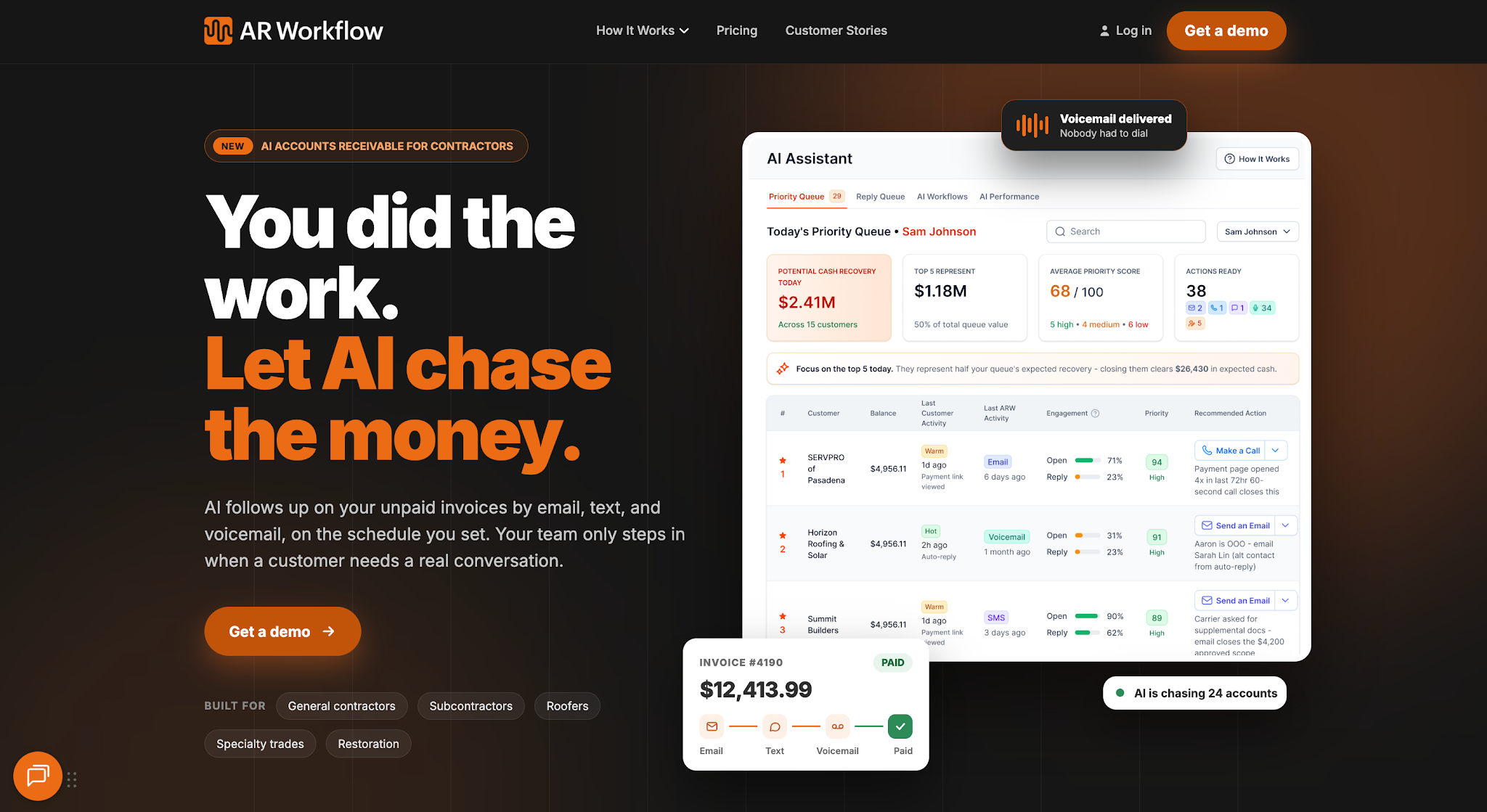
AR Workflow helps restoration companies manage this process more efficiently by automating routine collections follow-ups and making it easier to keep track of unpaid invoices.
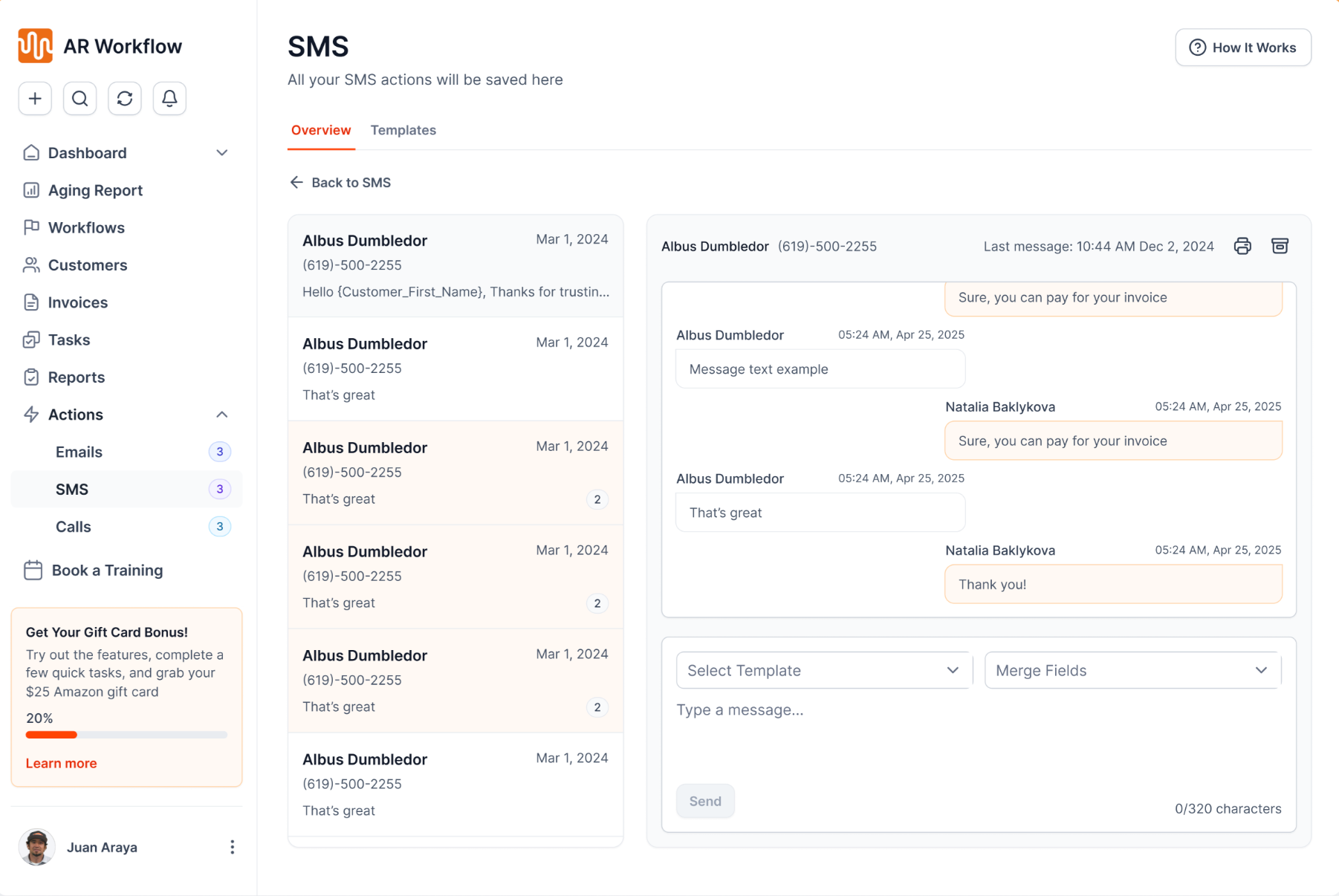
It allows users to automatically send payment reminders through email and SMS, so your team doesn't have to manually contact every customer when an invoice approaches or passes its due date.
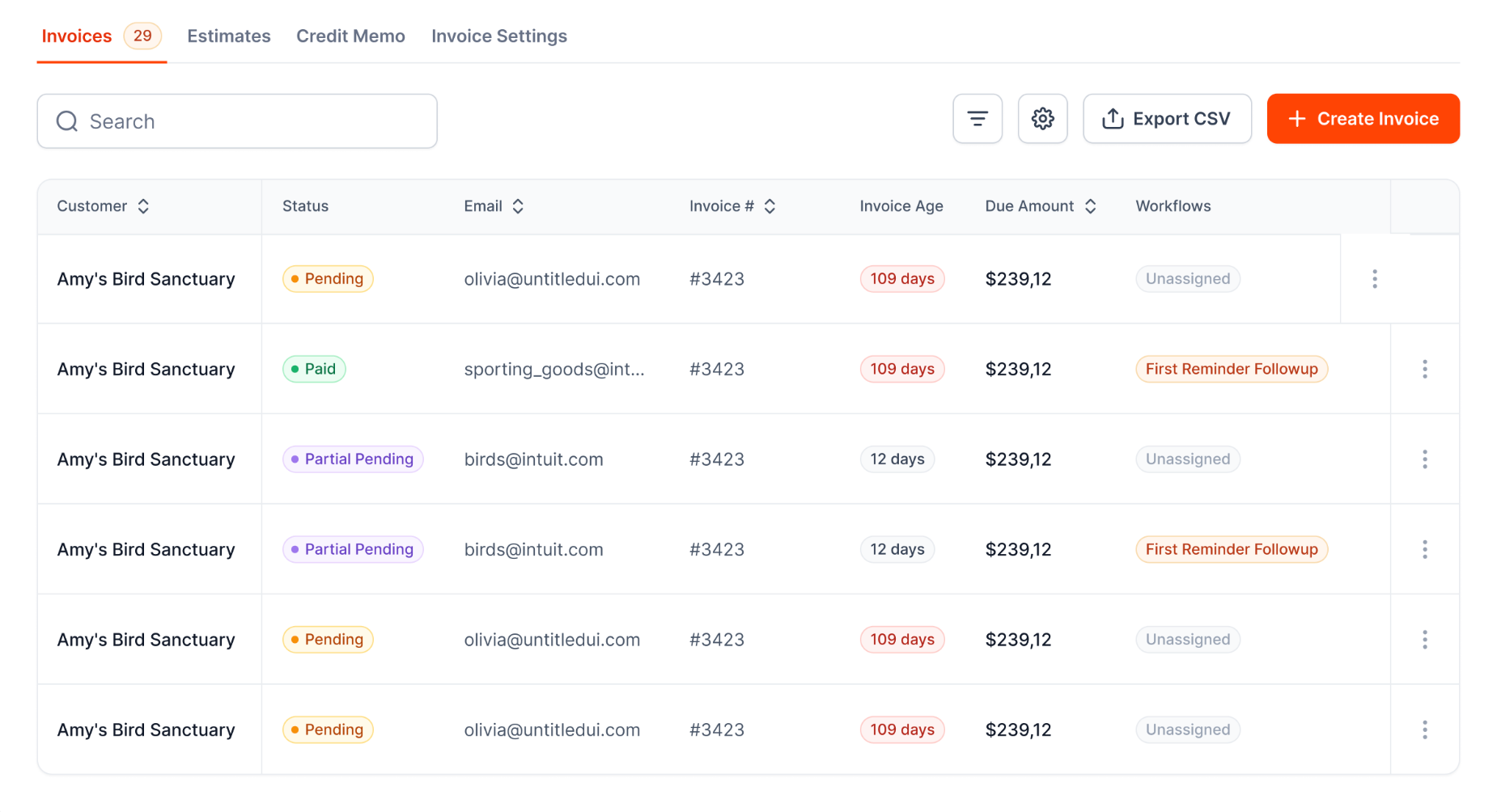
It also gives your team real-time visibility into outstanding receivables and their payment status. That way, team members can easily identify which invoices still need attention and which accounts require direct communication.
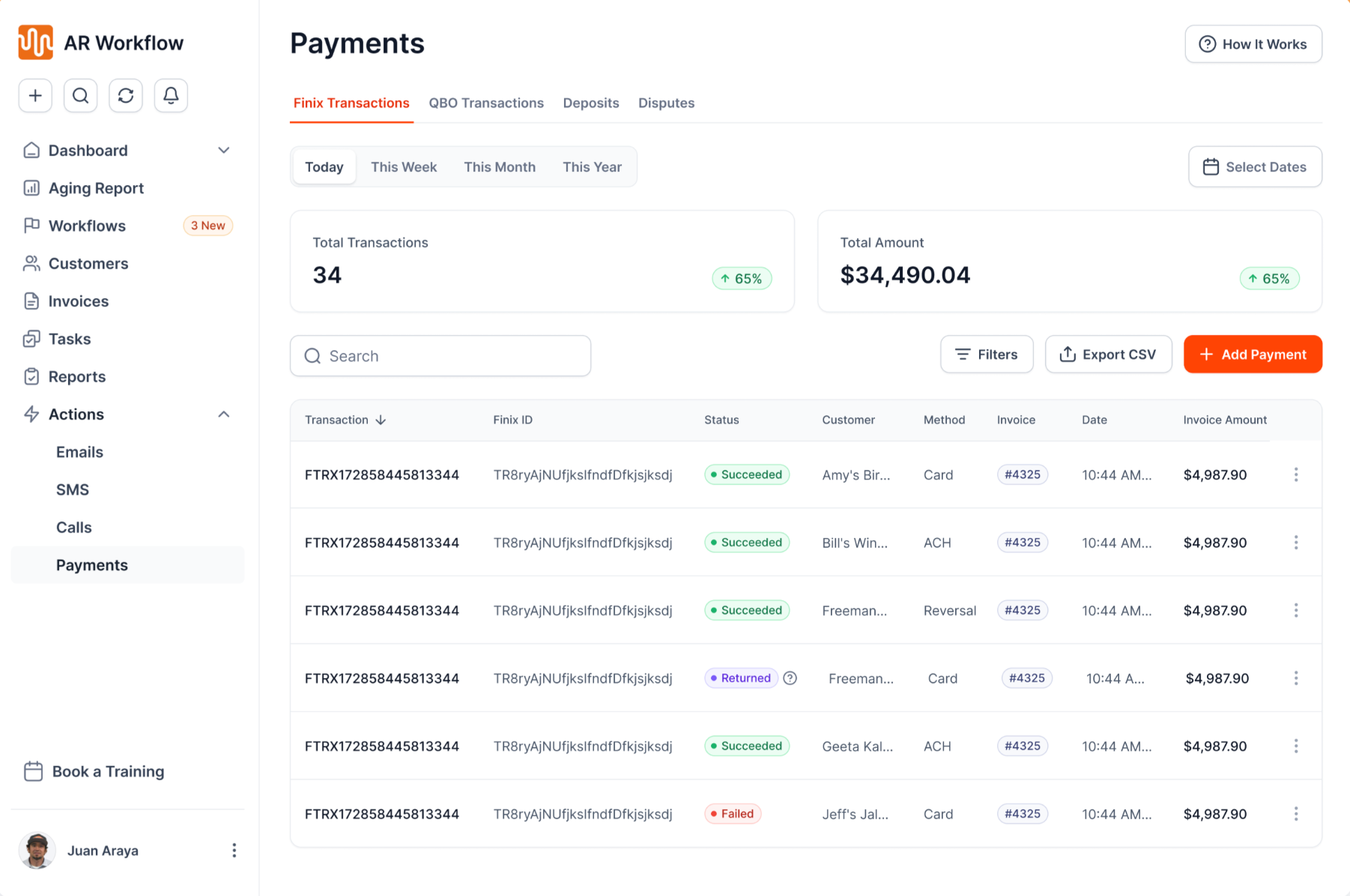
AR Workflow also offers online payment options, making it easier for customers to settle their outstanding balances once they're ready to pay.
With these capabilities, your team can maintain a more consistent collections process without spending as much time on repetitive administrative work.
Collect Payments More Easily With AR Workflow
Managing accounts payable and accounts receivable comes down to knowing when your business needs to pay its bills and when it expects to receive money from customers.
But even if you keep accurate records of both, maintaining a healthy cash flow can still be difficult when customers take longer than expected to settle their invoices.
So while keeping track of your finances is important, making sure your business has a clear system for collecting the payments it's owed deserves just as much attention.
That's what AR Workflow helps restoration companies manage. By automating routine payment follow-ups and giving your team a clearer view of outstanding invoices, it helps you maintain a consistent collections process without adding more manual work to your team's day.
Because when your restoration company has already invested the time and resources to complete a job, the last thing you need is to keep waiting for the money you've earned when your business still has other non-negotiable expenses to cover.
FAQs About Accounts Payable vs Accounts Receivable
Do you send invoices to AP or AR?
Your accounts receivable team sends invoices to customers to collect payments. Your accounts payable team receives and processes invoices from suppliers that your business needs to pay.
Can AP and AR be done by the same person?
Yes. One person can manage both AP and AR, especially in smaller businesses. However, having another employee review or approve payments provides internal controls that help prevent accounting errors and fraud.
Which is more difficult, accounts payable or receivable?
It depends on the business, but accounts receivable can be more challenging because collecting payments depends on customers paying on time. Accounts payable generally involves payments the business can schedule and control.
What is the difference between accounts receivable and receivables?
Accounts receivable refers to money customers owe a business for goods or services. Receivables is a broader term that can also include other amounts owed to the business, such as notes receivable. In everyday business use, people often use both terms to refer to unpaid customer invoices.