Automated collections for restoration: what to automate, a sample reminder cadence, dunning vs. collections, and how to set up workflows that get you paid.

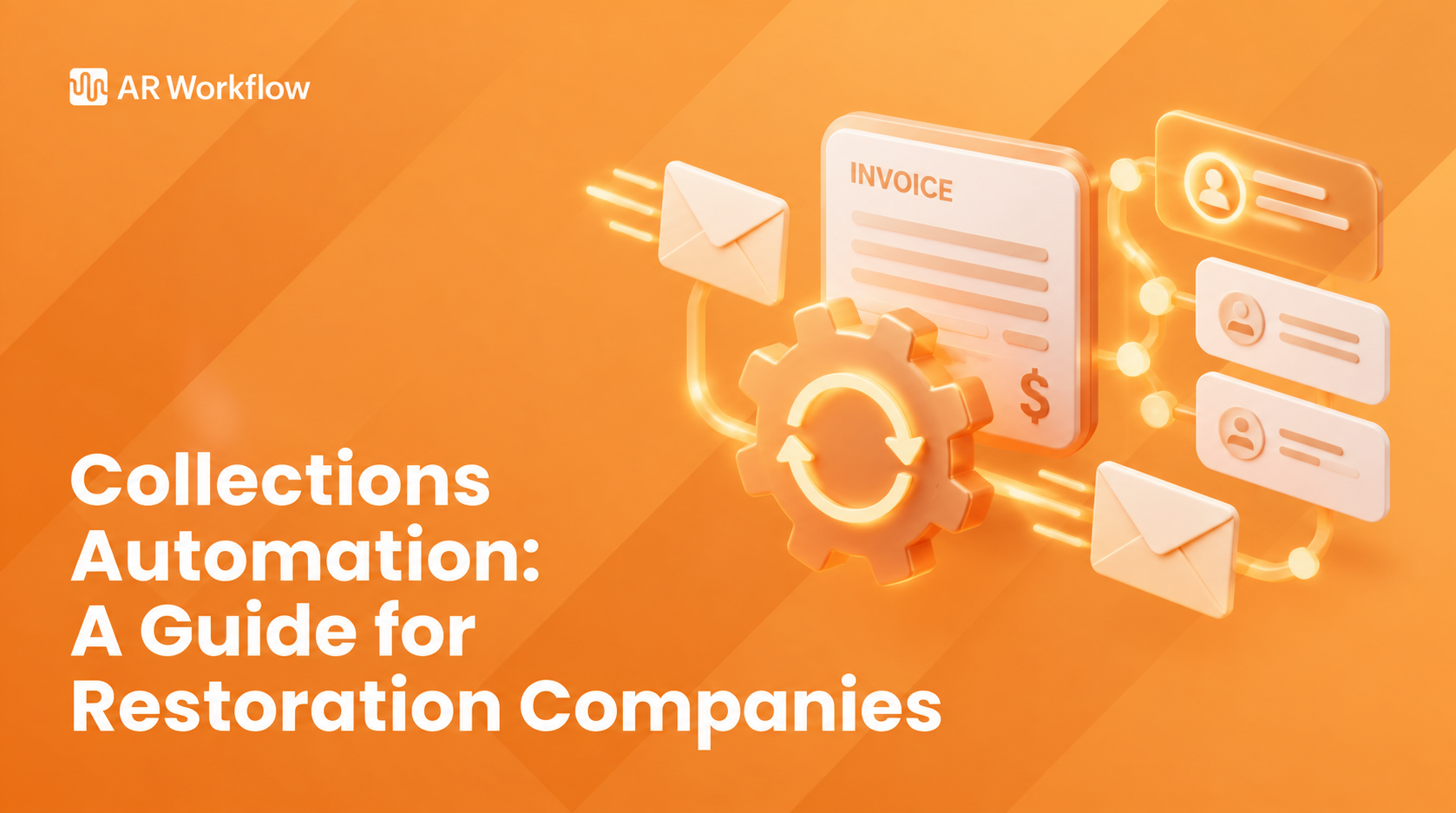
An aging report can tell you exactly which open invoices are 30, 60 or 90 days past due. The problem is, knowing which accounts are overdue does not move them any closer to payment. That is where automated collections come in: rules that send the reminder, decide what happens next and keep every account moving without someone starting each step by hand.
For restoration companies, the work is rarely simple. One job can involve a homeowner, an adjuster, a carrier and sometimes a mortgage company. Much of the follow-up still follows a repeatable pattern, though, and when it does, doing every step manually stops making sense.
So what can you actually automate, how does collections automation fit the process you already have, and what should a good cadence look like? This guide covers all three, with a sample schedule, a setup checklist and the questions to ask before you choose automated collections software.
KEY TAKEAWAYS
Automated collections use software to run the repeatable parts of your collection process based on rules or workflows your team sets. Collections automation is the same idea described as a practice: you decide the steps once, and the system carries them out on every account.
For example, an invoice can reach a certain point in its aging cycle and trigger automated payment reminders at the right time. But collections automation goes further than sending emails. It can also decide what needs to happen next with an account, schedule follow-ups, create tasks and move overdue invoices through the stages of your restoration collections process.
The key difference is that automation reduces manual effort by handling actions your team would otherwise have to start. That way, your collections team can spend more of its attention on accounts that actually need a conversation, a decision or a different approach.
So automation is not replacing your team's existing process. It takes the repetitive tasks in that process and makes sure they happen when they are supposed to.
Collections automation gives your team a set of rules for what should happen as an account moves through the collection process. Those rules do not have to look the same for every customer, because you can build different collection strategies for different customer segments.
You might want one workflow for a homeowner who has just missed a deductible payment, another for a property manager on net 30 terms, and another for an account that has been outstanding much longer. Timing, customer communication and next action can change based on payment behavior, not just on what your team happens to be dealing with that week.
Once those workflows are in place, the system uses them and your invoice data to decide what happens next, instead of requiring someone to make that decision from scratch each time. The process generally comes down to four parts:
| 1 | Identify accounts that need attention |
| 2 | Trigger the appropriate follow-up |
| 3 | Escalate accounts that still need attention |
| 4 | Bring your team in when review is needed |
Prioritizing collection efforts starts with knowing which accounts actually require action. Instead of having someone repeatedly review invoice and payment data, your workflow can use criteria such as invoice status, days past due or payment history to decide when the next collection step should begin.
That also helps your team spot high-risk accounts that may need attention sooner. Once an account meets the conditions you have set, the workflow moves it to the appropriate next step.
What happens next depends on the workflow you have created for that account. An invoice that has only recently become overdue may trigger an automated email or text. If the account reaches another point without payment, the next follow-up happens based on the schedule and rules your team already set.
This is where automation takes over much of the repetitive work. Your team decides how the collection process should run ahead of time, rather than deciding when and how to follow up with every account individually.
Sending a reminder does not guarantee that an invoice gets paid. If an account remains outstanding, the collection process needs somewhere to go from there.
Your workflow can account for that too. An invoice can move into another stage as it keeps aging, which may call for a firmer message, a phone call or a task for someone on your team. This keeps an account from receiving the same routine reminder indefinitely when the situation clearly calls for a different next step.
Eventually, an account may reach a point where another automated message is not the right response. Maybe the customer disputes a charge, has questions about the scope, or wants to set up a payment plan. Your workflow can flag that account or create a task so the right person knows it is time to step in.
In that sense, collections automation does not remove your team from the process. It handles the repeatable steps, so your team can focus on the accounts where they make the biggest difference.
Tip: On insurance jobs, set up separate workflows: status requests and documentation for the adjuster or carrier, and payment reminders with a payment link for the homeowner's deductible or balance. Never send a payment link to an adjuster or carrier.
Bring one overdue invoice.
We'll show you the automated workflow that would move it toward payment.
Once you look at your collections process this way, you will probably notice that quite a few steps follow the same pattern from one account to the next. Those are usually the best places to start: routine actions your team already knows when and how to perform, but that still take manual effort each time.
Payment reminders are the easiest place to start because their timing follows a predictable schedule. Our guide to payment reminder software covers the options in more detail.
Before an invoice is due, you can schedule an automated invoice reminder a few days ahead and include a direct link to your payment portal so the customer can pay easily. Once the due date arrives, another reminder lets the customer know payment is now due.
If that date passes without payment, the communication changes. Past-due reminders can become more direct as the invoice keeps aging and include relevant information about late fees, payment plans or the payment terms the customer agreed to. What matters is a cadence that fits your process, so timely reminders do not depend on someone remembering when each one needs to go out.
Not every piece of collections outreach has to wait for a due date. Your team may already have other points in the process where an email or text usually goes out, such as when a job is completed or when the carrier releases funds.
Those communications can be scheduled as part of the workflow as well. You can segment customers by where their accounts stand and use different messages rather than sending the same reminder every time. Texts work best from a dedicated number so replies land in one place, and ringless voicemail adds a voice touch without tying up a person on the phone.
The next step is not always another email or text. Sometimes someone on your team actually needs to do something.
Collections automation can create or assign tasks when an account reaches a point that calls for a person. That could mean making a phone call, reviewing an account, or checking in on a payment promise that has not been met. Instead of relying on someone to notice the account and remember what needs to happen, the next action becomes part of the workflow.
An overdue account may reach a point where another routine reminder is not enough. You can build that point into your workflow so the account moves to the next stage instead of staying in the same follow-up cycle.
For example, your team might decide that an invoice outstanding for 30 days should trigger a more formal collection letter or a review from a senior team member. If it remains unpaid beyond a later threshold, the workflow can flag the account for a decision on lien rights or an outside agency. Our guide to restoration debt collection covers when that step makes sense.
The exact escalation path is up to your team. Automation changes how consistently that path gets followed. Your team still steps in whenever the situation calls for a decision that software should not make on its own.
Every company sets its own timing, but most automated collections workflows look something like this. Use it as a starting point and adjust for your payment terms and customer mix.
| When | Action | Tone and channel |
|---|---|---|
| 3 days before due | Courtesy reminder with invoice and payment link | Friendly, email |
| Due date | Payment due today notice | Friendly, email and text |
| 7 days past due | First past-due reminder, offer to answer questions | Helpful, text and email |
| 15 days past due | Second reminder plus voicemail | Firm, text, email, voicemail |
| 30 days past due | Task: phone call from the office; formal past due letter | Direct, phone and letter |
| 45 to 60 days past due | Manager review: payment plan, lien notice or agency | Final notice, person-led |
Two cautions. First, lien and notice deadlines are set by state law and vary by state, so check your state's statute or ask an attorney and build those dates into the workflow rather than relying on a generic schedule. Second, on insurance jobs, keep the adjuster on a documentation and status track. The cadence above is for the party who actually owes you, usually the homeowner or property owner.
Automating collections does not require rebuilding your process. It requires writing down the one you already have and deciding which steps a system can run.
You will often see automated collections described as dunning. The dunning process is the sequence of increasingly firm notices a business sends to collect a past-due amount, and automated dunning means software sends those notices on a schedule. The term is most common with subscription and SaaS billing, where the "notice" is often a failed card retry email.
Collections automation is broader. It includes dunning-style reminders, but also task assignment, phone call scheduling, escalation rules, payment plans, payment posting and reporting. For a restoration company with multi-party jobs and larger invoices, the reminder sequence is only one piece; knowing when a person should take over matters just as much.
The biggest difference between manual and automated collections is not whether people stay involved. It is how much of the routine process depends on someone remembering what needs to happen next.
With a manual process, your team has to track when to send another reminder, which accounts need attention, and when an overdue invoice should move to another stage. That can work when the workload is manageable. The challenge is keeping the same process consistent as invoice volume grows.
| Manual collections | Automated collections |
|---|---|
| Employees review accounts to determine what needs attention | Workflows identify accounts based on the rules your team sets |
| Employees start routine reminders and follow-ups | Reminders and follow-ups trigger at scheduled points |
| Timing can depend on individual employees keeping track of each account | The same collection rules run consistently from account to account |
| Employees manually track what should happen next | Tasks and next actions become part of the workflow |
| More outstanding invoices create more administrative work | Automation handles repeatable steps as collection volume grows |
| Office staff spend time on routine accounts as well as exceptions | Office staff focus on accounts that need judgment or a direct conversation |
Automation still leaves your team in control. They decide the timing, communication, escalation points, and situations that require someone to step in.
Most automated collections software can send a reminder email. The differences show up in how well the tool fits a contractor's day. Before you choose, check for these:
For a side-by-side look at tools, see our roundup of accounts receivable automation software.
There is no specific number of invoices or days sales outstanding (DSO) that means it is time to automate collections. Usually, the signs show up in how your team manages the work.
Follow-ups take longer to track, so timely collections slip when other work takes priority. Reminders go out late or not at all after a busy storm week. Nobody can say at a glance which accounts were contacted this week. As your company grows, so do the accounts you need to manage, and staying consistent gets even harder. If any of that sounds familiar, automating collections is worth a look.
AR Workflow for restoration helps restoration companies run collections workflows through automation.
Your team can send automated payment reminders by email and SMS from a dedicated number, set up collection workflows, and assign tasks when someone needs to step in. They can also see the payment status of outstanding accounts and give customers an easier way to pay online.
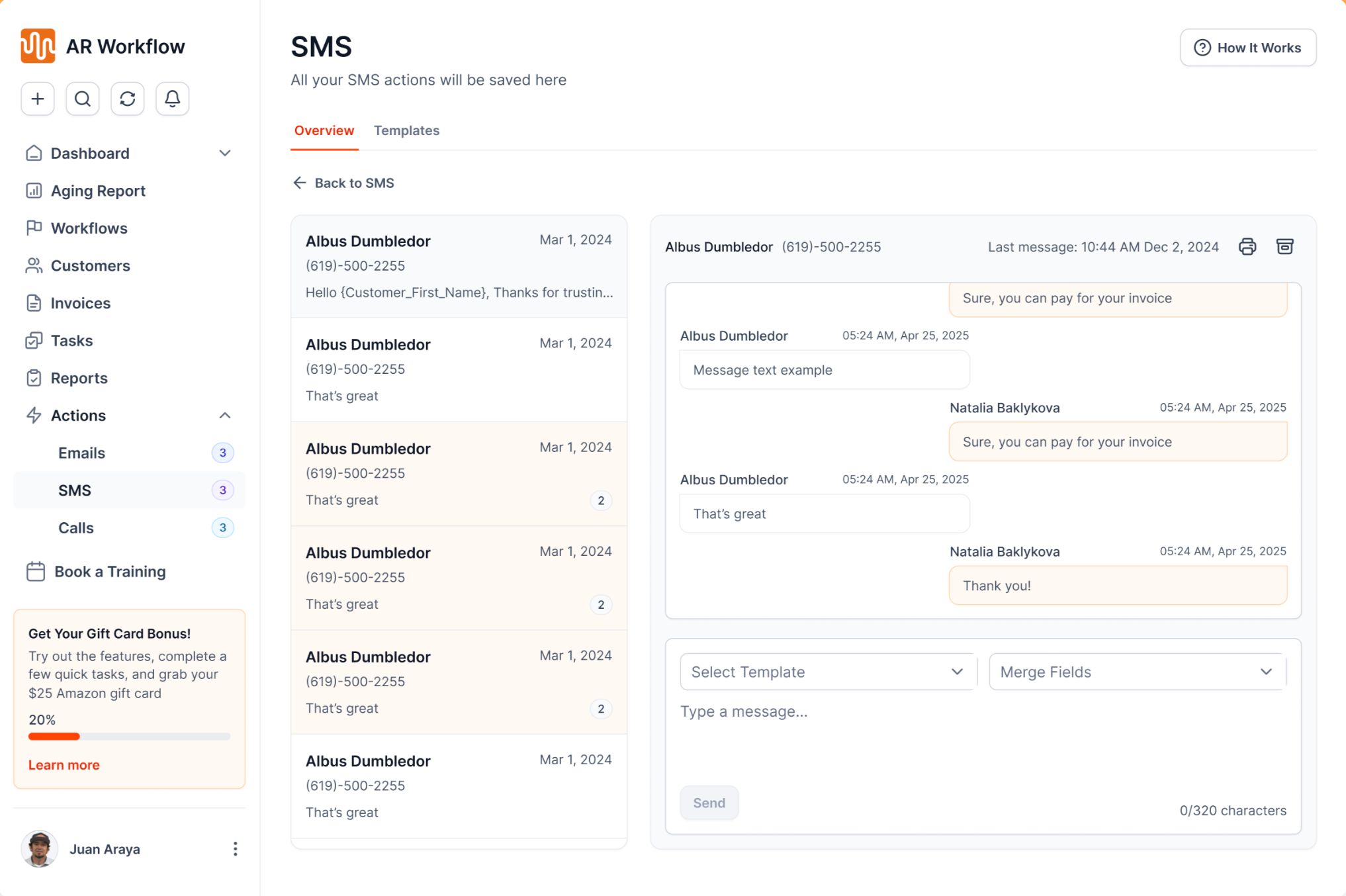
Automated text follow-ups go out from a dedicated number and stay on the account history.
Your team still decides how collections should be handled. AR Workflow takes care of more of the routine work and keeps the process moving according to the rules you have set, while working with the systems your team already uses, including QuickBooks Online.
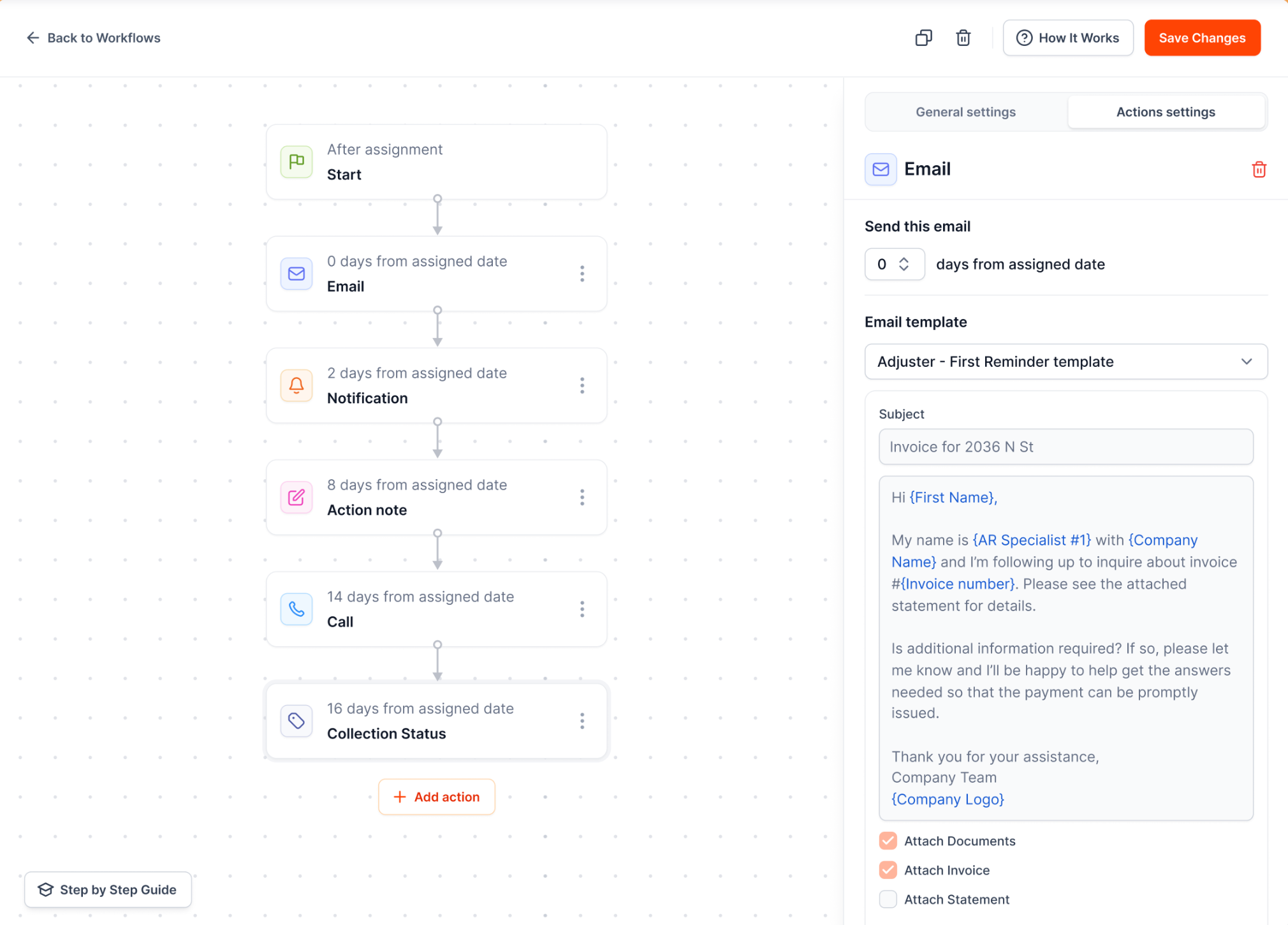
Collection workflows decide when each reminder, task and escalation happens.
If your team already has a collection process but spends too much time keeping it on track, accounts receivable automation software for contractors like AR Workflow can make it much easier to handle.
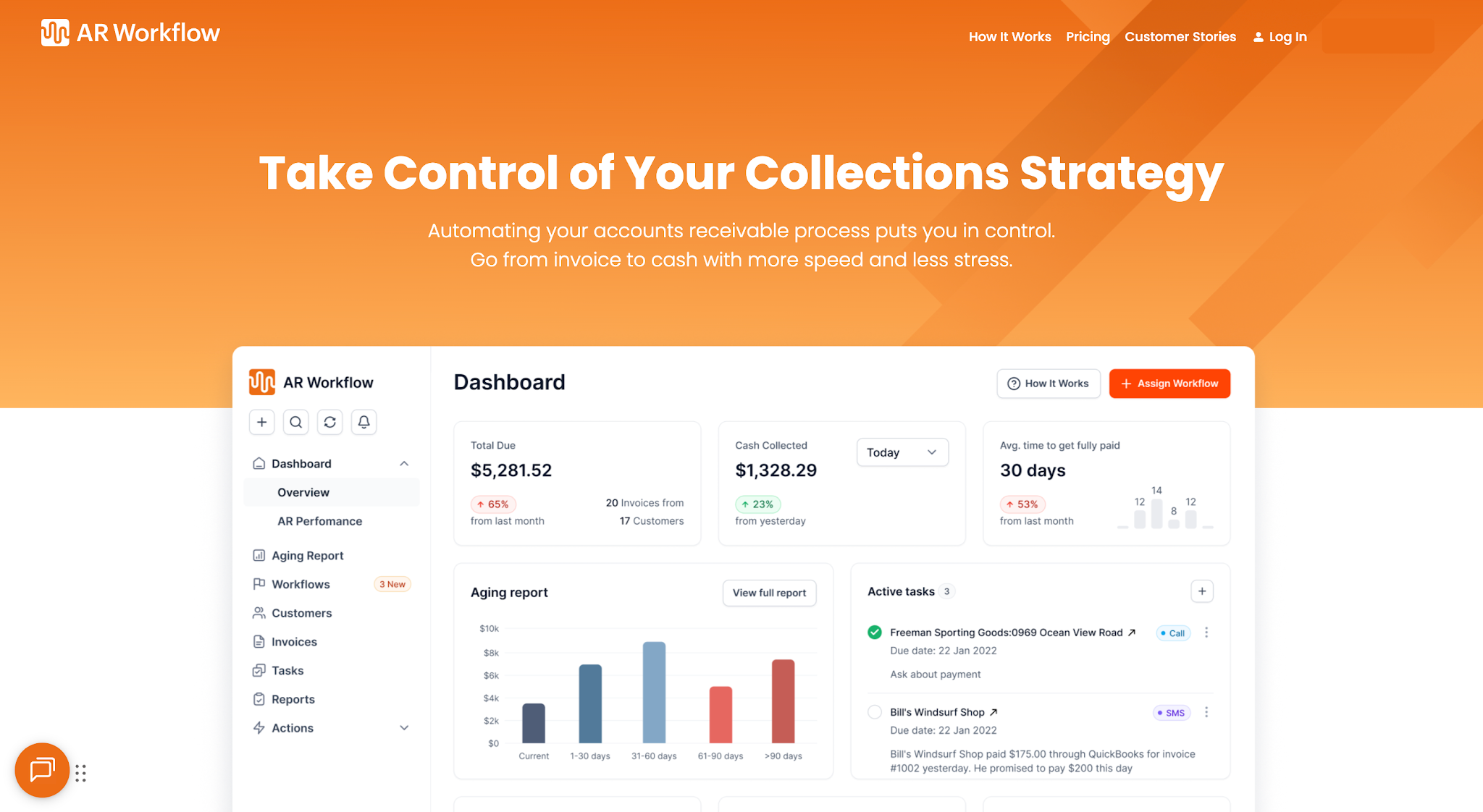
AR Workflow keeps outstanding accounts, follow-up and payments in one place.
Collections automation does not mean changing everything about how your team handles outstanding invoices. It starts with the collection process you already have and finding the steps a system can run for you.
AR Workflow helps restoration companies put more of that process on autopilot while keeping your team in control. You can automate routine follow-ups, keep track of outstanding accounts, and bring someone in when an account actually needs their attention. That way, your team spends more time on the parts of the business that cannot run on autopilot, while your collection process keeps moving in the background.
Collections automation runs your collection steps from rules you set. The software watches invoice status and due dates, sends email and SMS reminders on schedule, moves overdue accounts to the next stage, and creates a task when a person needs to step in. Your team picks the timing, wording and escalation points, and the workflow keeps them consistent on every account.
An automated collection system is software that connects to your invoices and runs your follow-up for you. It typically includes scheduled reminders across email, text and voicemail, customer segments, escalation rules, task assignment and online payment. The goal is that no overdue invoice depends on someone remembering to chase it.
Not if they are written and timed well. Short, polite reminders that arrive on a predictable schedule usually feel more professional than sporadic calls after an invoice is badly overdue. Pause the workflow when a customer raises a dispute or agrees to a plan, and let a person handle those conversations.
Yes, with separate paths for each party. Automate documentation and status follow-ups with the adjuster or carrier, and automate payment reminders to the homeowner for the deductible or any balance they owe. Payment links go to the homeowner, never to the adjuster or carrier. Our restoration insurance billing guide covers the details.
Many tools sync with QuickBooks Online. AR Workflow connects to QuickBooks Online, reads your open invoices, runs your collection workflows around them, and posts payments back.
No. Automated collections run your own follow-up in your company's name while the customer relationship stays with you. A collection agency is a third party that takes over an account, usually for a share of what it recovers, and third-party collectors are covered by the federal Fair Debt Collection Practices Act plus state laws that vary by state. Automation is meant to keep most invoices from ever reaching that point.
Related reading
Your invoice, not a feature tour.
Bring one overdue invoice to a demo and see what AR Workflow would send, when, and how your customer would pay.
Sam owned and ran three restoration companies for more than 14 years and collected over $100 million in receivables. He built AR Workflow in 2020 to give contractors the collections system he wished he'd had.

AI writes the emails, sends the texts, and leaves the voicemails. Your team handles the conversations that matter, and your cash keeps moving.
 Keep QuickBooksStart with one invoiceStay in control

 Log in