Compare 6 restoration contractor software tools for 2026: AR, estimating, documentation, mitigation, scheduling and CRM, with pricing and how to choose.

Restoration contractor software helps you keep the moving parts of a restoration company in one place: estimates, moisture logs, crew schedules, referral partners, and the invoices that still need to get paid. Running a restoration company means keeping all of those moving at once, and the right restoration software gives your team a clearer picture of what's happening in the business.
Unfortunately, as jobs and responsibilities grow, managing everything through multiple tools and manual updates can take more time than it should.
The question is, with different software available for different parts of your operations, how do you know which one is right for your business?
To help you decide, we've put together the top six restoration contractor software platforms in 2026, what each one costs where pricing is public, and a simple way to build a software stack that fits the size of your company.
KEY TAKEAWAYS
Restoration firms use different types of software depending on which part of their business they want to manage or improve. The main categories include:
| Category | What it helps with |
|---|---|
| Accounts receivable and collections | Unpaid balances, reminders and collection history |
| Estimating | Itemized job costs and scope of work |
| Property documentation | Photos and 360° records of damage and work |
| Water mitigation | Moisture readings and drying records |
| Scheduling and dispatch | Crew assignments and availability |
| CRM and referral management | Leads and referral partner relationships |
Accounts receivable and collections software helps restoration companies manage outstanding payments after sending invoices. It allows teams to keep track of unpaid balances and organize collection activities so overdue invoices receive timely attention.
This is particularly important for restoration contractors because getting paid can take time, especially when insurance claims or multiple parties are involved.
With dedicated collections software, office and finance teams can monitor which invoices remain unpaid, schedule payment reminders, and keep a record of previous collection attempts.
It also reduces the need to manually check spreadsheets or accounting records to determine which customers need another reminder. This helps companies maintain a more consistent collections process and spend less time chasing payments.
Another type of software restoration contractors commonly use is estimating software, which helps them calculate job costs based on the work required.
Estimators can use it to account for labor and material costs, prepare itemized estimates, and document the scope of work for customers or insurance carriers.
For example, a water damage restoration estimate may need to account for water extraction, drying equipment, demolition, and other necessary services.
Estimating software helps contractors break down these costs into individual line items rather than relying on rough calculations.
This makes it easier to explain the estimated cost of a job to property owners or insurance adjusters. It also helps restoration businesses prepare more consistent estimates and reduce the risk of overlooking costs during the estimating process. For a side-by-side comparison of tools, see our guide to restoration estimating software.
When it comes to recording property damage and job conditions, restoration teams can also use property documentation software. It allows contractors to capture photos and 360° imagery before, during, or after restoration work.
This is especially relevant for insurance-related restoration jobs, where contractors may need to provide visual evidence of the damage and the work performed.
For instance, a team responding to fire damage can document the affected rooms before cleanup begins and capture additional images as restoration progresses.
Having these records organized in one place makes it easier to review the property's condition at different stages of the job. Contractors can also share documentation with insurance adjusters or other parties who need to understand the damage and work completed.
For water damage restoration jobs specifically, there's water mitigation software that helps technicians document and monitor the drying process. They can use it to record moisture readings, track drying conditions, and maintain the documentation needed to support their mitigation work.
During a water mitigation project, technicians typically take moisture readings at different points to determine whether affected materials are drying as expected. Water mitigation software helps them organize these readings and monitor changes throughout the drying process.
This gives restoration teams a clearer record of how the job progressed and whether additional drying time or equipment adjustments were necessary. It also helps contractors maintain supporting documentation when explaining their mitigation work to insurance carriers. For a closer look at tools in this category, see our comparison of water damage restoration software.
Restoration companies also need to coordinate their field crews, which is what scheduling and dispatch software helps them manage. Managers can use it to assign technicians to jobs, organize appointments, and plan crew availability based on upcoming work.
This becomes particularly important when a company handles multiple restoration projects at once. A crew might be completing a water mitigation job while another team needs to respond to an emergency call or return to an existing property for additional work.
Scheduling and dispatch software gives managers a clearer view of which technicians are available and where they need to be. This helps reduce scheduling conflicts and makes it easier to adjust assignments when urgent restoration jobs come in. See our guide to restoration project management software for more on this category.
Finally, CRM and referral management software focuses on the relationships and sales activities that help restoration companies generate new jobs.
Sales teams can use it to track leads, maintain relationships with referral partners, and monitor the business opportunities those relationships generate.
In the restoration industry, new jobs can come from property managers, insurance agents, plumbers, and other professionals who refer customers when property damage occurs.
CRM software helps companies keep track of these relationships and record interactions with potential referral partners.
For example, a business development representative can use the software to see when they last contacted a referral partner and whether that relationship has generated any new jobs.
This gives restoration companies a more organized way to manage their referral efforts and identify which relationships contribute to new business.
These categories can overlap because some platforms offer several functions. Nonetheless, each type of software serves a different primary purpose, which is why the following six recommendations focus on what each one of them does best.
Here are the six best restoration contractor software tools and the specific business needs they address.
| 1 | AR Workflow: best for accounts receivable automation |
| 2 | Xactimate: best for restoration estimating |
| 3 | DocuSketch: best for 360° property documentation |
| 4 | Cotality Mitigate: best for water mitigation documentation |
| 5 | PSA Proven Jobs: best for crew scheduling and dispatch |
| 6 | Xcelerate: best for restoration sales and referral management |
| Platform | Overview | Key features | Pricing |
|---|---|---|---|
| AR Workflow | Accounts receivable and collections platform for restoration companies. | Custom collection workflows; email and SMS reminders; AR reporting; online payment portal | Lite: $295/mo Grow: $395/mo Enterprise: $495/mo |
| Xactimate | Property damage estimating software for restoration contractors. | Estimate creation; XactScope; SketchAR; XactRebuild | $350/mo |
| DocuSketch | 360° property documentation and sketching software. | 360° property tours; photo and scope documentation; timeline views; digital property sketches | Standard: $379 to $975/mo Express: $429 to $1,095/mo |
| Cotality Mitigate | Water mitigation documentation software for restoration professionals. | Moisture content readings; atmospheric data collection; Mitigate Scan; ANSI/IICRC S500 guidance | Does not list prices publicly |
| PSA Proven Jobs | Restoration job management software with scheduling and dispatch tools. | Job dispatch; job scheduling; project timelines; resource planning | Does not list prices publicly |
| Xcelerate | Restoration management platform with a sales and referral CRM. | Lead and opportunity tracking; referral management; sales activity tracking; referral reporting | Freedom: $299/month + $999 setup Amplify: $549/month + $1,299 setup Expand: $799/month + $1,499 setup Thrive: $1,299/month + $1,999 setup Dominate: $1,999/month + $2,999 setup |
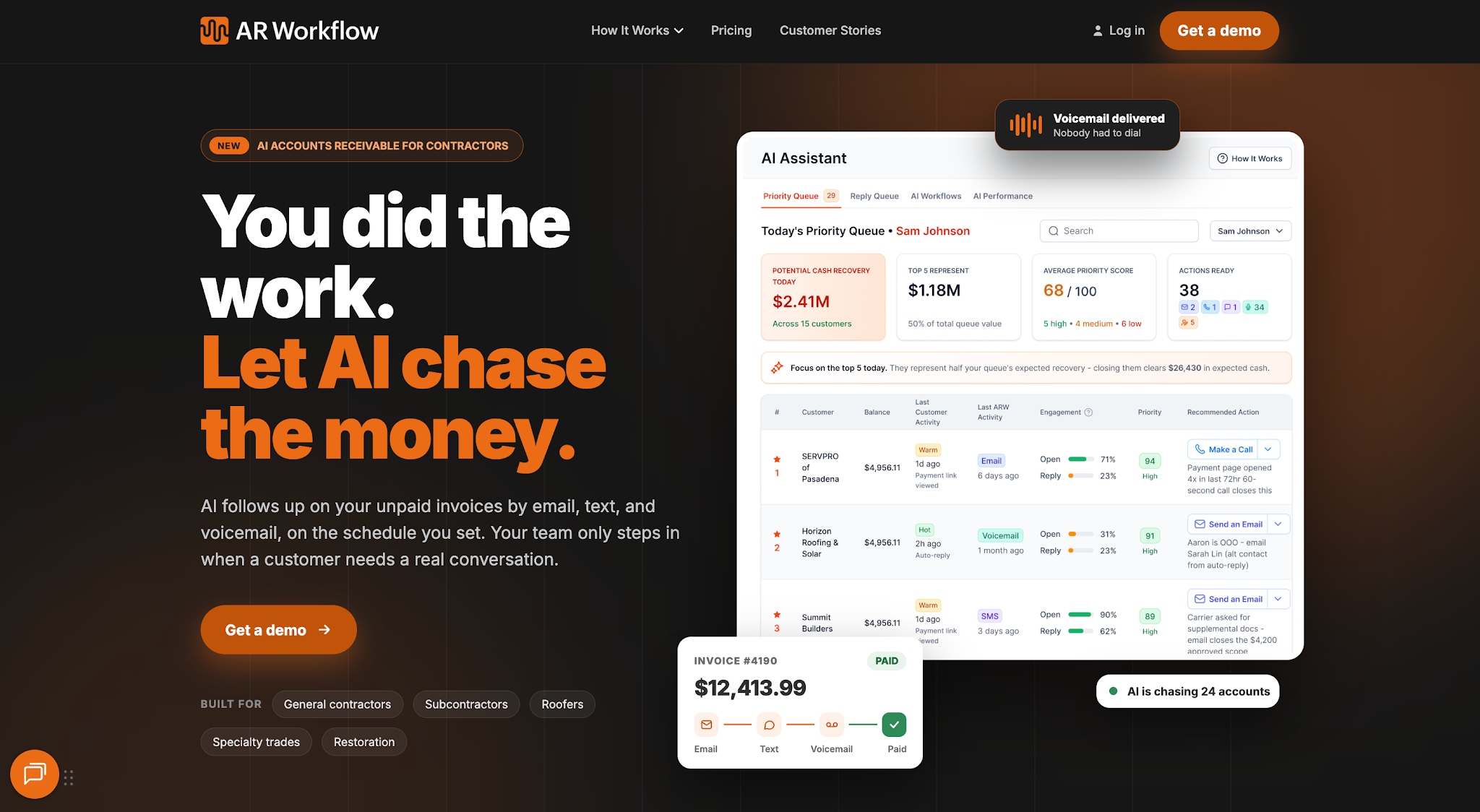
AR Workflow handles the collections work after an invoice goes out.
AR Workflow is an accounts receivable automation and payments platform built specifically for disaster restoration companies.
It focuses on the collections process after a company issues an invoice, helping restoration contractors organize outstanding receivables and manage the work involved in getting those invoices paid.
Restoration companies can use AR Workflow to keep collection activity organized as their number of unpaid invoices increases. This gives office and finance teams more control over payment follow-ups without having to initiate every reminder manually.
AR Workflow offers three subscription plans (see current pricing):
Bring one overdue invoice.
We'll show you how AR Workflow would follow up on it and how your customer would pay.
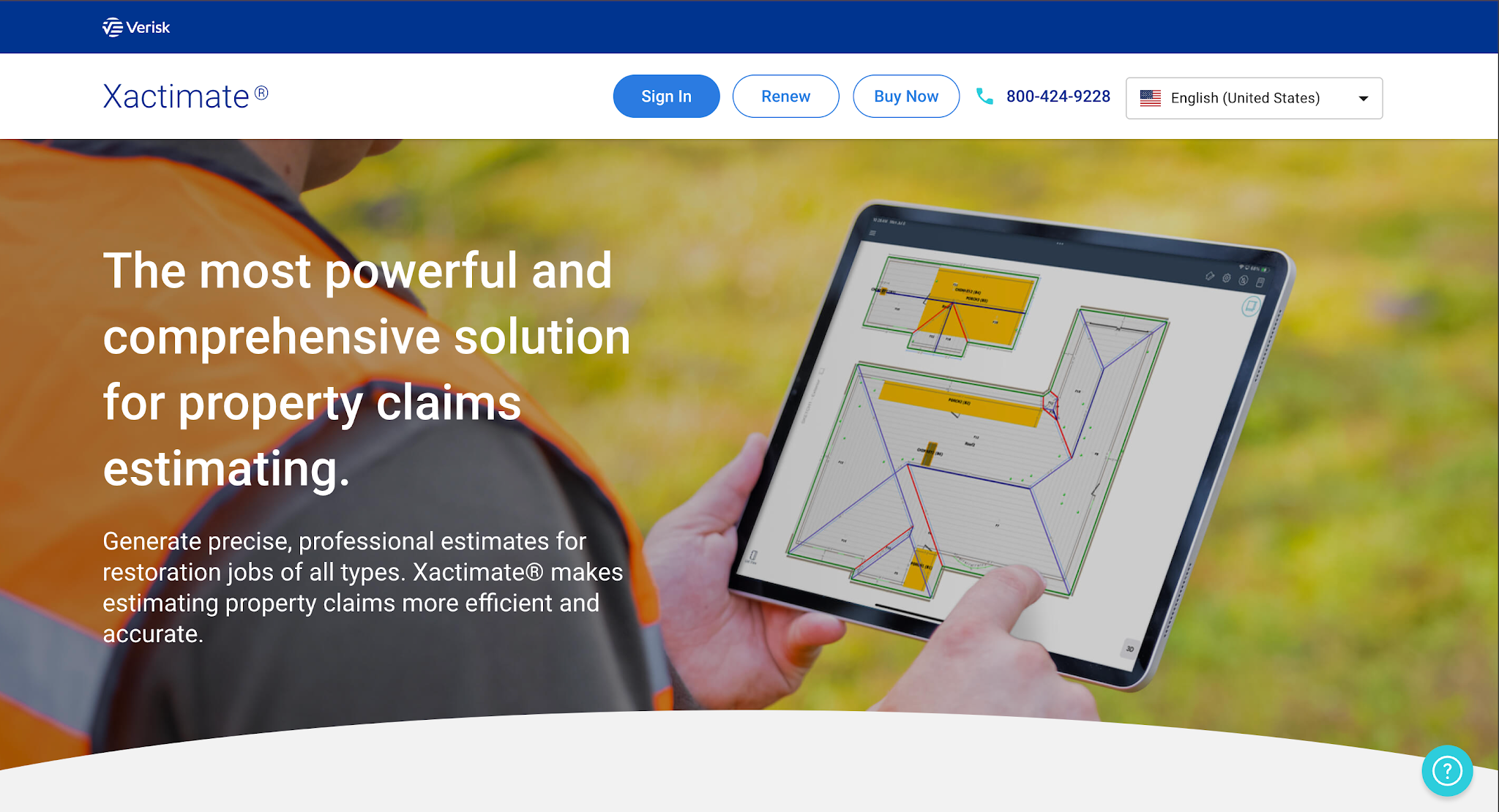
Image source: xactimate.com
Xactimate is property damage estimating software developed by Verisk. Restoration contractors use it to prepare estimates for repair and restoration services, particularly jobs involving insurance claims.
Its primary focus is helping estimators improve accuracy when calculating the cost of restoring damaged property based on the work required. Contractors can use it to prepare estimates that describe the repair scope and associated costs for review, helping reduce estimating cycle times.
For anyone checking Xactimate cost, here is the listed subscription:
Xactimate ($350/month): Includes access through desktop, mobile, and online platforms, along with XactScope, SketchAR, and XactRebuild. The subscription also includes one year of access to Xactware Classroom and 24/7 online chat support.
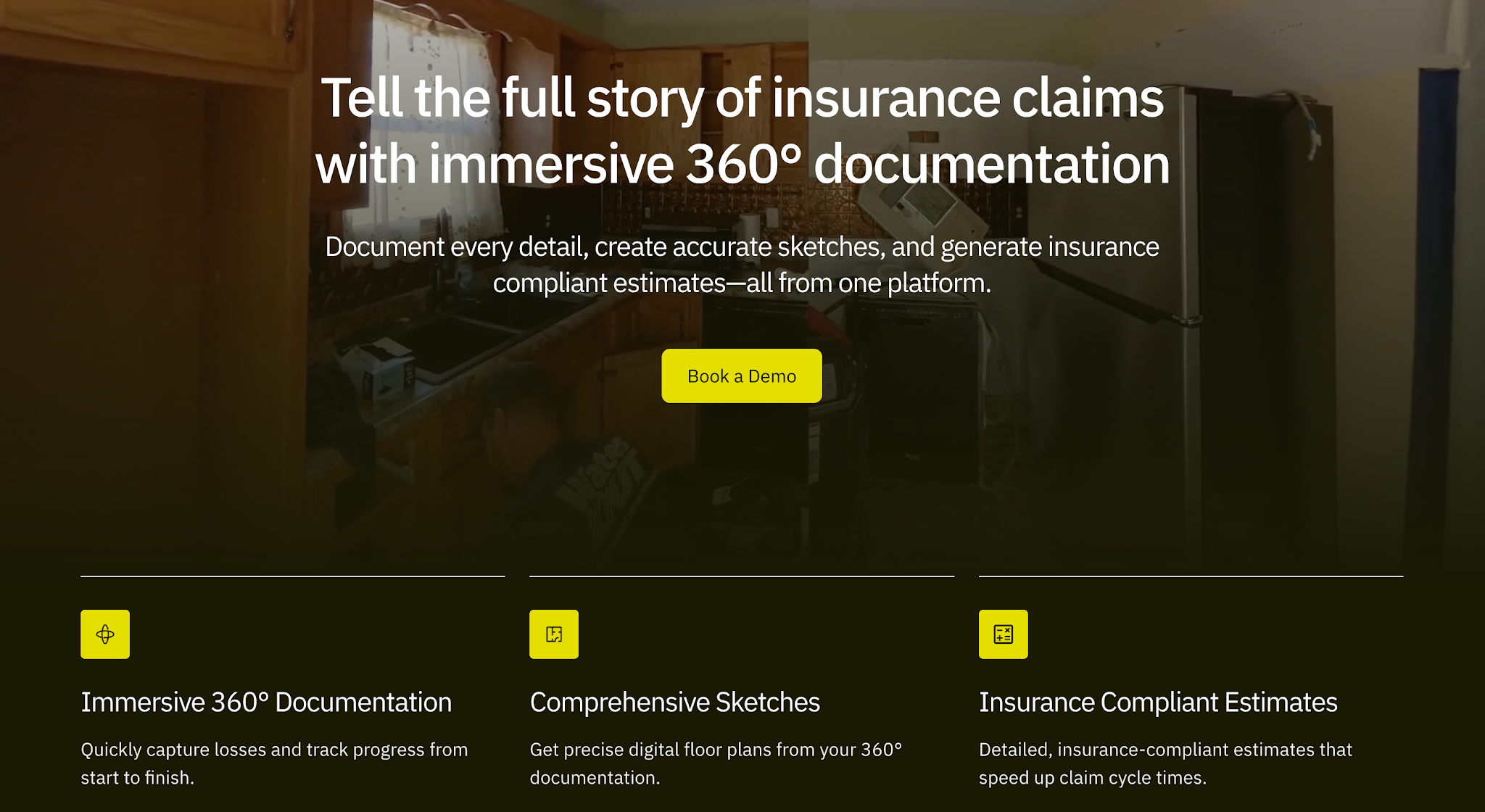
Image source: docusketch.com
DocuSketch is property documentation software designed for restoration contractors and insurance-related property work.
The platform focuses on capturing 360° visual records of damaged properties. Restoration teams can use these records to document site conditions and share property information with people involved in reviewing the job.
DocuSketch offers Standard and Express plans based on monthly property volume.
| Pack | Standard | Express | Includes per month |
|---|---|---|---|
| 5 Pack | $379/month | $429/month | 360° tours for up to five properties and five sketch credits |
| 10 Pack | $575/month | $649/month | 360° tours for up to 10 properties and 10 sketch credits |
| 20 Pack | $975/month | $1,095/month | 360° tours for up to 20 properties and 20 sketch credits |
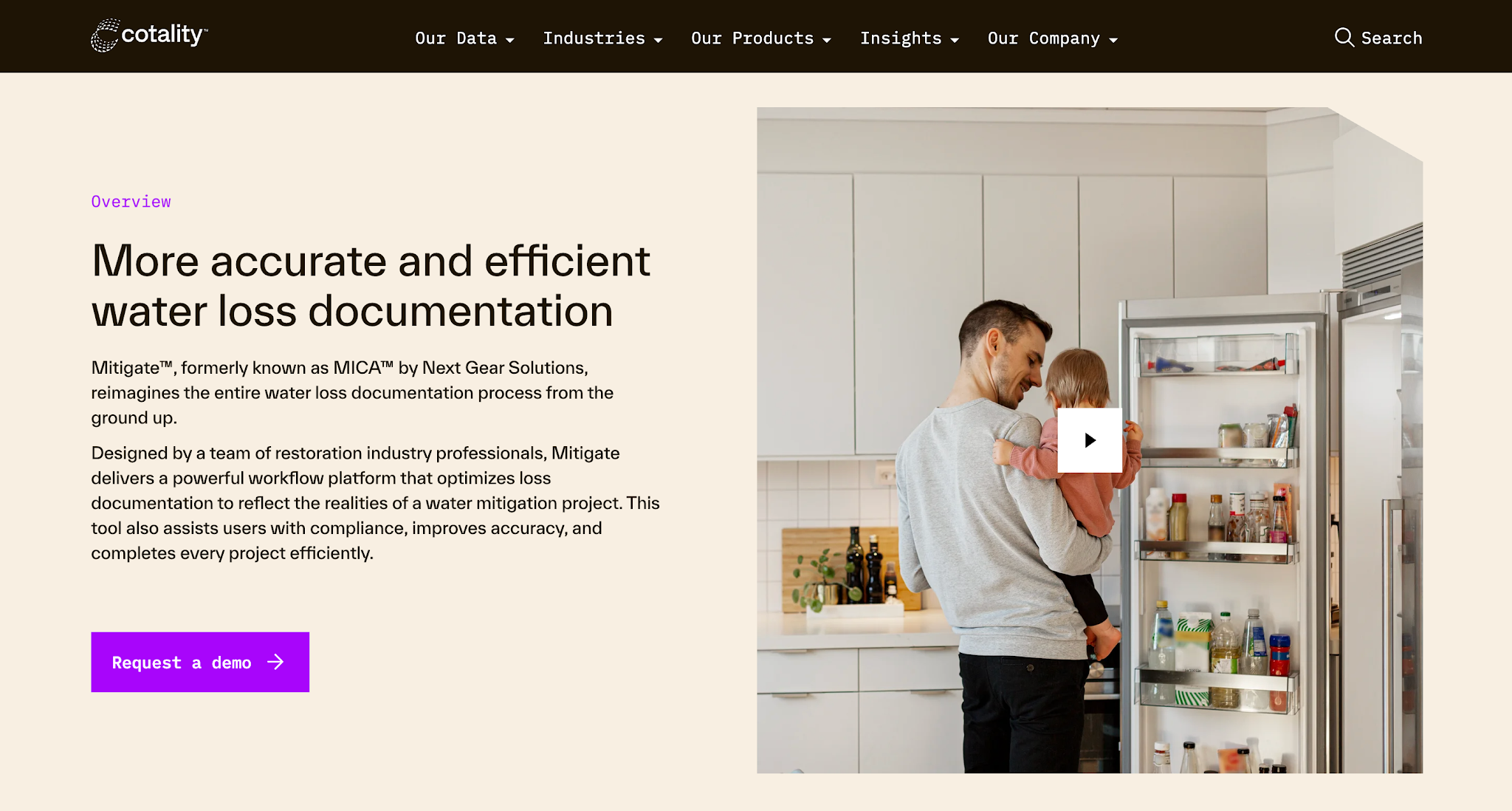
Image source: cotality.com
Cotality Mitigate (formerly MICA) is water mitigation documentation software designed for restoration professionals.
It focuses on recording the technical information that technicians collect during water damage mitigation. Restoration companies can use it to monitor drying progress and maintain documentation that supports their mitigation work.
Cotality Mitigate does not list prices publicly.
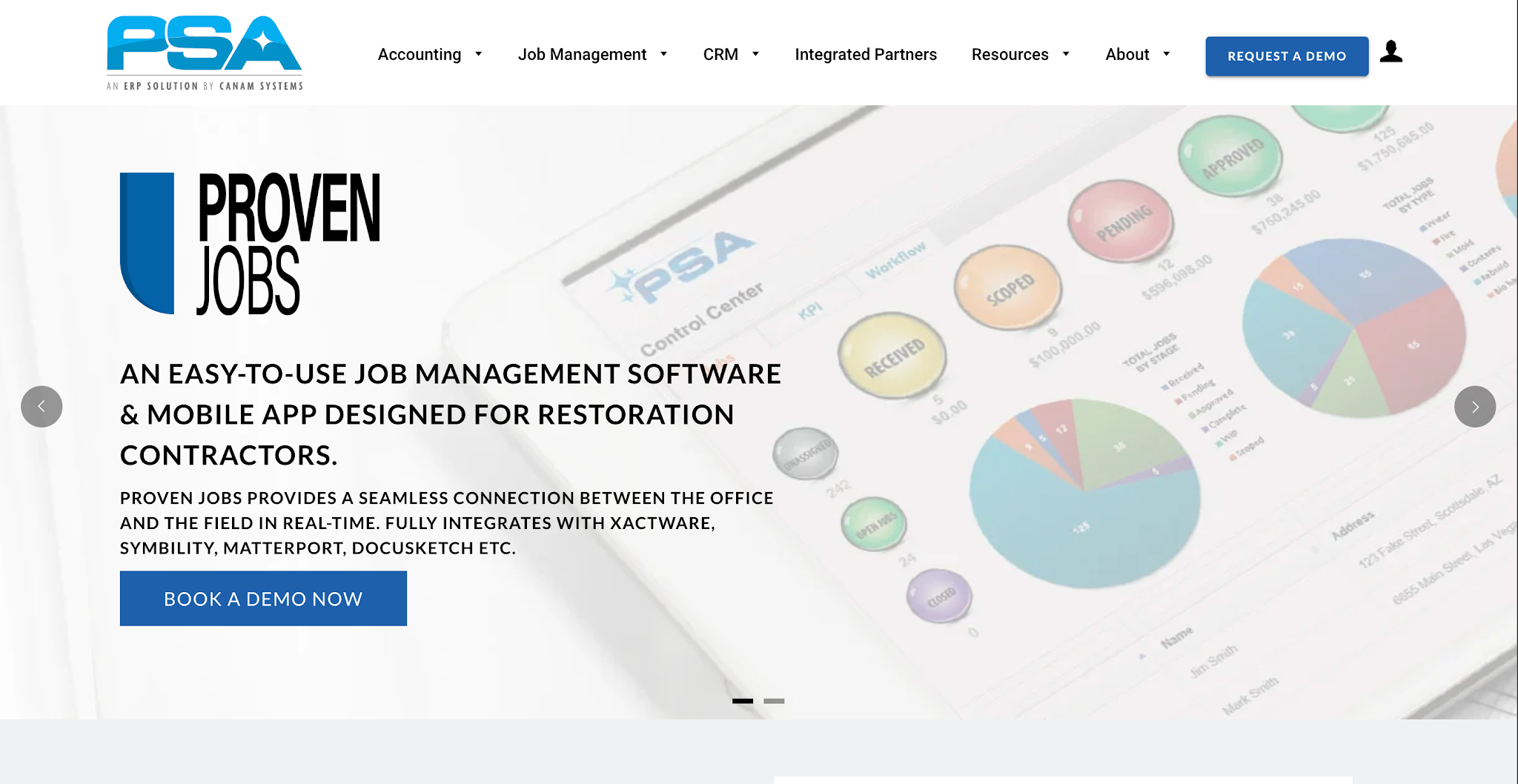
Image source: canamsys.com
PSA Proven Jobs is restoration management software developed by Canam Systems.
The job management platform helps restoration companies coordinate work between their office and field teams. Its scheduling and dispatch capabilities allow managers to assign jobs, plan project timelines, and organize the resources needed to complete restoration work.
PSA Proven Jobs does not list prices publicly.
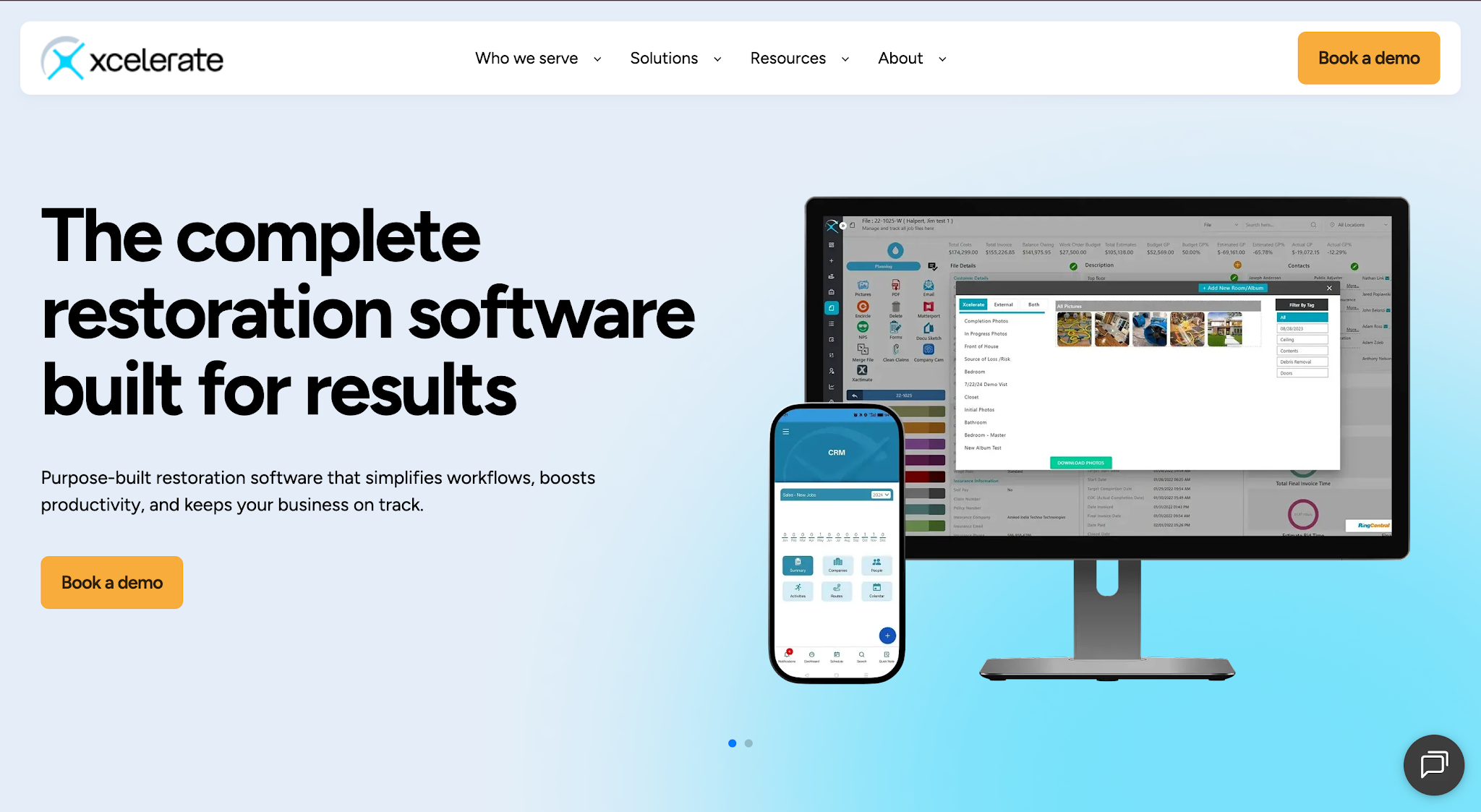
Image source: xlrestorationsoftware.com
Xcelerate is a restoration business management platform that includes a CRM (customer relationship management) designed for restoration sales teams.
Its CRM helps contractors organize relationships with referral partners and manage sales opportunities. Restoration companies can use it to track where new jobs come from and maintain records of the activities their sales teams perform to develop those relationships.
Most restoration companies don't buy every category at once. They add restoration management software in layers, starting with the tools insurance work requires and adding more as job volume grows. Use this as a starting point, then adjust for your mix of water, fire, mold and rebuild work.
| Company stage | Typical core tools | Add next when |
|---|---|---|
| Owner-operator, 1 to 2 crews | Estimating, photo documentation, moisture logging, accounting software | You lose track of which invoices you have already followed up on |
| Growing shop, 3 to 6 crews | Everything above plus job management, scheduling and AR automation | Referral partners and marketing reps need a shared record |
| Multi-location or franchise | Job management, restoration CRM, AR automation and reporting, 360-degree documentation | Leadership needs one view of jobs, receivables and referral sources across locations |
Whatever the stage, plan for how information moves from one tool to the next. A job usually starts in a CRM or job management system, gets scoped in estimating software, is documented in the field, and ends as an invoice in your accounting system. The handoff that breaks most often is the last one, which is why collections is worth a dedicated tool once your open invoice count grows.
DEMO CHECKLIST
Asking the same questions of every vendor makes it much easier to compare restoration software side by side instead of comparing whichever features each sales rep chose to show.
All-in-one restoration management software, such as job management platforms that bundle CRM, scheduling and reporting, reduces the number of logins and keeps job data in one place. The trade-off is depth: an all-in-one platform's estimating, mitigation or collections module may not go as far as a tool built only for that job.
Specialized tools go deeper in one workflow but add another system to maintain. A common middle path is to run a job management platform as the backbone and add specialized restoration contractor software where the gap costs you the most time or money, such as estimating for insurance work or automated follow-up on unpaid invoices.
The six platforms we've covered serve different purposes, so choosing the right software for restoration contractors starts with understanding what your company actually needs.
Before committing to a platform, consider the following factors.
Start by looking at the work that currently takes the most time or creates the most problems for your team.
If estimators spend too much time preparing job estimates, estimating software deserves attention. If your office regularly loses track of collection activity on overdue invoices, accounts receivable automation addresses a different problem. Our roundup of the best accounts receivable software in the related reading below compares options for that side.
Identifying the specific issue first helps you narrow your options. It also gives you a clearer way to judge whether a platform will improve the process you want to change.
Restoration companies face requirements that general contractor software may not fully address.
For example, water mitigation documentation involves moisture readings and drying records that contractors need to collect throughout a job. Software designed for that work gives technicians a more relevant way to record the information than a general project tracking tool.
Review how each platform handles the essential tasks your employees perform. The more closely its features match those tasks, the easier it becomes to determine whether the software suits your operations.
Your restoration company probably already uses software for accounting, estimating, or managing jobs.
Before adding another platform, check whether it can integrate with the systems your team currently relies on. You should also understand which information moves between those systems and which updates still require manual entry.
For example, if your company uses QuickBooks to maintain financial records, check whether a collections platform offers an invoicing integration that works with your existing accounting information.
This helps reduce the risk of introducing another tool that requires employees to enter the same information repeatedly.
Tip: Before you buy, write down every system an invoice touches from estimate to payment. Any step where someone retypes the same numbers is where an integration, or a different tool, will save the most effort.
A platform needs to fit the way your employees work if you expect them to use it consistently.
Consider who will use the software each day and what they'll need to learn. Field technicians may need quick access through a mobile app, while office employees may spend more time reviewing records and managing tasks.
Ask vendors to demonstrate the workflows your team will actually perform. That gives you a clearer picture of the learning curve and the effort required to implement the software in your business.
Software pricing matters, especially for small businesses. But even a platform with robust tools needs to justify its subscription cost for your company.
Look at the work the software will help your team complete and how much time employees currently spend on that process.
For instance, a scheduling platform may improve scheduling efficiency by helping managers coordinate more jobs without constantly updating separate calendars. A collections platform can help employees save time by automating routine payment reminders.
Compare those potential improvements with the subscription cost and any implementation requirements. This helps you decide whether the investment makes sense for your profit margins.
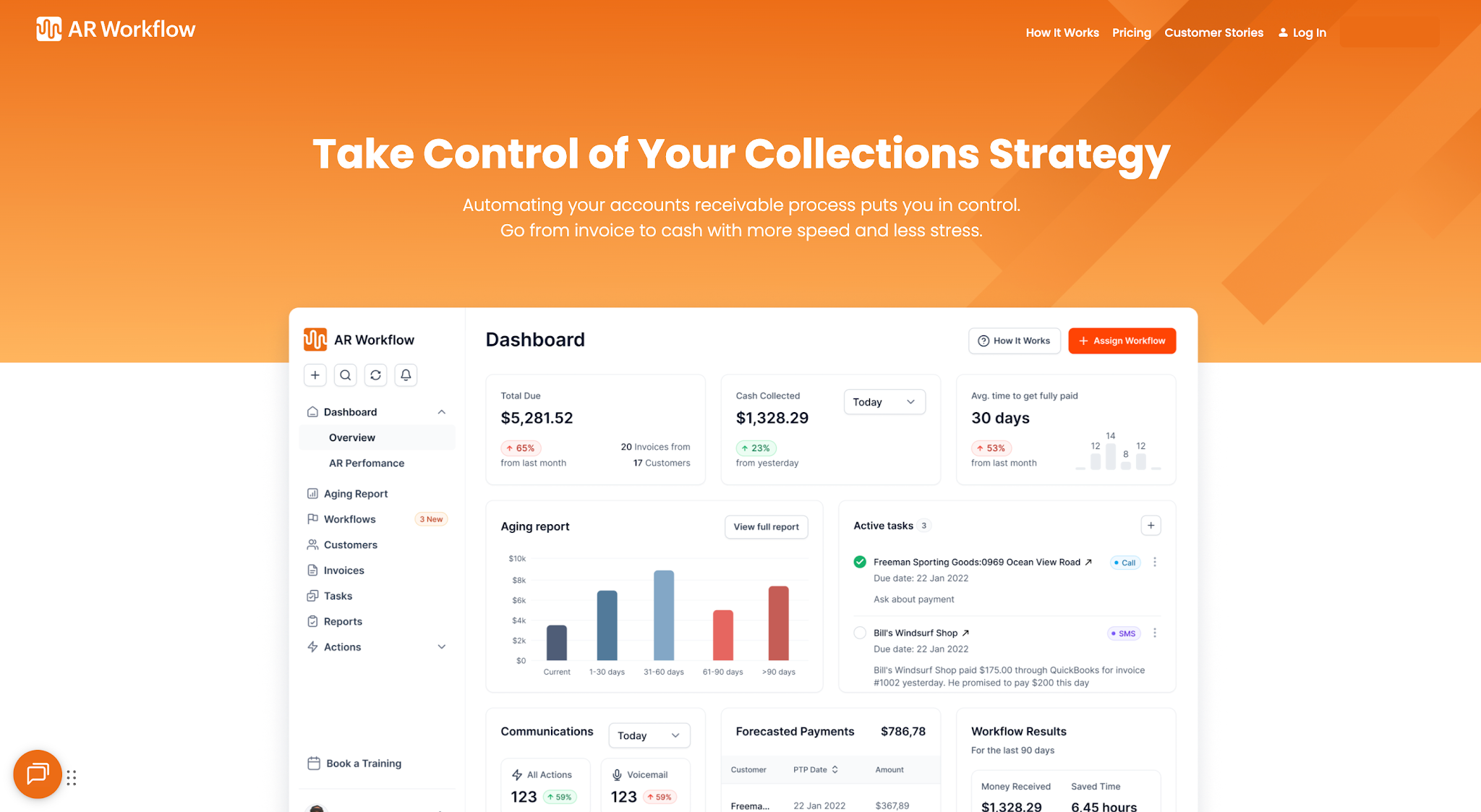
Invoice tracking and payment collection in one platform.
The right restoration contractor software depends on which parts of your business need improvement.
Whether that's managing restoration jobs more efficiently or making sure your company collects payments for completed work, the goal is to find software that addresses those needs.
If collecting outstanding payments is one of your priorities, AR Workflow for restoration is the best place to start. Its automated collection workflows bring invoice tracking and payment collections into a single platform.
With AR Workflow, your team spends less time manually chasing payments and more time on the work that grows your restoration business.
Most restoration companies use a mix of estimating software, field documentation and moisture logging tools, job management and scheduling software, a CRM for referral partners, and accounting software. Many add accounts receivable software once open invoices become hard to track by hand. The exact stack depends on company size and the type of work.
The best restoration CRM is one built around referral relationships, since much restoration work comes from plumbers, property managers and insurance agents. Look for referral source tracking, activity logging for business development reps and reporting on which partners send jobs. Xcelerate is one example covered above.
It varies widely by category and vendor. From the published prices above, Xactimate is listed at $350 per month, DocuSketch plans start at $379 per month, and Xcelerate plans start at $299 per month plus setup. Some vendors, such as Cotality Mitigate and PSA Proven Jobs, quote pricing on request.
Many insurance carriers and adjusters work with Xactimate estimates, so many restoration contractors use it for insurance jobs. It is not a legal requirement, and expectations vary by carrier and program. If most of your work is insurance-paid, ask the carriers and programs you work with what format they expect.
Good water mitigation software records moisture readings, atmospheric conditions and equipment on site, and keeps that drying record organized for the carrier. Cotality Mitigate is built for this and references ANSI/IICRC S500 guidance. Whichever tool you choose, make sure technicians can log readings quickly from the field.
It depends on where your biggest gaps are. All-in-one platforms reduce the number of systems, while specialized tools often go deeper in one area such as estimating, mitigation documentation or collections. Many restoration companies combine a job management platform with a dedicated tool for the step that slows them down most.
Related reading
Your invoice, not a feature tour.
Bring one overdue invoice to a demo and see what AR Workflow would send, when, and how your customer would pay.
Sam owned and ran three restoration companies for more than 14 years and collected over $100 million in receivables. He built AR Workflow in 2020 to give contractors the collections system he wished he'd had.

AI writes the emails, sends the texts, and leaves the voicemails. Your team handles the conversations that matter, and your cash keeps moving.
 Keep QuickBooksStart with one invoiceStay in control

 Log in