
QuickBooks is the accounting software most small contractors run on. It handles invoices, bills, payroll, job costs and taxes, and your accountant almost certainly knows it. But QuickBooks for contractors works best when it is set up for how construction money actually moves: deposits, progress billing, change orders, retainage, insurance checks and subs.
This guide covers which version of QuickBooks contractors should use, how to set it up for job costing, how to invoice and track receivables, what QuickBooks does well, and the one job it leaves to you: chasing the money.
KEY TAKEAWAYS
- QuickBooks Online is the default choice for most small and mid-size contractors today.
- Set up projects, products and services, and classes before you send the first invoice.
- Use progress invoicing for staged jobs, and track retainage on its own account.
- Run the A/R aging report every week, not at month end.
- QuickBooks tracks your invoices. It does not chase them. Plan who follows up and how.
Why QuickBooks for contractors is the default
Most contractors pick QuickBooks for practical reasons, not because it was built for construction:
- Your accountant uses it. Year-end, taxes and audits go faster when your bookkeeper and CPA can log in and work in the file.
- It connects to everything. Field service apps, estimating tools, payroll, payments and AR software all sync with QuickBooks Online.
- It is affordable compared with full construction ERPs, which can cost far more and take months to set up.
- It scales well enough for most contractors from one truck to several crews and a full office.
The trade-off is that QuickBooks is general business accounting software. Construction-specific workflows like AIA pay apps, retainage and lien waivers need some setup, a workaround, or an app that connects to it.
QuickBooks Online vs QuickBooks Desktop for contractors
Intuit has been moving customers to QuickBooks Online, and most new software for contractors connects to Online first. Desktop is still used by some larger contractors who rely on Enterprise features. Here is how the two compare for a typical contracting business:
| QuickBooks Online | QuickBooks Desktop | |
|---|---|---|
| Access | Browser and mobile app, anywhere | Installed on a computer or hosted server |
| Job costing | Projects (on higher plans) | Customer:Job structure, job reports |
| Progress invoicing | Yes, from estimates | Yes, from estimates |
| App connections | Large app marketplace, most new tools | Fewer, and often through connectors |
| Updates | Automatic | Version upgrades |
| Best for | Most small and mid-size contractors | Larger firms already invested in Desktop Enterprise |
Tip: Plans, features and prices change. Check Intuit's current plan comparison before you buy, and confirm that projects and progress invoicing are included in the plan you choose.
How to set up QuickBooks Online for a contracting business
A clean setup is the difference between reports you trust and reports you ignore. Do these before you send your first invoice.
| 1 | Build a chart of accounts for construction. Separate income by type (new construction, remodel, service, insurance work), and give job costs their own accounts: materials, subcontractors, direct labor, equipment and permits. Ask your accountant to review it. |
| 2 | Turn on projects. Create one project per job so income, costs, time and payments roll up to that job. This is what makes job profitability reports work. |
| 3 | Add products and services. Save your common line items with units, rates and the right income account. Every estimate and invoice will then go out the same way. |
| 4 | Set up classes or locations. Use them for divisions or crews, such as roofing vs gutters or north vs south branch, if you want profit by division. |
| 5 | Add custom fields. Job address, PO number, claim number, adjuster or GC project number: whatever your customers need to see to approve an invoice. |
| 6 | Connect your bank and card accounts. Match transactions daily or weekly so job costs stay current. |
| 7 | Turn on online payments. Card and ACH on every invoice. The easier it is to pay, the sooner you get paid. |
| 8 | Set up subcontractors as 1099 vendors. Collect W-9s and certificates of insurance before the first payment. |
Job costing in QuickBooks for contractors
Job costing answers one question: did this job make money? In QuickBooks Online, it comes from tagging every cost and every invoice to a project.
| Cost type | How to record it | Tag to project? |
|---|---|---|
| Materials | Bills or expenses from suppliers | Yes, on every line |
| Subcontractors | Bills from subs, paid as 1099 vendors | Yes |
| Direct labor | Payroll with time tracked to the project | Yes, through time entries |
| Equipment rental | Bills or expenses | Yes |
| Permits and fees | Expenses | Yes |
| Office rent, insurance, trucks | Overhead expenses | No, these are overhead |
Once costs are tagged, the project profitability report shows income, costs and margin by job. Compare it with your estimate after every job closes. That is how you find the line items you keep underpricing.
QuickBooks tracks your invoices. Who's chasing them?
Bring one overdue invoice and see how AR Workflow would follow it up from QuickBooks Online.
Invoicing in QuickBooks: estimates, progress billing and change orders
Start with an estimate
Build the estimate in QuickBooks, or sync it from your estimating tool, using your saved products and services. When the customer signs, convert it to an invoice so nothing gets retyped.
Use progress invoicing for staged jobs
Progress invoicing lets you bill a percentage or a set amount of the estimate at each milestone. Each invoice shows what was billed before and what is left, which helps homeowners, GCs and property managers approve it quickly.
Handle change orders as their own lines
Add approved change orders to the estimate, or invoice them separately with a reference to the signed change order. Never fold them into an existing line, because it hides the reason the price changed.
Track retainage on its own account
QuickBooks Online does not have a dedicated retainage feature. A common approach is to bill the full amount, then add a negative line for retainage held that posts to a retainage receivable account. When the retainage is released, invoice it from that account. Ask your accountant to confirm the setup for your business.
Deposits and insurance checks
Record each deposit and each insurance payment against the invoice, so the balance due is always right. For two-party checks, note who endorsed it and when, so you know whether you are waiting on the homeowner or the mortgage company.
Accounts receivable in QuickBooks: what you get
QuickBooks gives contractors solid basics for tracking what is owed:
- A/R aging summary and detail reports show open invoices by age bucket: current, 1 to 30, 31 to 60, 61 to 90 and over 90 days.
- Open invoices and customer balance reports show who owes what.
- Invoice reminders can send an email reminder for overdue invoices.
- Statements can be sent to customers with several open invoices.
- Online payments let customers pay an invoice by card or bank transfer.
Read our guide to the AR aging report for how to read it and what to do with each bucket.
What QuickBooks does not do for contractors
The aging report shows what is owed. It does not show which invoices nobody has followed up on, and it does not do the follow-up. For contractors, that gap is where cash gets stuck.
| What you need | QuickBooks Online | What contractors usually do |
|---|---|---|
| Reminders by text and voicemail | Email reminders only | Someone texts and calls by hand, when they have time |
| Different follow-up by payer | Same reminder for everyone | Homeowners, adjusters, GCs and property managers all get the same email |
| Pause on a promise to pay | Not tracked | Notes in a spreadsheet or someone's head |
| A daily list of who to contact | Not available | The office manager scans the aging report |
| A log of every touch on an invoice | Limited | Scattered across email, phones and sticky notes |
| Payment plans | Manual | Separate invoices or a spreadsheet |
None of this is a knock on QuickBooks. It is accounting software, and it does accounting well. Collections is a separate job, and on most contractor teams nobody owns it full time.

A weekly QuickBooks routine for contractors
Twenty to thirty minutes a week keeps the books current and the receivables moving:
| 1 | Monday: invoice everything that finished last week. Every day between completion and the invoice is a day added to getting paid. |
| 2 | Monday: run the A/R aging report. Sort by amount. Pick the largest balances in each bucket to follow up first. |
| 3 | Tuesday: match bank transactions. Tag each cost to a project while you still remember which job it was for. |
| 4 | Wednesday: follow up on anything over 15 days. Email, then text, then call. Note the outcome and any promise date. |
| 5 | Thursday: enter bills and approve sub payments. Check lien waivers and certificates of insurance before paying subs. |
| 6 | Friday: review open estimates and change orders. Unsigned change orders become invoice disputes later. |
Example: Summit Ridge Builders, 6 open jobs
A remodeling contractor on QuickBooks Online with one office manager.
| Open invoices in QuickBooks | 23 |
| Total open balance | $184,600 |
| Invoices over 30 days | 9 |
| Invoices over 30 days with no follow-up logged in the last two weeks | 6 |
| Balance on those 6 invoices | $61,200 |
The aging report showed $184,600 owed. It did not show that a third of it had not been touched in two weeks. That is the number to fix first.
Example company, customer and amounts are made up for illustration.
QuickBooks for contractors by trade
Roofing
Add custom fields for claim number and carrier, list supplements as their own lines, and record ACV, depreciation and deductible payments separately. See our roofing page for how AR Workflow follows up each payer.
Restoration
Track mitigation, contents and rebuild as separate invoices or projects, since they often have different payers and timelines. Read restoration insurance billing for the claim side.
HVAC, plumbing and electrical
High volume and small tickets. Collect at time of service when you can, sync jobs from your field service app, and follow up on the rest within days, not weeks.
General contractors and subs
Use progress invoicing against a schedule of values, track retainage on its own account, and keep lien waivers attached to each pay app. See our guide to improving the collections process.
Close the gap: QuickBooks plus AR Workflow
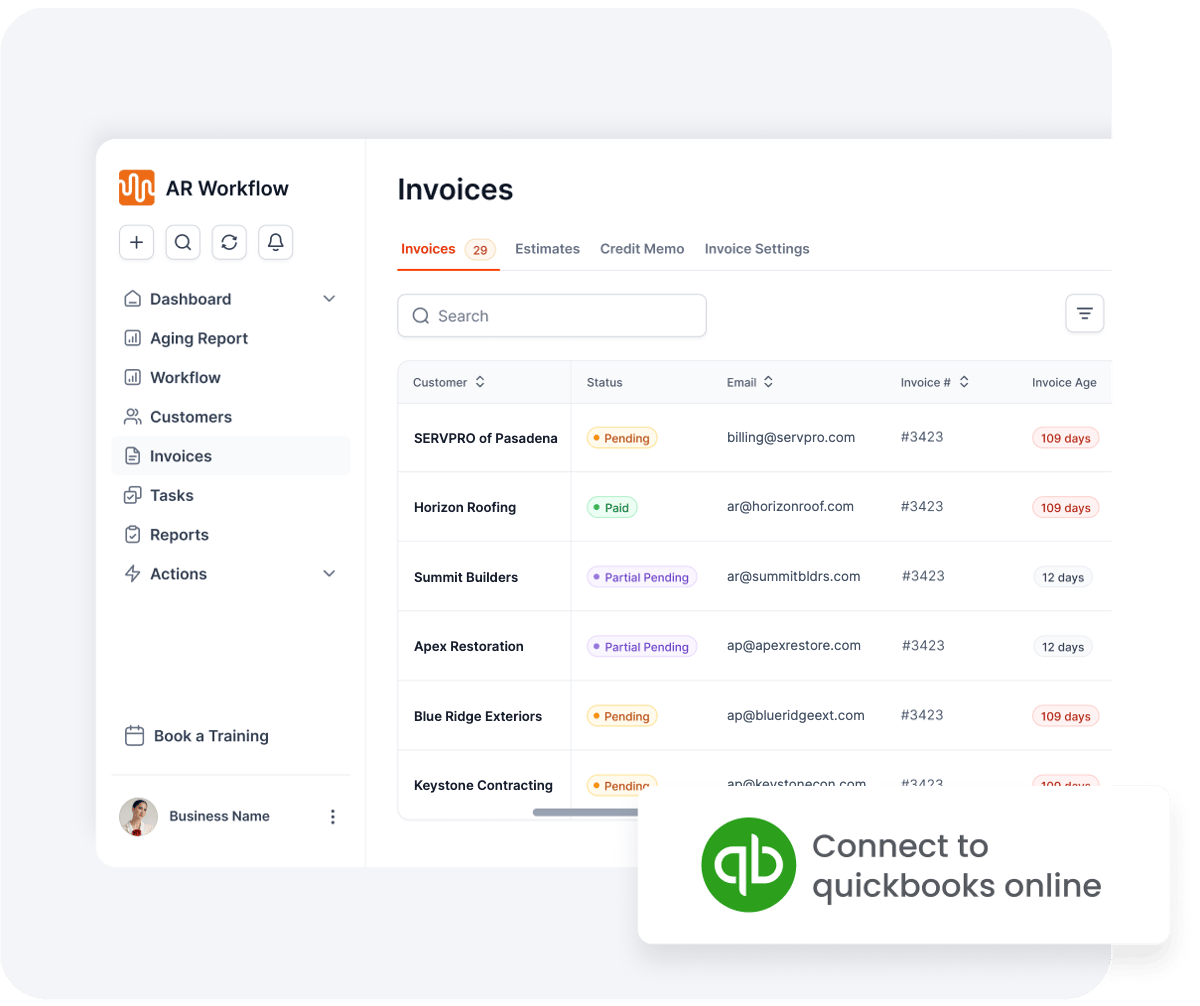
Connect QuickBooks Online and your open invoices sync in automatically.
AR Workflow connects to QuickBooks Online and does the follow-up QuickBooks leaves to you. Every open invoice goes on a schedule by email, two-way text and ringless voicemail from a dedicated number. Homeowners and commercial customers get a payment link for card or ACH. Adjusters and carriers get status requests, never a payment link. Follow-up pauses on a promise to pay and stops when the invoice is paid, and payments post back to QuickBooks automatically.
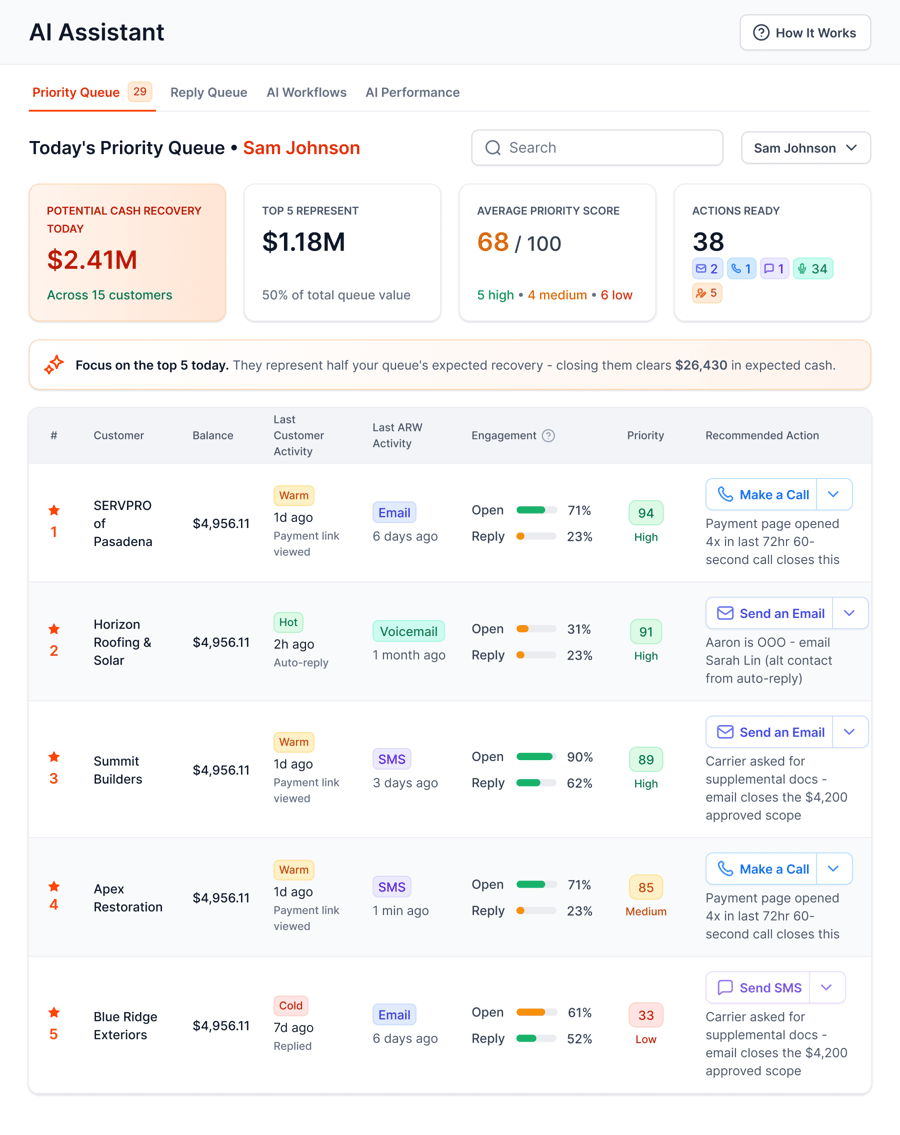
The Priority Queue shows your team who to contact today and what to do next.
Your accountant keeps working in QuickBooks. Your office gets a daily list instead of a weekly scramble.
Frequently asked questions
Is QuickBooks good for contractors?
Yes, for most small and mid-size contractors. QuickBooks Online handles invoicing, job costing through projects, progress invoicing, payroll and 1099s. It needs some setup for construction workflows like retainage, and it does not chase overdue invoices, so plan for collections separately.
Which version of QuickBooks is best for contractors?
Most contractors today choose QuickBooks Online on a plan that includes projects, because job costing depends on it. Larger firms already using Desktop Enterprise sometimes stay there. Check Intuit's current plan comparison, since features by plan change over time.
Does QuickBooks have job costing for contractors?
Yes. In QuickBooks Online, projects track income, costs, labor time and payments by job. Tag every bill, expense and time entry to a project, then use the project profitability report to compare actual margins with your estimates.
Can QuickBooks track retainage?
There is no built-in retainage feature in QuickBooks Online. Many contractors bill the full amount, add a negative retainage line that posts to a retainage receivable account, and invoice it when released. Confirm the setup with your accountant.
Does QuickBooks send payment reminders?
QuickBooks Online can send email reminders for overdue invoices. It does not send texts or voicemails, run different follow-up for homeowners and adjusters, or pause on a promise to pay. AR software that connects to QuickBooks covers that.
How do contractors track accounts receivable in QuickBooks?
Run the A/R aging summary or detail report weekly, follow up on the largest and oldest balances first, and record every payment against its invoice. Note promise dates and disputes so the next person knows where each invoice stands.
Related reading
Built for contractors on QuickBooks Online.
Bring one overdue invoice to a demo and see who would be contacted, when, and how they would pay.
Photos: Unsplash. This article is general information, not legal, tax or accounting advice.