Skip to content
  • Emailwith the invoice attached
  • Two-way textfrom a dedicated number
  • Voicemaildelivered without dialing
  • Card and ACHpayment link on every touch
  • QuickBooks Onlinepayments post back

GC CASH FLOW, ONE SCREEN

See who promised to pay. See who needs a call.

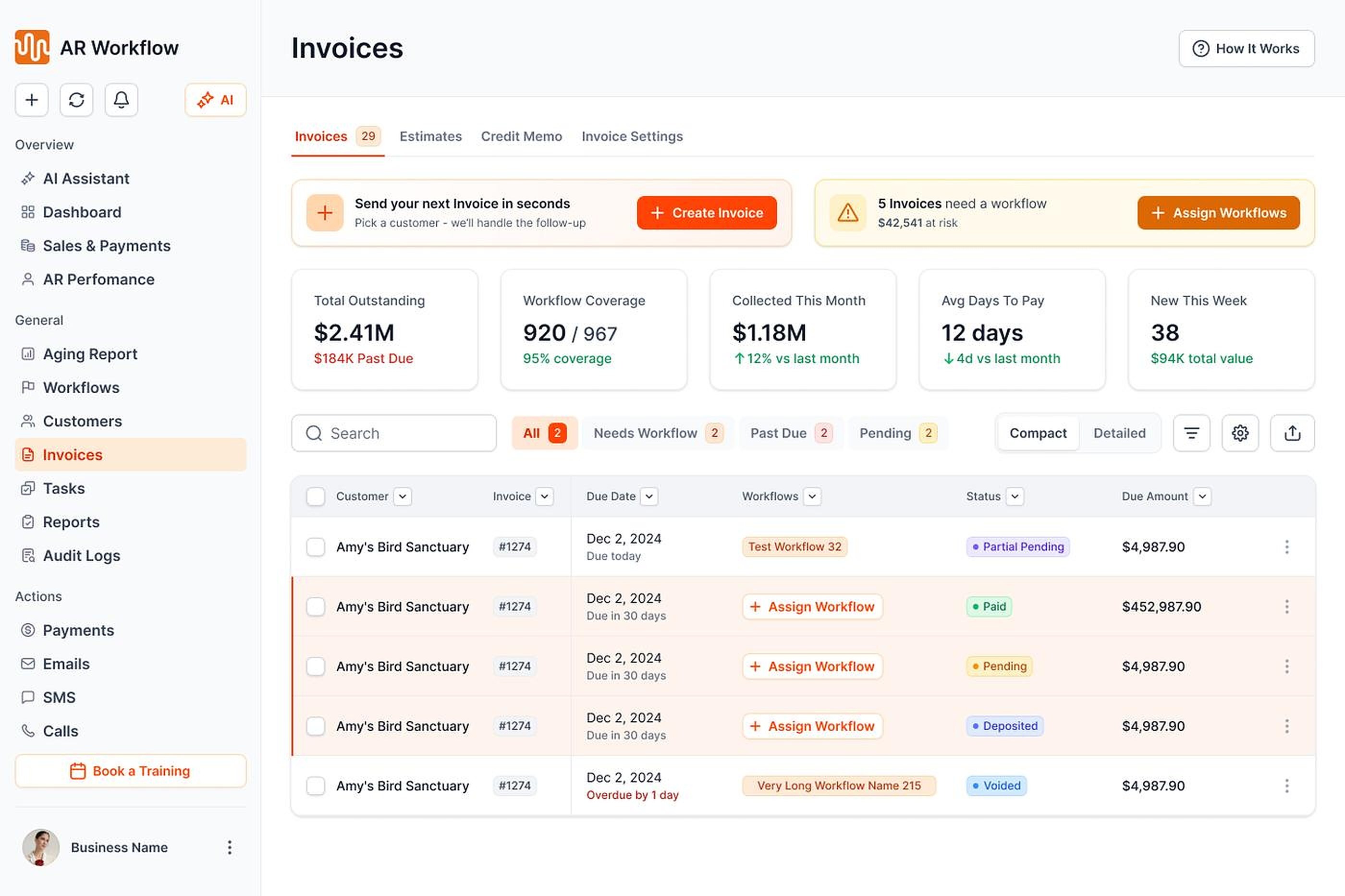
General contractor accounts receivable invoice list

ON SCHEDULE

Follow-up running

Reminders going out

  • Email, two-way text and ringless voicemail
  • Payments post back to QuickBooks
  • Every touch logged

NEEDS YOU

Priority Queue

  • Who to contact today
  • Open balance with no follow-up
  • Replies waiting for review

Example view. Your screen shows your own QuickBooks Online data.

YOU SIT IN THE MIDDLE

Money in from owners. Money out to subs.

  • Owner and lender drawsAI follows up on each draw until it is approved and paid, with the pay app attached.
  • Change ordersApproved extras billed on their own, so they never get stuck in the next draw.
  • RetainageA reminder goes out at closeout, so the last payment is not forgotten.
General contractor shaking hands with a project owner

INSIDE AR WORKFLOW

Contractor AR automation, built for the way your office works.

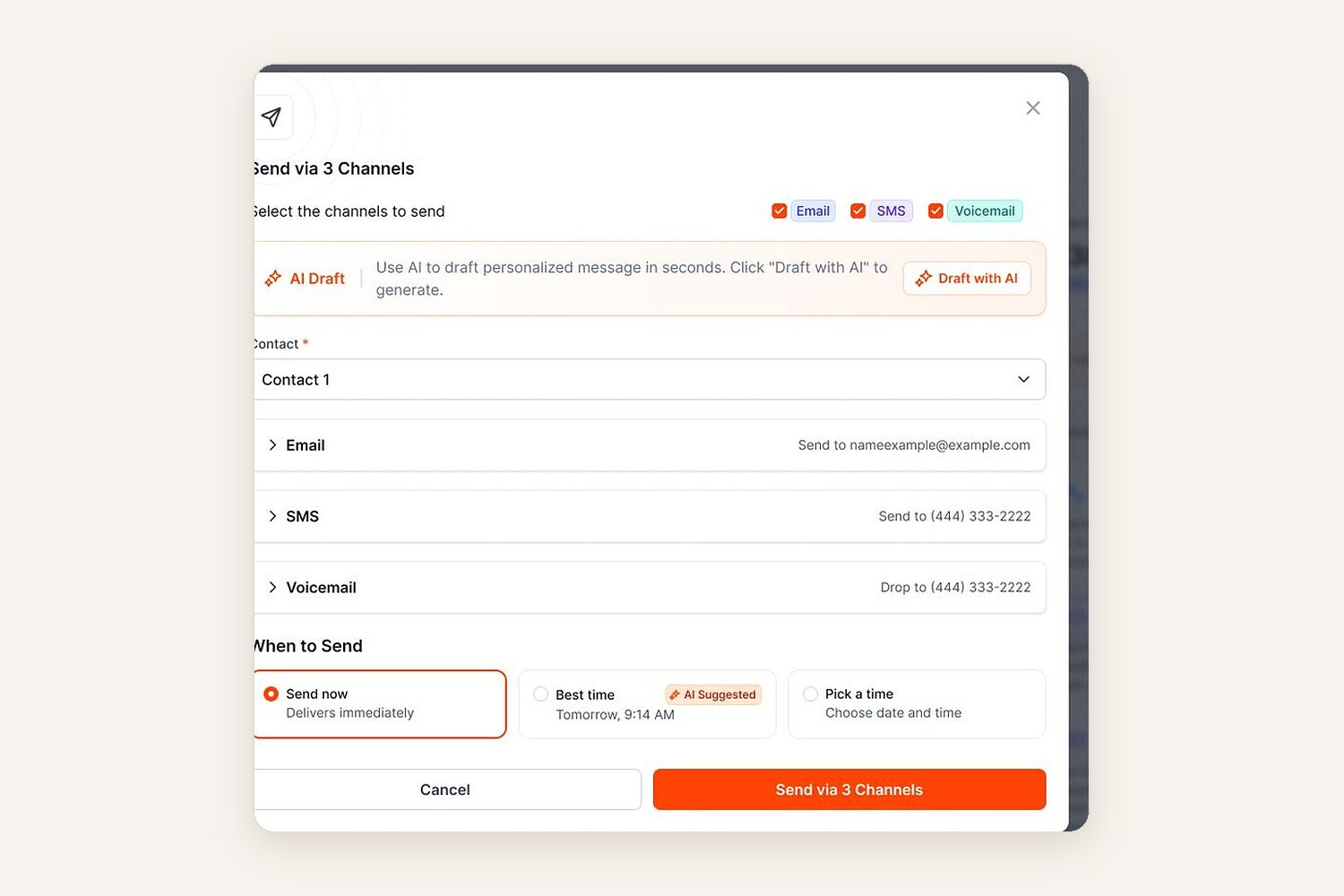
Contractor AR automation sending one message by email, text and voicemail

One message, three channels

Send by email, text and voicemail at once, with AI drafting each one.

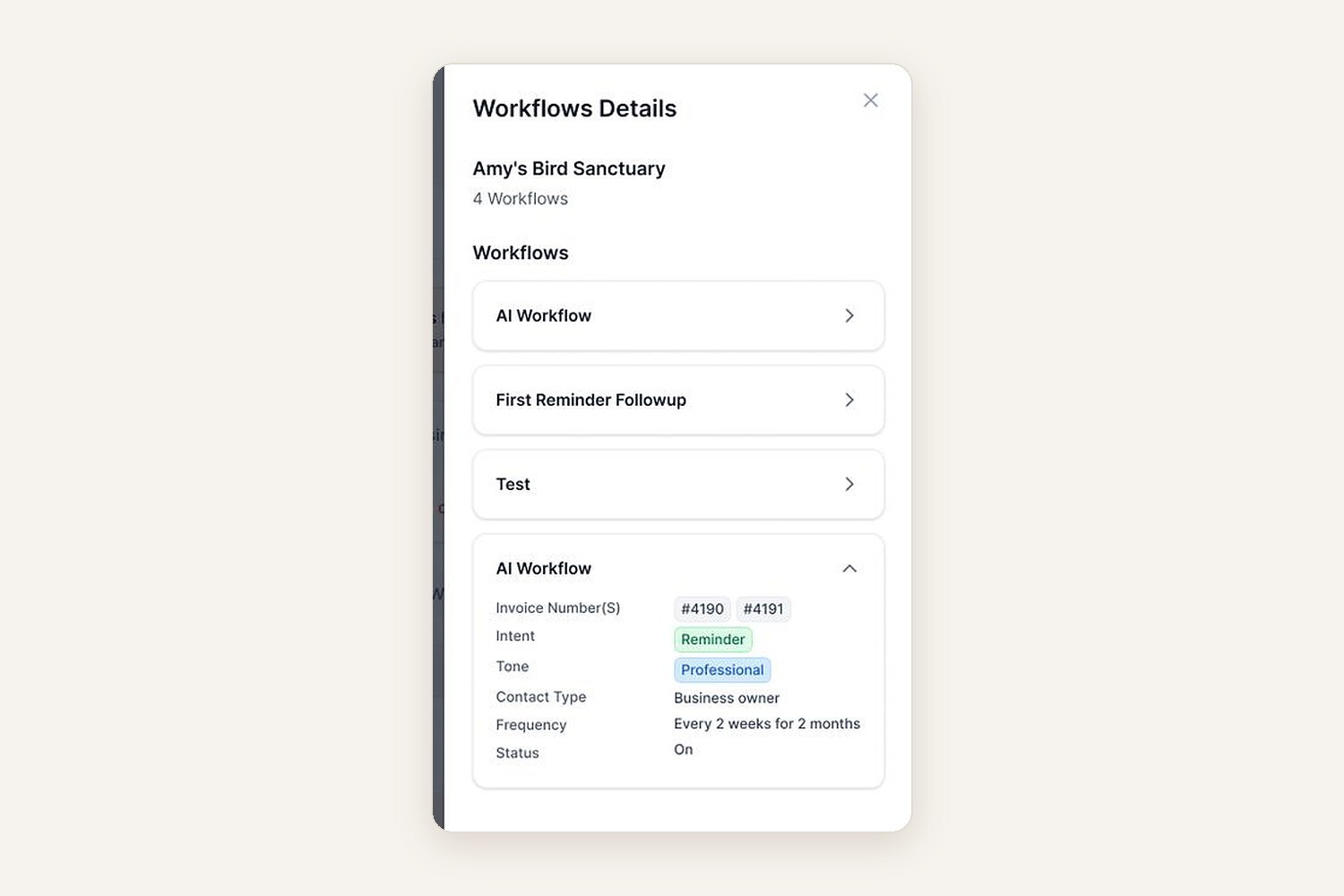
Contractor accounts receivable workflows per customer

See every workflow per customer

Know the last touch and the next one for each owner and lender.

HOW IT WORKS

Contractor AR automation in three steps.

1

Connect QuickBooks

Your open draws and invoices come in automatically.
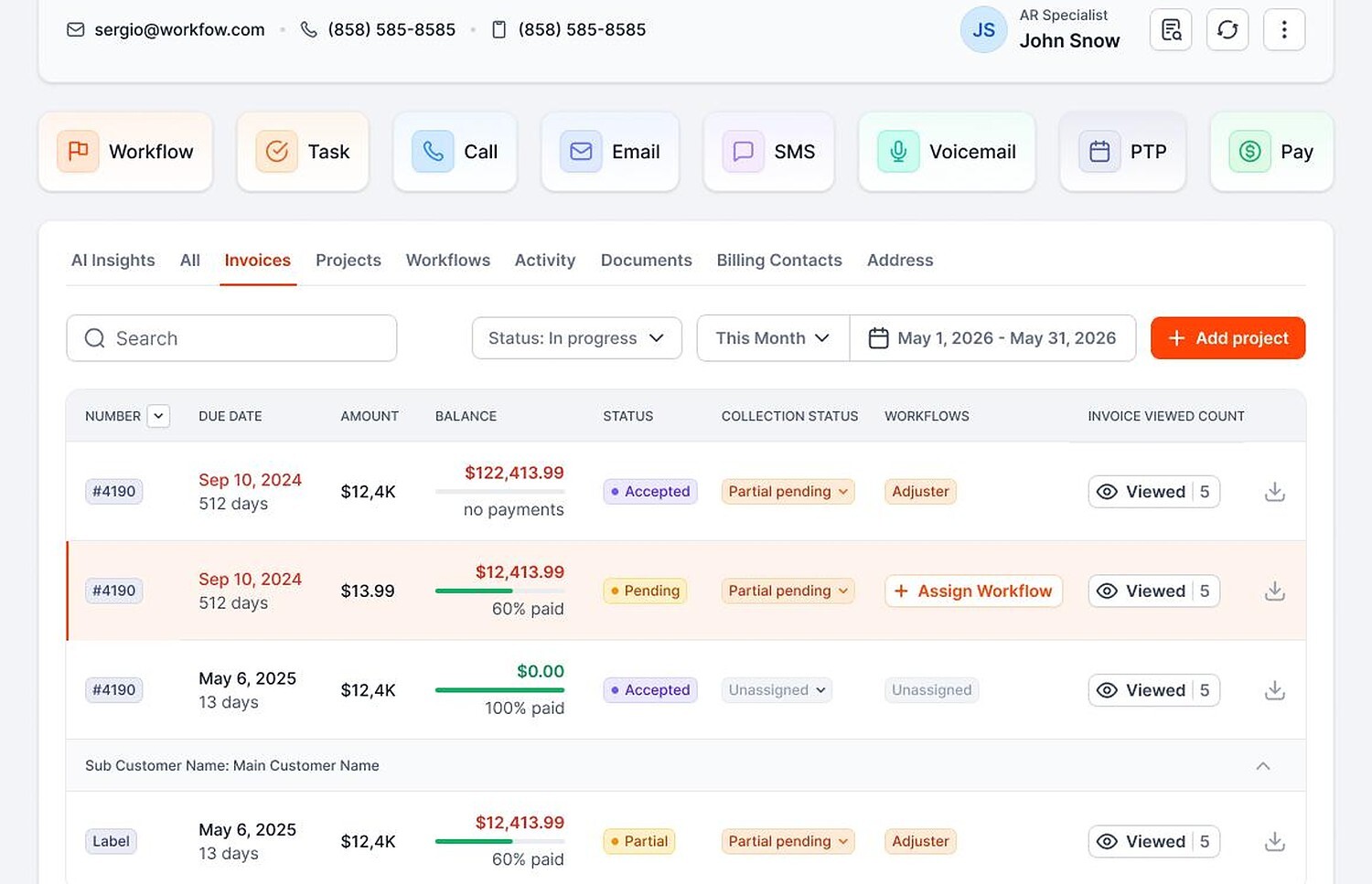
Open draws and invoices synced from QuickBooks
2

Set the rules

Pick who hears from you: owners, lenders, AP teams or homeowners.
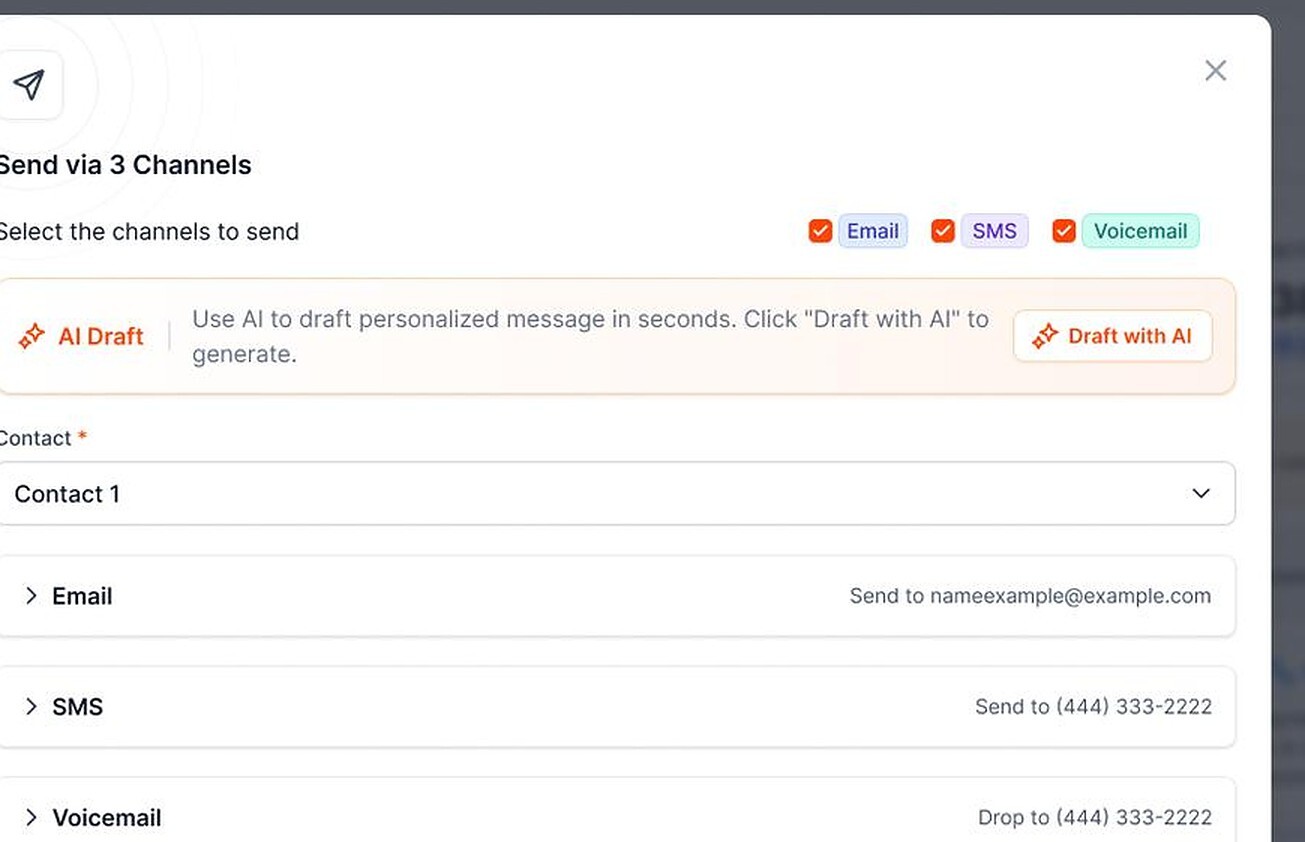
Set follow-up rules for owners and lenders
3

Let AI follow up

AI handles the routine. Your PMs handle the exceptions.
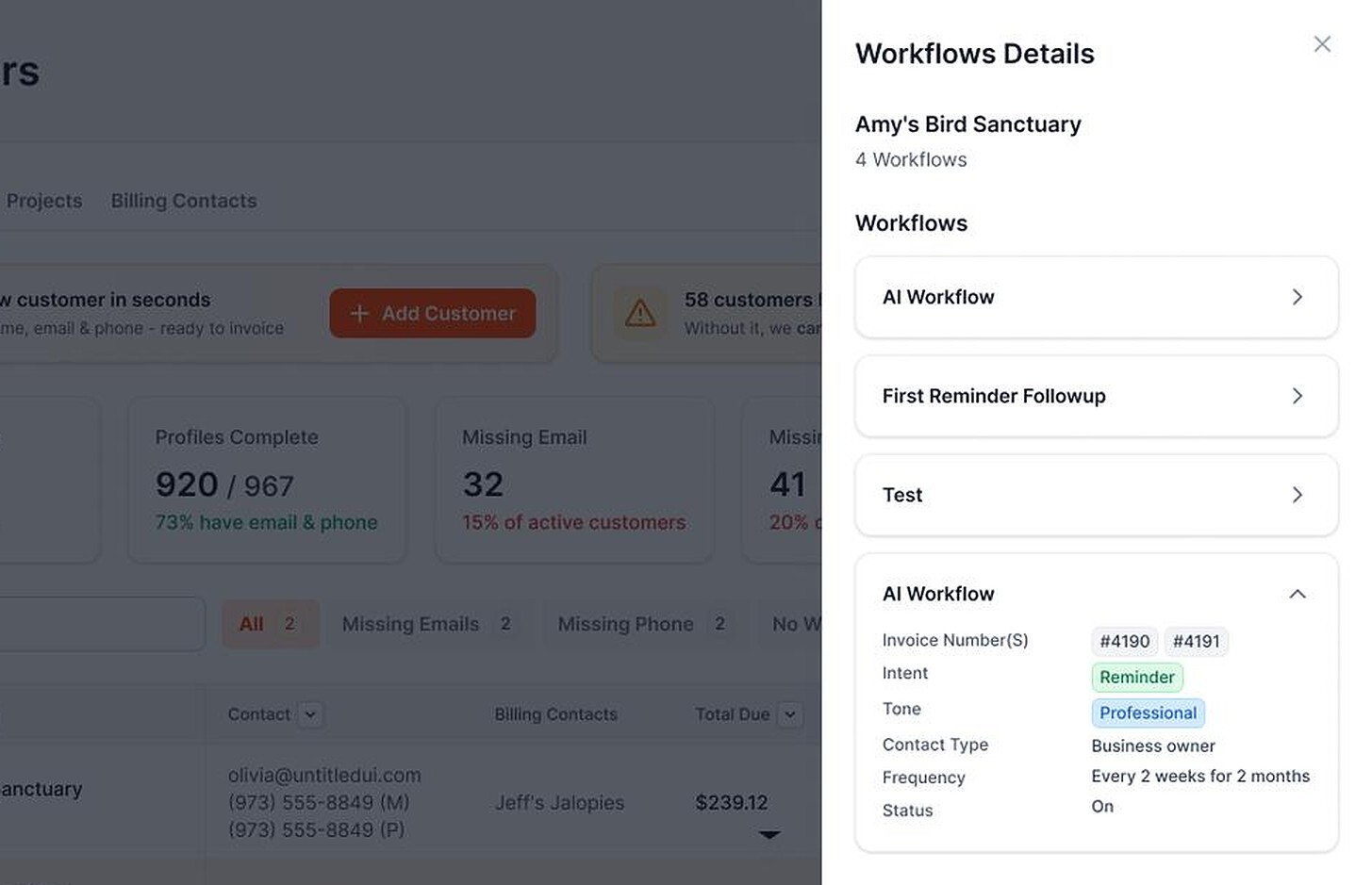
General contractor collections workflows running

Connects to QuickBooks Online

Partial payments and plans

Pauses on a promise to pay

ONE OWNER DRAW, START TO FINISH

Owner payment follow-up, from pay app to paid.

SENT

Personalized email

AI sends the invoice with a payment link.

Hi Dana, the latest draw for Elm Street is attached with the pay app and the waiver you asked for. You can pay securely with the link below.

REMINDER

Friendly text

A short reminder, on your schedule.

Hi Dana, friendly reminder that the Elm Street draw is still open. Pay securely here.

VOICEMAIL

Voicemail delivered

No one on your team had to dial.

Hi Dana, quick reminder about the Elm Street draw. The payment link is in your email.

REPLY

Customer replies

AI drafts the answer. Your team approves it.

Can you resend the pay app? Our lender needs it today.

PAID

Payment received

ACH payment, synced to QuickBooks.

Illustrative example.

WHAT AI DOES FOR GCS

An AR assistant that never forgets a draw.

Writes and sends

Personalized emails and texts, on your schedule.

Hi Dana, quick reminder that the Elm Street draw is open. You can pay securely here.

Pay draw

Sent by AI · 9:02 AM

Drafts replies

When customers respond, AI drafts the answer. Your team approves it.

CUSTOMER

“Can you resend the draw with the lien waiver?”

AI DRAFT
Of course. The draw and the waiver are attached.

Approve & sendEdit

Flags what needs you

Disputes, missed promises, and accounts that need a call rise to the top.

Disputed balanceHigh

Payment promise missedCall today

Invoice copy requestedReply ready

Collects payment

Every message can include an ACH or card payment link.

Amount dueOwner draw

Bank (ACH)Card

Pay now

Syncs with QuickBooks

Invoices and balances stay current. No double entry.
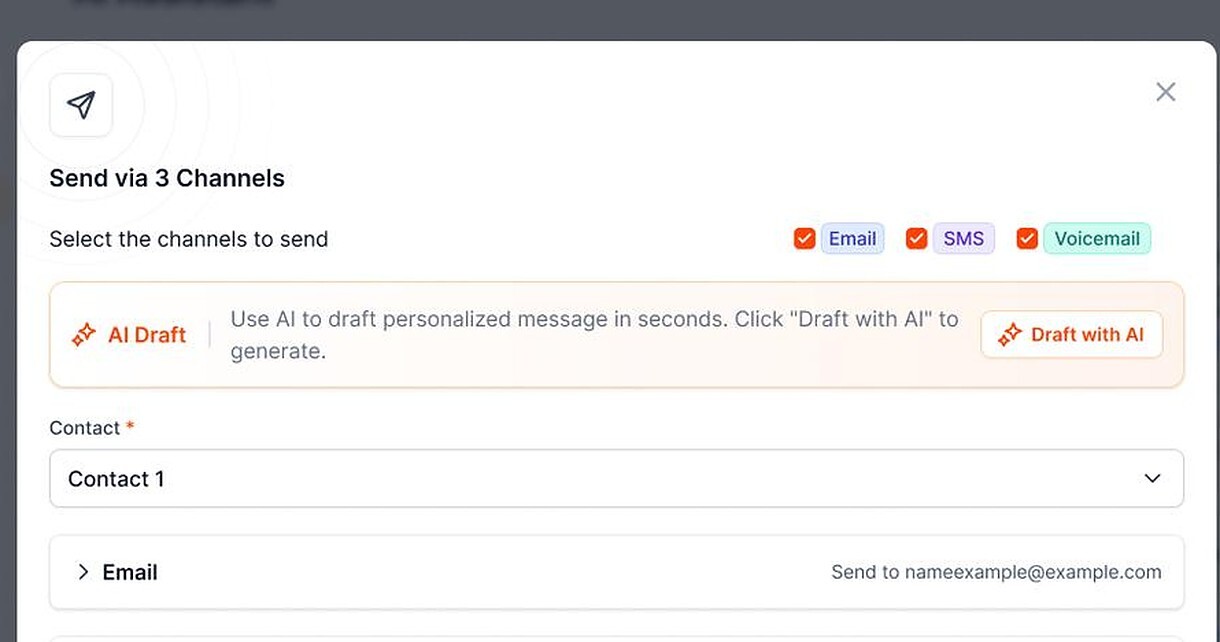
Contractor AR software sending synced invoices by email, text and voicemail

Automated voicemail delivery is not a live AI phone conversation.

BUILT FOR GENERAL CONTRACTORS

Owners, lenders and homeowners. Each gets the right nudge.

Persistent does not have to mean pushy.

Owners & Developers

Draw follow-up through long cycles.

Homeowners

Friendly, never like a collection agency.

Property Managers

Job context across buildings.

Construction Lenders

Draw requests tracked to approval.

AP Departments

Clear invoices with PO numbers.

Repeat Clients

Reminders that protect the next job.

A WEEKLY GC AR ROUTINE

Five GC accounts receivable checks that keep draws moving.

01

Review the open balance

Start Monday with every balance that has no follow-up scheduled.

02

Confirm pay apps landed

Make sure the owner, architect or lender actually has each one.

03

Work the Priority Queue

Call the accounts at the top. Let AI handle the rest.

04

Log every promise

Follow-up pauses until the promised date, then resumes.

05

Keep retainage on the calendar

Request it the day the job closes.

FROM THE SITE TO THE TRAILER

GC accounts receivable, from the walkthrough to the office.

General contractor walking homeowners through a framed house

Owner walkthroughs

After the walkthrough, the next draw invoice goes out and follow-up starts on its own.

Project manager working in a jobsite trailer

Back in the trailer

The Priority Queue shows who to contact today, so nobody guesses which owner to chase.

FAQ

General contractor collections questions

Still have a question?

Bring it, and one overdue draw, to a demo.

What is contractor accounts receivable automation?

Software that follows up on what owners, lenders and homeowners owe you, so your team does not have to remember every draw.

Does it work with QuickBooks Online?

Yes. Draws and invoices sync in, and payments post back automatically.

Can owners pay a draw by card or ACH?

Yes. Every message can include a payment link, with partial payments when a draw is split.

Do we still need to call owners?

Sometimes. AI handles routine reminders and the Priority Queue shows the accounts that need a person.

Does AR Workflow give legal advice on liens?

No. For lien rights and notices, talk to a construction attorney.

How much does it cost?

Plans are $295, $395 and $495 a month. There is no free trial. Get a demo to see it on one of your draws.

Collect from the owner first. Pay your subs with less stress.

AI follows up on every open draw, pay app and change order. Your PMs handle the calls that need a person.

  • Keep QuickBooks
  • Start with one invoice
  • Stay in control