Skip to content
QUICKBOOKS ONLINEQuickBooks collections

QuickBooks collections software for contractors.

QuickBooks tracks your invoices. AR Workflow chases them. Connect QuickBooks Online and every open invoice gets followed up until it's paid, with the payment posted back for you.

Get a demo

Contractor on the job checking invoices that sync with QuickBooks
Payment postedSynced to QuickBooks Online
QUICKBOOKS INVOICEPAID
Roof repair
EmailTextVoicemailPaid
Following up on every open QuickBooks invoice
  • Two-way syncwith QuickBooks Online
  • Every open invoiceon a follow-up plan
  • Email, text, voicemailand call tasks
  • Payments post backfees included
  • Projects roll upby parent customer

THE GAP IN QUICKBOOKS

QuickBooks tracks your invoices. Who's chasing them?

QuickBooks Online is where the invoice gets created, the payment gets recorded and the month gets closed. It does that well. What it doesn't do is collect. It won't text a homeowner, leave a voicemail, put a call on someone's list, pause when a customer promises to pay or tell you which overdue invoices nobody has touched.

  • The aging report shows the problem, not the fixIt tells you who's late. It doesn't follow up.
  • Notes live outside the booksPromises to pay, call notes and replies end up in spreadsheets, sticky notes and personal inboxes.
  • Double entryPayments taken over the phone or through another processor get typed into QuickBooks by hand.
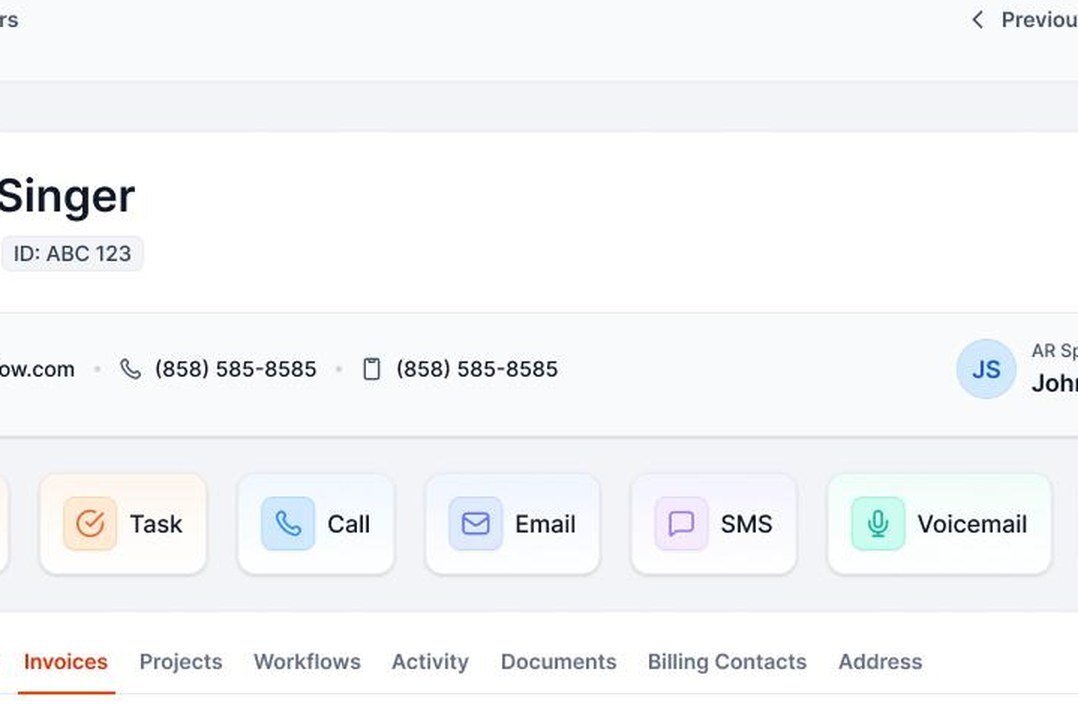
Customer account with task, call, email, text and voicemail actions next to its QuickBooks invoices

WHAT THE INTEGRATION DOES

How AR Workflow works with QuickBooks Online.

AR Workflow is collections software built on top of QuickBooks Online. You keep doing your books in QuickBooks. AR Workflow handles the follow-up and the payments, and keeps both systems in step.

SYNC

Two-way sync

Customers, invoices, estimates, credit memos and payments sync in both directions.

FAST

Near-real-time updates

The sync runs on QuickBooks notifications, so changes usually show up within minutes, not overnight.

FIELDS

Custom fields come along

Claim number, job address or PO number can go straight into email and text templates.

JOBS

Projects and sub-customers

See a carrier, property manager or GC's total balance across every job, then drill into each one.

PAYMENTS

Payments post back

Card and ACH payments apply to the invoice in QuickBooks, with processing fees booked too.

CLEAN

No duplicate records

Customers and invoices start in QuickBooks and stay linked.

INSIDE AR WORKFLOW

Your QuickBooks data, put to work.
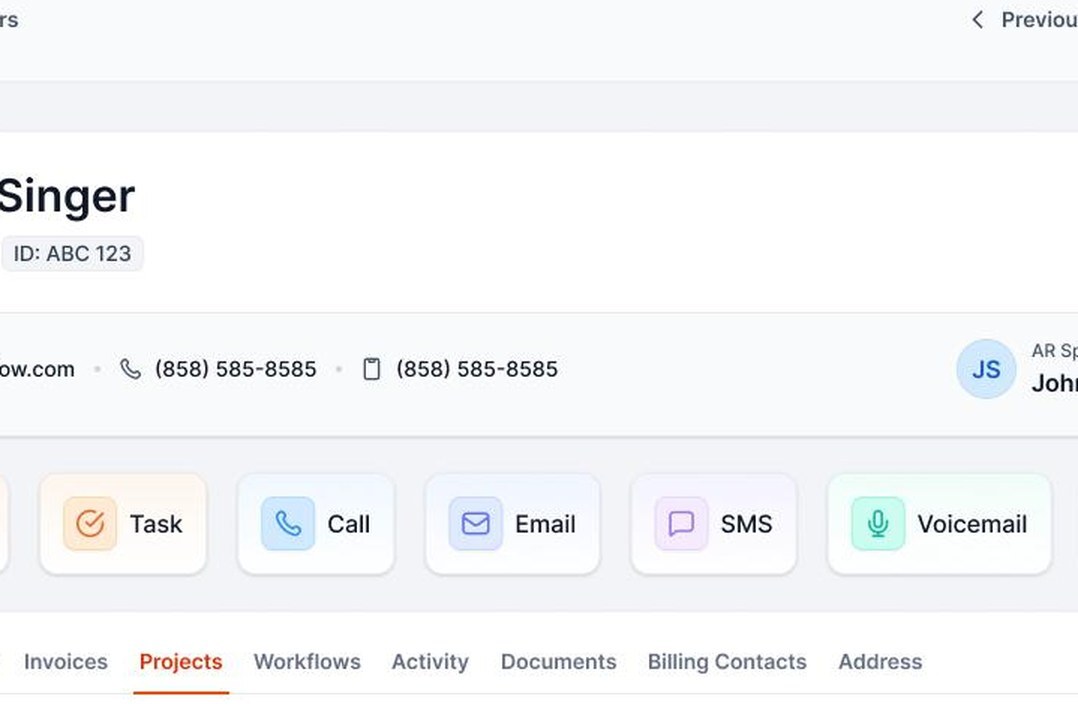
Customer account showing QuickBooks Projects, workflows and billing contacts

Projects and billing contacts on one account

Add the adjuster, homeowner or AP contact to a QuickBooks customer and follow up with each the right way.
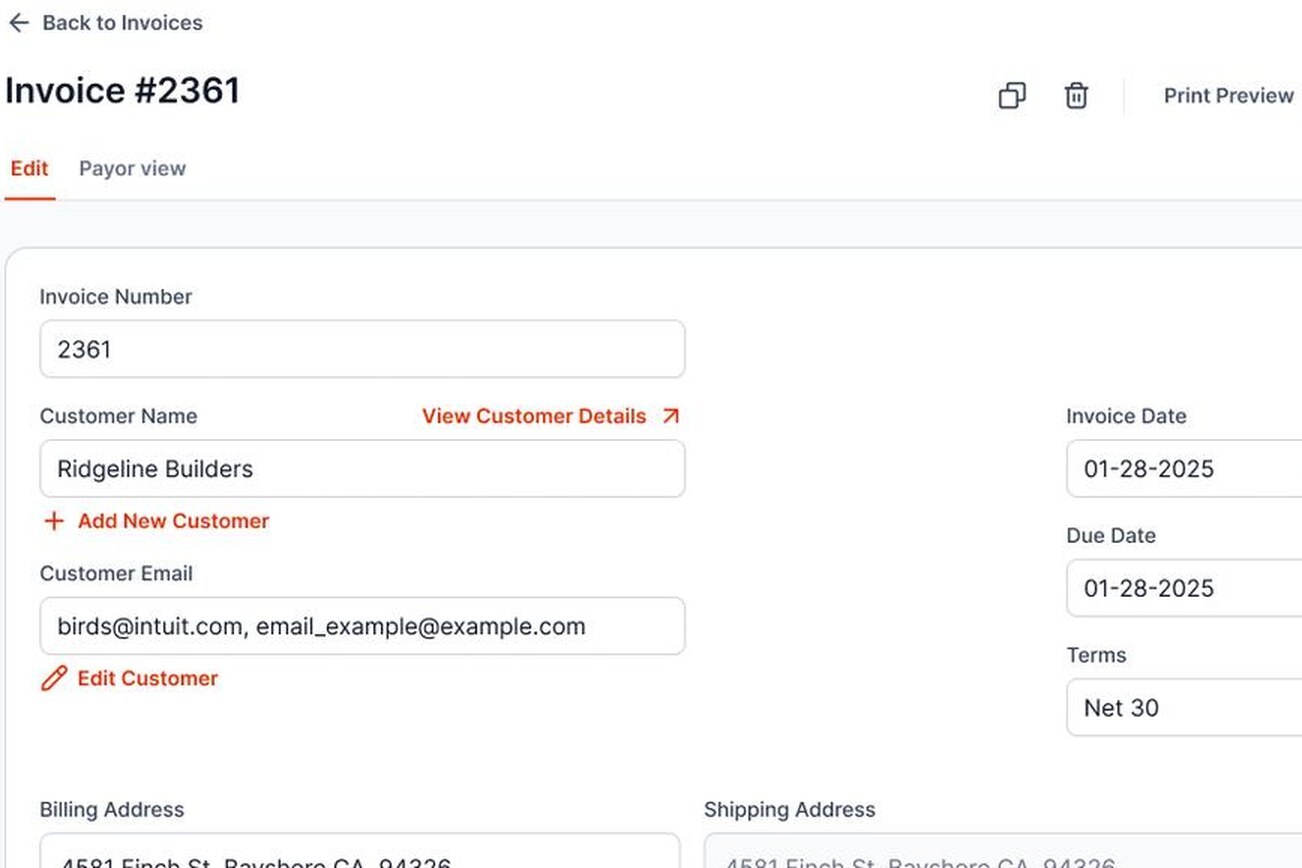
Invoice editor that writes changes back to QuickBooks

Edit an invoice once

Create or update an invoice in AR Workflow and it writes to QuickBooks. No re-entry.

HOW IT WORKS

From QuickBooks invoice to paid, step by step.

01

Connect QuickBooks Online

Sign in and approve the connection. The first sync brings in customers, open invoices and payment history.

02

Turn on payments

Apply for a merchant account through Finix so customers can pay by card or ACH from every reminder.

03

Put open invoices on workflows

Pick a template, adjust the wording and set a default so new QuickBooks invoices are covered as they sync.

04

Collect and reconcile

Customers pay from the link. Payments and fees land in QuickBooks, and the reminders stop.

PROJECTS AND PROGRESS INVOICING

Collecting on QuickBooks Projects and progress invoices.

A lot of contractor billing isn't one invoice per job. It's a deposit, a few progress invoices and a final balance, often on a QuickBooks Project. AR Workflow keeps that structure.

  • Every invoice keeps its ProjectFollow-up runs per invoice, and the whole Project balance is in one place.
  • Progress invoicing from estimatesCreate it in AR Workflow and it writes to QuickBooks, each stage with its own payment link.
  • One page for every open invoiceA client who's a stage behind can catch up in one checkout.
  • Parent customers roll upA GC or property manager's total across every Project is one click away.
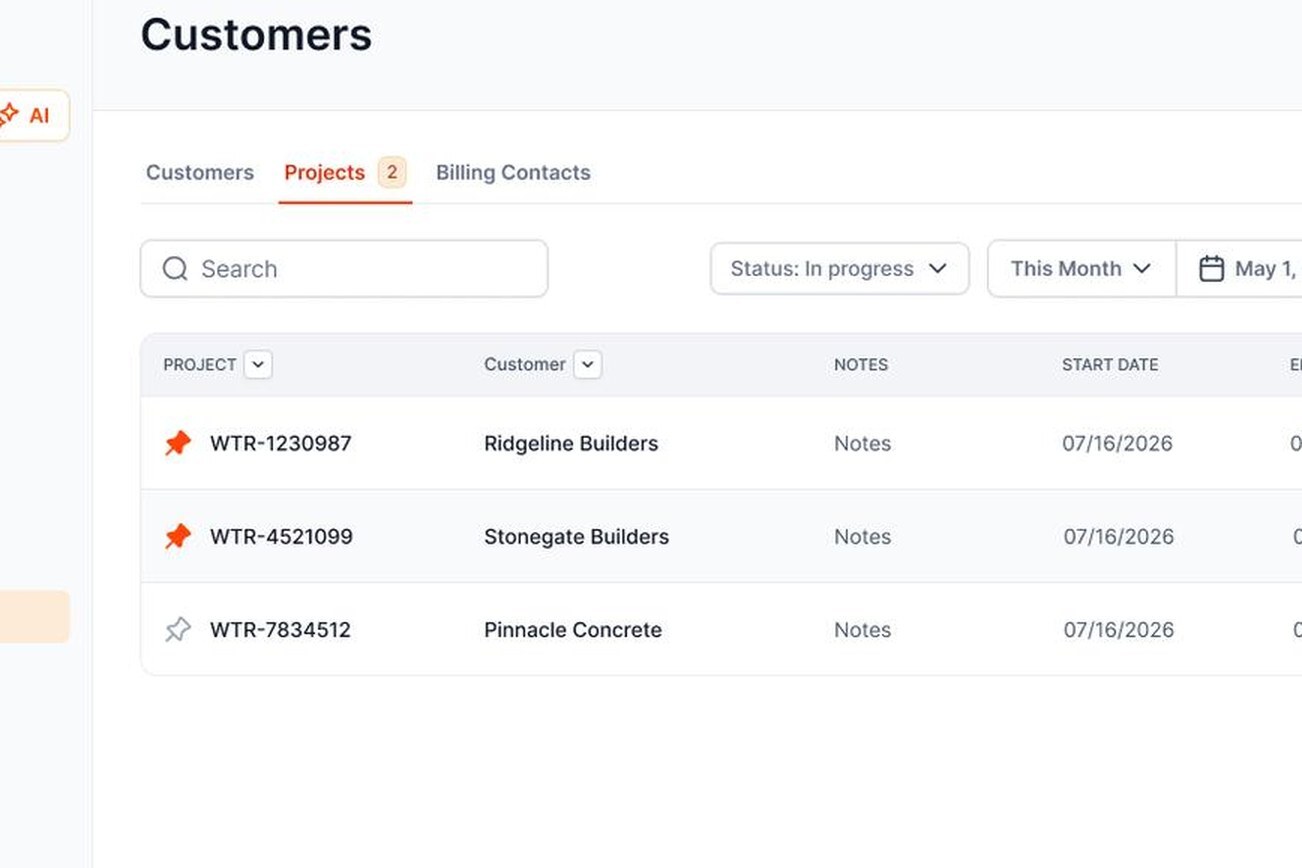
Projects list synced from QuickBooks with customer and start date

SIDE BY SIDE

QuickBooks collections features, with and without AR Workflow.

QuickBooks is great at the books. AR Workflow is built to do the chasing.

SEE WHO'S LATE

Aging plus Unprotected AR

QuickBooks alone: the A/R aging report. With AR Workflow: overdue balances with no follow-up, flagged.

EMAIL

Multi-step workflows

QuickBooks alone: basic automatic reminders. With AR Workflow: sent from your own Gmail or Microsoft 365.

TEXT AND VOICE

Texts and voicemail drops

QuickBooks alone: not available. With AR Workflow: two-way texting and ringless voicemail.

CALLS

In-browser calling

QuickBooks alone: not available. With AR Workflow: recordings saved to the account.

PROMISES

Promise to pay

QuickBooks alone: not tracked. With AR Workflow: logged, with reminders paused until the date.

WORKLIST

Priority Queue

QuickBooks alone: none. With AR Workflow: a ranked list of who needs attention today.

PAYMENT LINK

One link, every invoice

QuickBooks alone: per invoice. With AR Workflow: all open invoices, partial payments allowed.

PAYMENT PLANS

Auto-charged installments

QuickBooks alone: not available. With AR Workflow: installment plans by card or ACH.

THE PROCESS

A simple QuickBooks collections process for contractors.

Whether or not you use AR Workflow, this is the process we'd recommend for any contractor on QuickBooks Online. AR Workflow automates steps 2 through 5.

01

Invoice the day the work is done

Include the job address, what was done and how to pay.

02

Send a courtesy reminder

One short email or text before the due date catches customers who forgot.

03

Follow up on a schedule

Same steps and timing for every customer of the same type. Mix email, text and voice.

04

Log every promise to pay

Write down the date and amount. If it passes, follow up the next day.

05

Post payments the same day

Your A/R aging report is only useful if it's current.

06

Review aging every week

Start with the oldest columns and decide a next step for each customer.

CLEAN UP FIRST

How to clean up QuickBooks accounts receivable before you automate.

Automated collections are only as good as the data in QuickBooks. Spend an hour on these before you turn on reminders.

01

Apply unapplied payments and credits

Payments in Undeposited Funds or unapplied credit memos make paid invoices look open.

02

Close out what you'll never collect

Write old balances off with your accountant's guidance so nobody gets a reminder from years ago.

03

Check emails and phone numbers

Add a mobile number for texts and an AP email for commercial customers.

04

Set up Projects or sub-customers

For GCs, property managers and carriers with many jobs, so balances roll up the right way.

05

Add the custom fields you'll use

PO number, claim number or job address, ready to drop into messages.

06

Then connect

The dashboard shows any open invoices with no follow-up plan, so you can see what still needs attention.

FOR YOUR BOOKKEEPER

Your bookkeeper will like this part.

Collections software that creates more cleanup isn't worth it. Your bookkeeper or CPA keeps working in QuickBooks exactly as before. They just stop typing in payments.

Payments apply to the right invoice

Automatically, when customers pay through AR Workflow.

Processing fees are booked

So deposits match what hit the bank.

Convenience fees handled

If you turn them on, the invoice still shows paid in full in QuickBooks.

Refunds and disputes

Managed in AR Workflow with a clear record.

Deposits view

Gross, fees and net for every payout.

No duplicate customers or invoices

Everything starts in QuickBooks and stays linked.

YOUR INVOICE, NOT A FEATURE TOUR

Bring one overdue invoice from QuickBooks.

Pick one past-due invoice in your QuickBooks file. On the demo you'll see:

  1. 1The reminders your customer would get
  2. 2The link they pay from
  3. 3The payment landing back in QuickBooks

YOUR OPEN INVOICE

Past due

[YOUR BALANCE]

Status requestEmail

Second touchText

Still openVoicemail

Payer can pay by card or ACH

FAQ

QuickBooks collections FAQs

Still have a question?

Bring it, and one overdue invoice, to a demo.

Can QuickBooks Online do collections?

QuickBooks Online can send basic automatic invoice reminders by email and run an A/R aging report. It doesn't text, leave voicemails, track promises to pay, give your team a daily call list or show which invoices have no follow-up. That's what QuickBooks collections software like AR Workflow adds.

Does AR Workflow replace QuickBooks?

No. QuickBooks stays your accounting system. AR Workflow sits on top of it to handle follow-up and payments, and keeps everything synced both ways.

Will it mess up my books?

It's designed not to. Customers and invoices start in QuickBooks, and payments and fees post back to the right invoices automatically. Your bookkeeper keeps working in QuickBooks as usual.

Do I have to use AR Workflow payments?

Payments are what make the follow-up work, because every reminder carries a link to pay. Setting up the Finix merchant account is part of onboarding. Payments taken elsewhere and recorded in QuickBooks still sync in and stop the reminders.

Does it work with QuickBooks Desktop?

No. AR Workflow works with QuickBooks Online only.

How long does setup take?

Connecting QuickBooks takes a few minutes, and the first sync runs in the background. The merchant application and the texting number take a few business days to approve. We walk through setup with you.

How do I track accounts receivable in QuickBooks Online?

Run the A/R Aging Summary or A/R Aging Detail report under Reports. It shows open balances by customer and how late they are. AR Workflow uses the same buckets and adds the follow-up status of each invoice.

Can I see a GC or property manager's balance across all jobs?

Yes. QuickBooks Projects and sub-customers roll up under the parent customer in AR Workflow, so you see the total and can drill into each job.

What's the best way to collect payments in QuickBooks Online?

Send invoices with a payment link, follow up on a schedule by more than one channel, and make it easy to pay several invoices at once. AR Workflow adds the follow-up and the multi-invoice payment page on top of QuickBooks Online.

Will QuickBooks and AR Workflow both send reminders?

They can if you leave QuickBooks reminders on. We recommend turning off QuickBooks automatic reminders once AR Workflow is running, so customers only hear from you in one place.

How much does it cost?

Plans are $295, $395 and $495 per month. See pricing. There's no free trial. Book a demo and we'll show it on your own QuickBooks invoices.

Keep QuickBooks. Add the part that collects.

See QuickBooks collections run on one of your own overdue invoices.

  • Keep QuickBooks
  • Start with one invoice
  • Stay in control