
 Log in
Construction DSO calculatorwith and without retainage.
Enter your AR balance, revenue and retainage to see how long it takes to turn billings into cash, and what that number says about your collections.
- DSO with and without retainage, side by side
- Compared with your own payment terms
- A plain-English reading of what the number means
Retainage split out, so you see both.
DSO
–daysWithout retainage
–daysWhere to find each number.
Take every figure from the same period. If your AR balance is at the end of October, use revenue billed in October and 31 days.
What customers owe you
Every open invoice and pay app on the last day of the period, retainage included.
What you billed
Total invoiced in the period. Not cash collected, and not the contract value of open jobs.
What is held back
Billed and earned, but not due until a job or phase is complete. Leave it at zero if you do not carry any.
Length of the period
The number of days your revenue figure covers. Use the same method every time so the trend means something.
Why construction DSO needs two numbers.
In most industries one DSO number is enough. In construction, retainage distorts it. It sits in your AR for months, even when every progress billing is paid on time.
The first number shows how much cash is tied up overall. The second shows how fast your day-to-day pay apps and invoices are collected. A big gap means retainage needs its own release plan. A high second number means your regular follow-up needs work.
One quarter, both ways.
A made-up electrical subcontractor runs the numbers at quarter end. Same AR, same revenue. Two very different stories.
Total DSO. How long cash sits in receivables overall, retainage and all.
Without retainage. Day-to-day billings take a little over five weeks. That is where follow-up helps.
Days from retainage. Invoice it the day it is releasable, with every closeout document attached.
Example company and amounts are made up for illustration.
Compare it with your terms.
There is no single right DSO for every contractor. The most useful test is your DSO without retainage against the terms in your own contracts.
On track
Customers pay about when your contracts say they should.
A little slow
Usually a paperwork problem: a missing lien waiver or a pay app waiting on approval.
Slow
Invoices are past due and some may have no follow-up at all.
Well behind
Cash is tied up for months. Balances over 60 days need attention now.
Watch the trend. One big pay app can move a single month. Look at the direction over a quarter or two.
Look at the gap. A big gap between the two numbers means retainage is a large share of what you are owed.
Check the aging next. DSO is an average and can hide a few large old invoices. See our AR aging report guide.
Six ways to lower construction DSO.
Most high DSO comes from a handful of habits. Fix them in this order and the number follows.
Bill on time and complete
Submit pay apps before the cutoff, with conditional lien waivers and backup, so nothing gets sent back.
Confirm approval early
A few days after you bill, ask the AP contact by name whether the pay app is approved and which pay run it is on.
Follow up on a schedule
Same rhythm for every invoice, and a new channel when email goes quiet. Start with our collection email templates.
Request retainage the day it is due
List every closeout document in the request so there is nothing left for the owner or GC to ask for.
Set clear terms up front
Billing dates, retainage rate and release terms in writing. See our guide to contractor payment terms.
Fix the process, not one invoice
Ownership, cadence and reporting. Read how to improve your collections process.
DSO tells you how slow cash is. AR Workflow shows why.
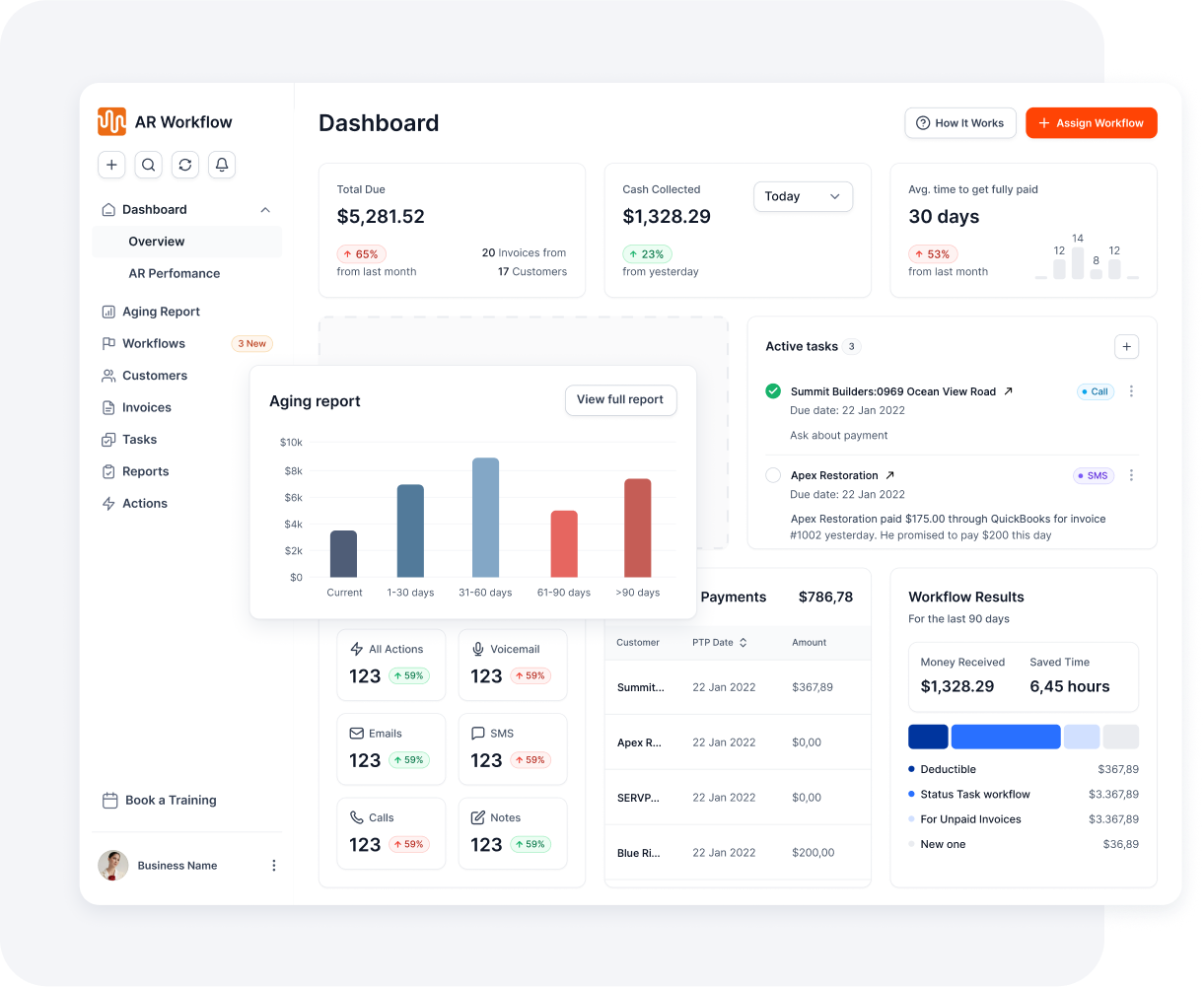
AR Workflow connects to QuickBooks Online and follows up on open invoices for you. The dashboard shows the open balance with no follow-up, which is often where DSO is hiding.
- Email, two-way text and ringless voicemail from a dedicated number
- The Priority Queue shows who to contact today
- Follow-up pauses on a promise to pay
- Every touch logged, payments post back to QuickBooks
Construction DSO questions.
Bring it, and one overdue invoice, to a demo.
Get a demoWhat is DSO in construction?
DSO, or days sales outstanding, is the average number of days it takes a contractor to turn what they bill into cash. It is calculated as your AR balance divided by revenue billed in the period, times the days in that period. In construction it is worth calculating with and without retainage, because retainage can sit in AR for months.
What is a good DSO for a construction company?
There is no single right number. It depends on your trade, contract types, retainage and whether you work for owners, GCs or homeowners. A useful test is to compare DSO excluding retainage with your payment terms. If your terms are net 30 and DSO is well above 30, customers are paying late on average.
Should retainage be included in DSO?
Calculate it both ways. Retainage is a real receivable, so total DSO shows how much cash is tied up. But retainage is not due until the job or phase is complete, so it inflates DSO even when progress billings are paid on time. DSO excluding retainage shows how well day-to-day collections are working.
Where do I find these numbers in QuickBooks?
For the AR balance, run the A/R Aging Summary as of the last day of the period and use the total. For revenue, run a Profit and Loss for the same dates and use total income. For retainage, use the balance of your retainage receivable account if you have one, or add up the retainage held on open invoices.
How often should contractors calculate DSO?
Monthly is enough for most contractors, using the same method each time: ending AR balance, billed revenue for the month and the number of days in that month. Track the trend over several months. One large pay app or a slow month can move a single result more than you would expect.
What is the difference between DSO and an AR aging report?
DSO is one average number for your whole receivables balance. An aging report lists each open invoice by how long it has been outstanding, such as current, 1 to 30, 31 to 60, 61 to 90 and over 90 days. Use DSO to spot the trend and the aging report to decide which invoices to follow up first.
Does this construction DSO calculator save my numbers?
No. The calculation runs in your browser and nothing you enter is sent or saved. You can use real figures from QuickBooks or your accounting system. For the most accurate result, take the AR balance and revenue from the same period, and enter the retainage that is included in that AR balance.
Lower DSO starts with follow-up.Bring one overdue invoice.
See what AR Workflow would send, to whom, and when.
- Keep QuickBooks
- Start with one invoice
- Stay in control
This calculator and page are general information, not accounting, tax or legal advice.