
 Log in
QuickBooks Sync for contractors.
Connect QuickBooks Online to AR Workflow and every customer, job and open invoice is ready for follow-up. When a homeowner pays a deductible or a GC pays a progress invoice, the payment posts back to QuickBooks on the right invoice.
What AR Workflow does
Collections built for the trades, running on your QuickBooks data.
AR Workflow is accounts receivable software for contractors. Your team sends reminders by email and text, takes card and ACH payments, and tracks every follow-up in one place. QuickBooks Online stays your accounting system.
Deductibles, carriers and adjusters
Homeowners get a payment link for the deductible. Adjusters get status requests with the claim number from your QuickBooks invoice. Jobs roll up under the carrier.
Insurance claims and supplements
Follow up with homeowners and insurance carriers on every job, with the job address and claim number pulled from QuickBooks.
Progress billing and GC balances
Follow up on every progress invoice, and see a GC or property manager's total across every QuickBooks Project.
Getting started
How to connect QuickBooks Online.
Connecting takes a few minutes. You need a QuickBooks Online company and a QuickBooks user who can approve app connections.
Set up your account
Book a demo and our team gets your AR Workflow account set up. Onboarding is guided from the first login.
Connect QuickBooks
Choose Connect to QuickBooks, sign in with Intuit and approve access. AR Workflow never sees your QuickBooks password.
Let the first sync run
Customers, Projects, open invoices, estimates, credit memos and payment history come in on their own.
Turn on workflows
Put open invoices on reminder workflows and turn on card and ACH payments. From here the sync runs on its own.
What syncs
What moves between QuickBooks and AR Workflow.
The sync runs on QuickBooks Online change notifications, so records usually update within minutes. You can also run a manual sync any time from Settings.
| Record | Direction | What happens |
|---|---|---|
| Customers and sub-customers | Both ways | Homeowners, carriers, GCs and property managers stay matched, with parent and sub-customer structure intact. |
| Projects | From QuickBooks | QuickBooks Projects come in with their invoices, so you can follow up per job or per parent customer. |
| Invoices | Both ways | Open invoices come in with custom fields like claim number, job address or PO. Edits made in AR Workflow write back. |
| Estimates | Both ways | Estimates sync so progress invoices stay tied to the original job. |
| Credit memos | Both ways | Credits stay applied, so customers are only reminded about what they actually owe. |
| Payments | Both ways | Card and ACH payments collected in AR Workflow post to the matching invoice with fees booked. Payments recorded in QuickBooks stop the reminders. |
| Lists and settings | From QuickBooks | Terms, products and services, classes, locations, tax codes and accounts, so new records match your books. |
AR Workflow works with QuickBooks Online. QuickBooks Desktop is not supported.
Inside AR Workflow
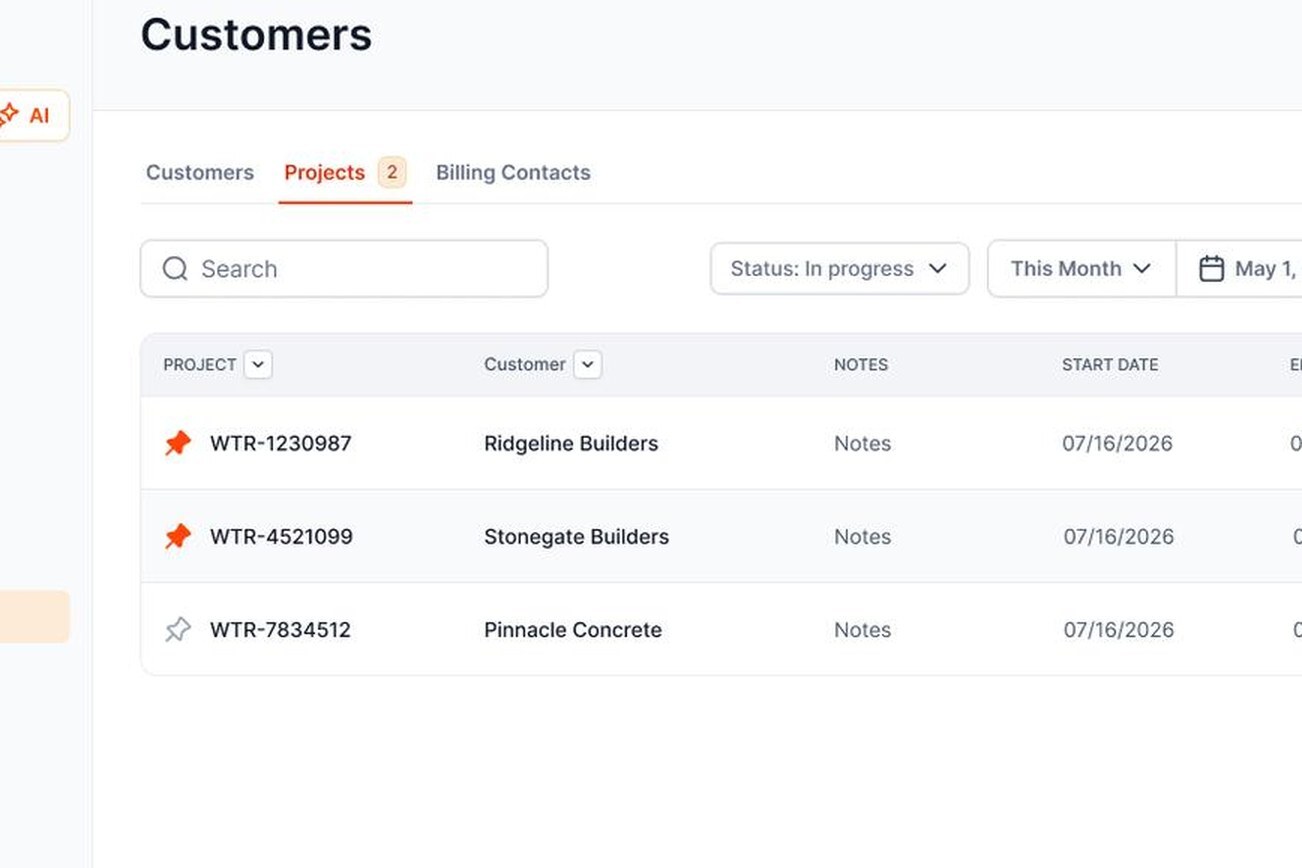
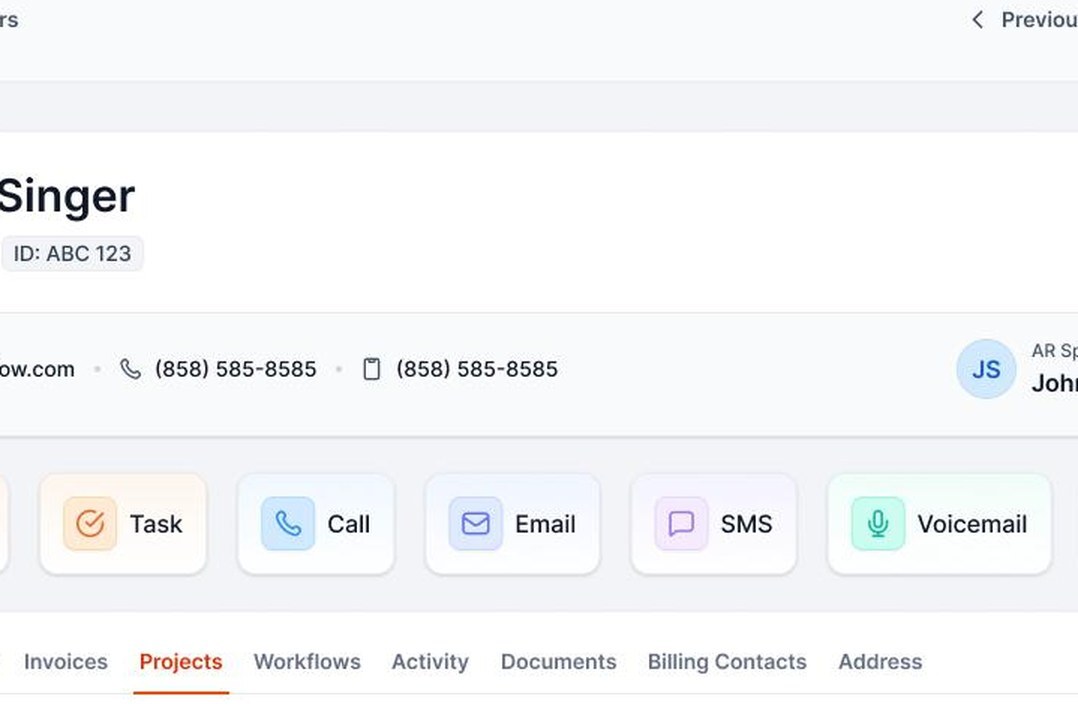
Your QuickBooks customers, with every contact on the job.
Each QuickBooks customer comes in with its Projects. Add the homeowner, adjuster or AP contact and follow up with each one the right way.
- Projects and billing contacts on one accountHomeowner gets the payment link. Adjuster gets the status request.
- Custom fields in every messageClaim number, job address or PO number go straight into email and text templates.
- Balances roll upSee a carrier, GC or property manager's total across every job.
Progress invoicing
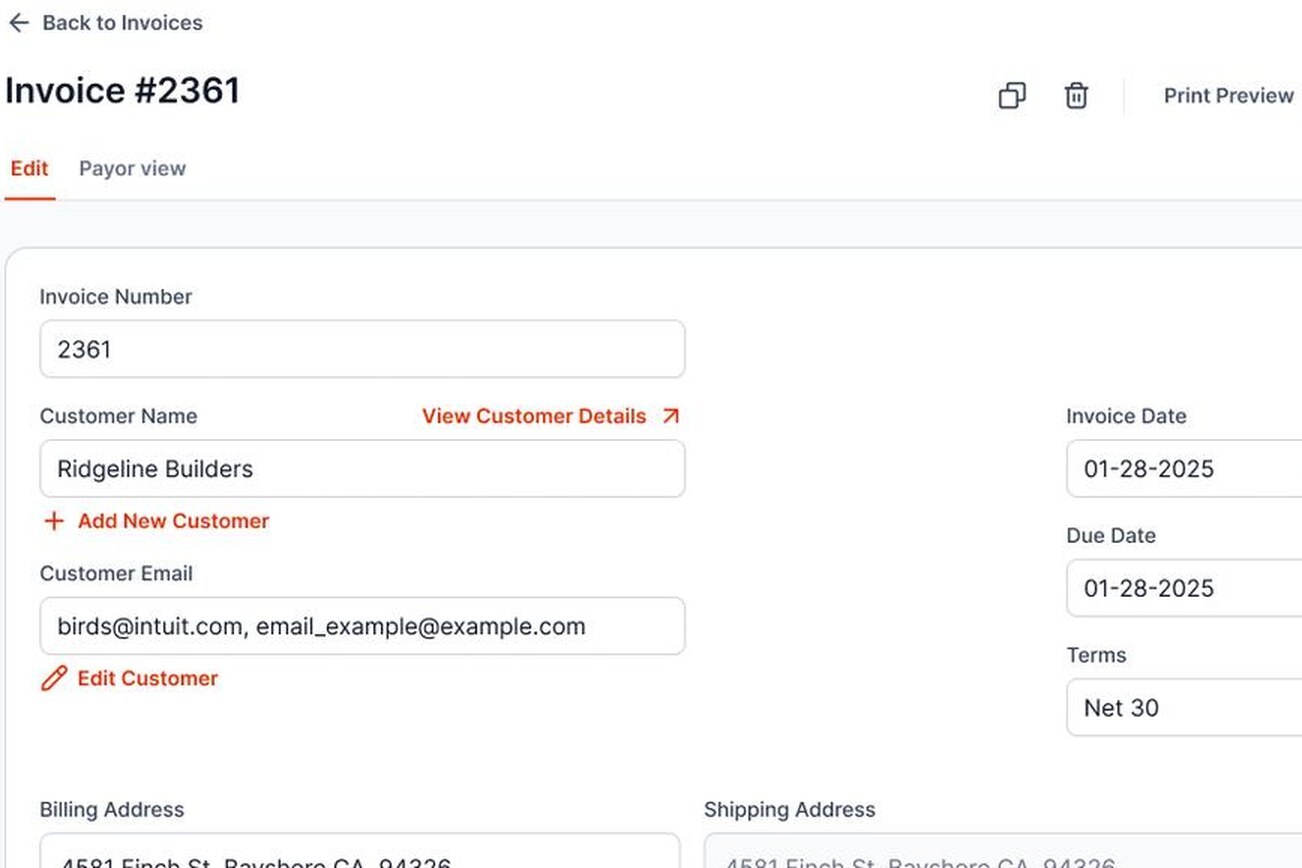
Edit an invoice once. QuickBooks stays current.
Contractor billing is a deposit, a few progress invoices and a final balance. AR Workflow keeps that structure and writes changes back to QuickBooks.
- Invoice edits write backCreate or update an invoice in AR Workflow and it updates in QuickBooks. No re-entry.
- Progress invoices from estimatesEach stage gets its own payment link and its own follow-up.
- One page for every open invoiceA customer who's a stage behind can catch up in one checkout.
Requirements and security
What you need, and how your data is protected.
QuickBooks Online
Any QuickBooks Online company, plus a QuickBooks user who can approve app connections. QuickBooks Desktop is not supported.
A merchant account
Set up during onboarding so homeowners and commercial customers can pay by card or ACH from every reminder.
Secure Intuit sign-in
You connect through Intuit. AR Workflow never stores your QuickBooks password and only reads and writes the records listed above.
Books stay clean
Payments apply to the right invoice, processing fees are booked, and deposits show gross, fees and net.
Records stay linked
Customers and invoices start in QuickBooks and stay linked, so each one exists once in both systems.
Disconnect any time
From AR Workflow Settings or from the Apps area in QuickBooks Online. Your QuickBooks data stays in QuickBooks.
FAQ
QuickBooks Sync questions.
Does AR Workflow replace QuickBooks?
No. QuickBooks Online stays your accounting system. AR Workflow handles invoice follow-up and payment collection and keeps QuickBooks up to date.
How often does data sync?
Changes in QuickBooks Online usually show up in AR Workflow within minutes. Payments and invoice edits made in AR Workflow are sent to QuickBooks as they happen. You can also run a manual sync from Settings.
Will it change my books?
Only the way you'd expect. Payments collected through AR Workflow post to the right invoice with fees booked, and invoice edits you make in AR Workflow write back. Your bookkeeper keeps working in QuickBooks as usual.
Can I see a carrier, GC or property manager's balance across all jobs?
Yes. QuickBooks Projects and sub-customers roll up under the parent customer in AR Workflow, so you see the total and can drill into each job.
Does it work with QuickBooks Desktop?
No. AR Workflow works with QuickBooks Online only.
How long does setup take?
Connecting QuickBooks takes a few minutes and the first sync runs in the background. The merchant application and the texting number take a few business days to approve. We walk through setup with you.
What does AR Workflow cost?
Plans are $295, $395 and $495 per month. See pricing.
Connect QuickBooks Online. Get paid faster.
See AR Workflow running on your own QuickBooks invoices in a short demo.
QuickBooks and QuickBooks Online are trademarks of Intuit Inc.