
One price for the whole collections process. Every feature on every plan.
Plans differ only by how many open invoices you track and how many people use it. Workflows, texting, payments and reporting are on all three.
Lite
For a small office where one person chases invoices.
Billed monthly. Cancel anytime.
Per month, billed yearly
Good fit if
- One person handles billing and collections
- You usually have under 50 unpaid invoices
- The owner wants follow-up off their plate
- You want every feature without a big plan
Grow
For an office team sharing the collections work.
Billed monthly. Cancel anytime.
Per month, billed yearly
Good fit if
- Two or more people share AR and billing
- You carry 50 to 100 unpaid invoices
- You want accounts split by AR specialist
- You need one shared text and email inbox
Enterprise
For contractors with a lot of open invoices or a bigger AR team.
Billed monthly. Cancel anytime.
Per month, billed yearly
Good fit if
- You carry more than 100 unpaid invoices
- Several offices or crews bill customers
- You want every person in the office on it
- You need roles and permissions for each seat
Prices are in US dollars. Calls, texts and card or ACH processing are billed by usage. Every plan starts with a demo and setup with our team, so there's no free trial.
- Emailfrom your own address
- Two-way textfrom a dedicated business number
- Ringless voicemailon every plan
- Card and ACHpayment link on every touch
- QuickBooks Onlinetwo-way sync
WHICH PLAN FITS
Pick by the size of your AR, not by the features you need.
Every plan has the same tools. Choose by how many unpaid invoices you usually carry and how many people work them. You can move up or down later.
- Lite: one person, up to 50 open invoicesThe office manager or owner runs AR alone and wants the follow-up to happen without them.
- Grow: a small team, up to 100 open invoicesBilling and collections are shared, so accounts get split by person and everyone sees the same history.
- Enterprise: no limitsLots of open invoices, several offices or a full AR team. Everyone gets a seat with the right permissions.

WHAT YOU'RE PAYING FOR
Not more software. A collections process that runs.
AR Workflow takes the jobs your office does by hand to get invoices paid and runs them on a schedule, so nothing waits on someone remembering.
A plan for every invoice
Each open QuickBooks invoice goes on a follow-up workflow the day it's created.
Follow-up that actually goes out
Email, text and voicemail go out on schedule and stop when the customer pays.
An easy way to pay
Customers pay by card or ACH from a link, in full, in part or on a payment plan.
Books that stay current
Payments post back to QuickBooks, and the dashboard shows where every dollar stands.
Everything included, side by side.
The only differences are open invoices and users. Every feature below comes with every plan.
| What you get | Lite | Grow | Enterprise |
|---|---|---|---|
| Plan limits | |||
| Monthly price | $295 | $395 | $495 |
| Annual price, per month | $278 | $370 | $462 |
| Open invoices tracked | 50 | 100 | Unlimited |
| Users included | 1 | 10 | Unlimited |
| Extra users | $10/mo each | $10/mo each | Included |
| Customers | Unlimited | Unlimited | Unlimited |
| Collections workflows | |||
| Unlimited custom workflows | |||
| Email, text, voicemail and call steps | |||
| Collection task management | |||
| Promise-to-pay tracking | |||
| Scheduled call reminders | |||
| Unlimited email templates | |||
| Send from your own email address | |||
| Scheduled and bulk email | |||
| Tracked email history per invoice | |||
| Texts and calls | |||
| Two-way texting from a dedicated business number | |||
| Unlimited text templates | |||
| Scheduled texts | |||
| In-browser calling, calls recorded | |||
| Call and text history on the customer timeline | |||
| Payments | |||
| Secure online payment portal | |||
| Card and ACH payment links | |||
| Scheduled customer payment plans | |||
| Pass card fees to the customer where allowed | |||
| Invoices and QuickBooks | |||
| Two-way QuickBooks Online sync | |||
| Create estimates and invoices | |||
| Invoice tracking: sent, opened, paid | |||
| Custom fields, products, services and classes | |||
| Reporting | |||
| AR health dashboard | |||
| Detailed invoice and aging reports | |||
| User performance reporting | |||
| Saved report filters | |||
| Scheduled reports by email | |||
| Security and admin | |||
| Two-factor authentication | |||
| User roles and permissions | |||
| User email notifications | |||
| US-based support and team training | |||
Calls and texts are billed by usage. Card and ACH processing fees apply per payment. Ask on your demo for current usage rates.
INSIDE EVERY PLAN
The same product, whichever plan you pick.
Lite customers get the same workflows, inbox and reports as Enterprise customers. Here's some of what that looks like.
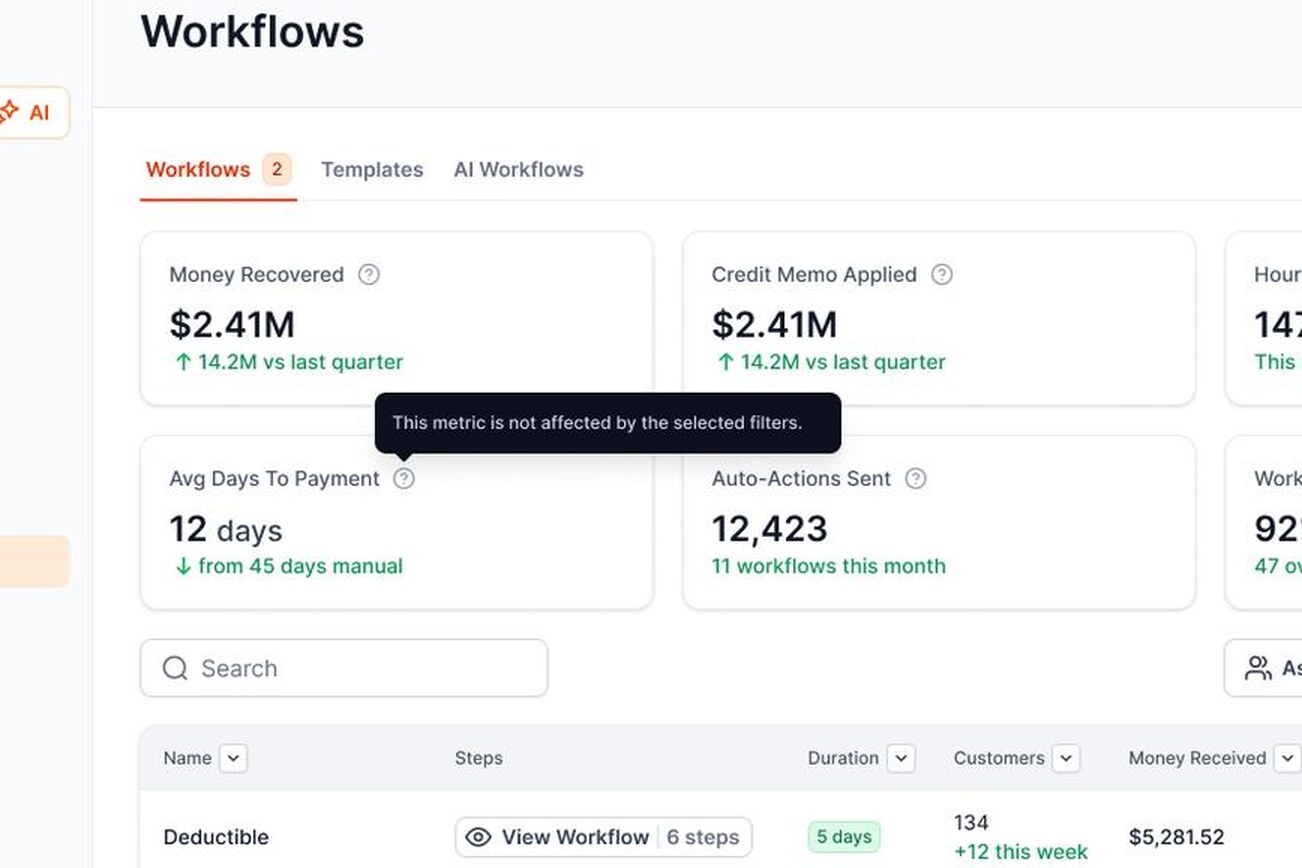
Workflows for each customer type
Homeowners, commercial accounts and insurance jobs each get their own follow-up.
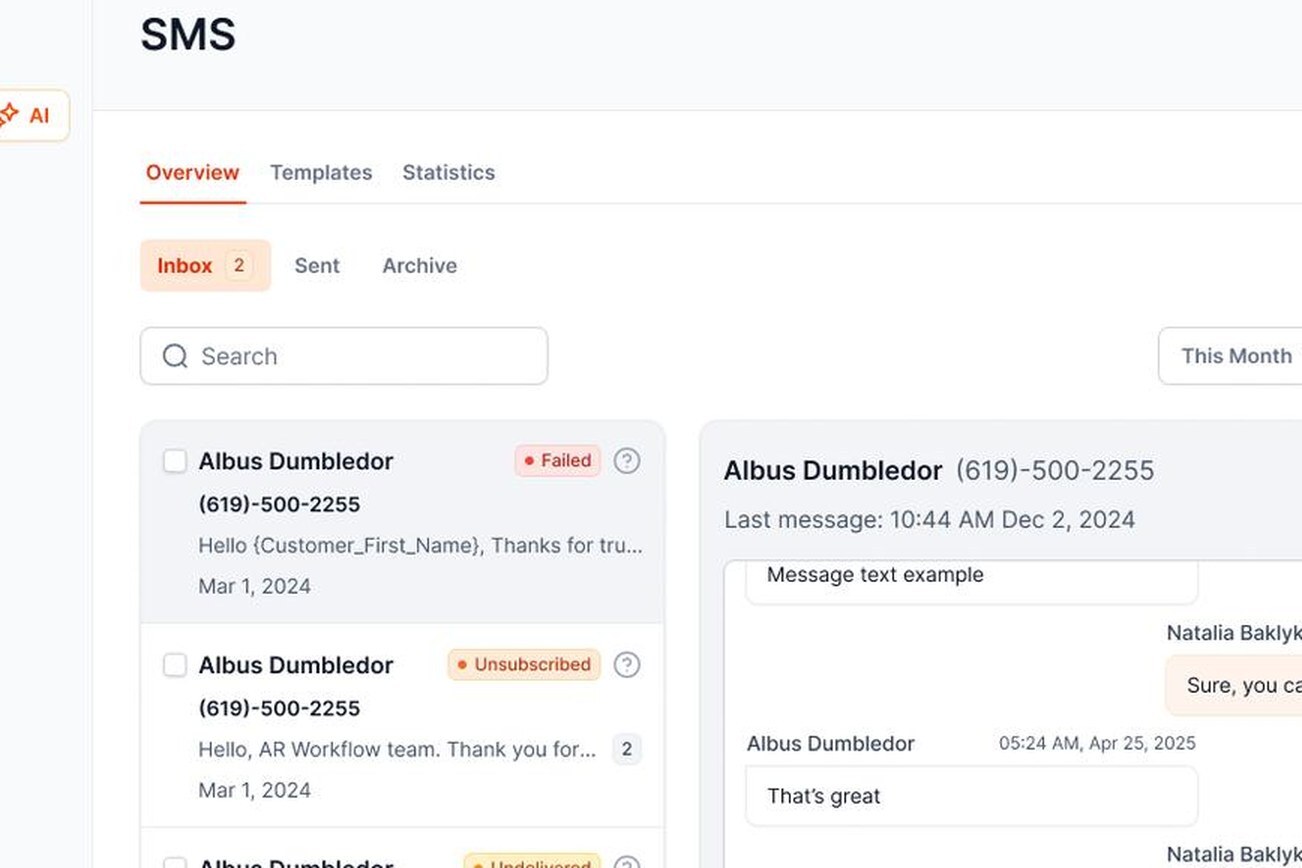
One shared inbox
Texts and replies land in one place your whole office can see.
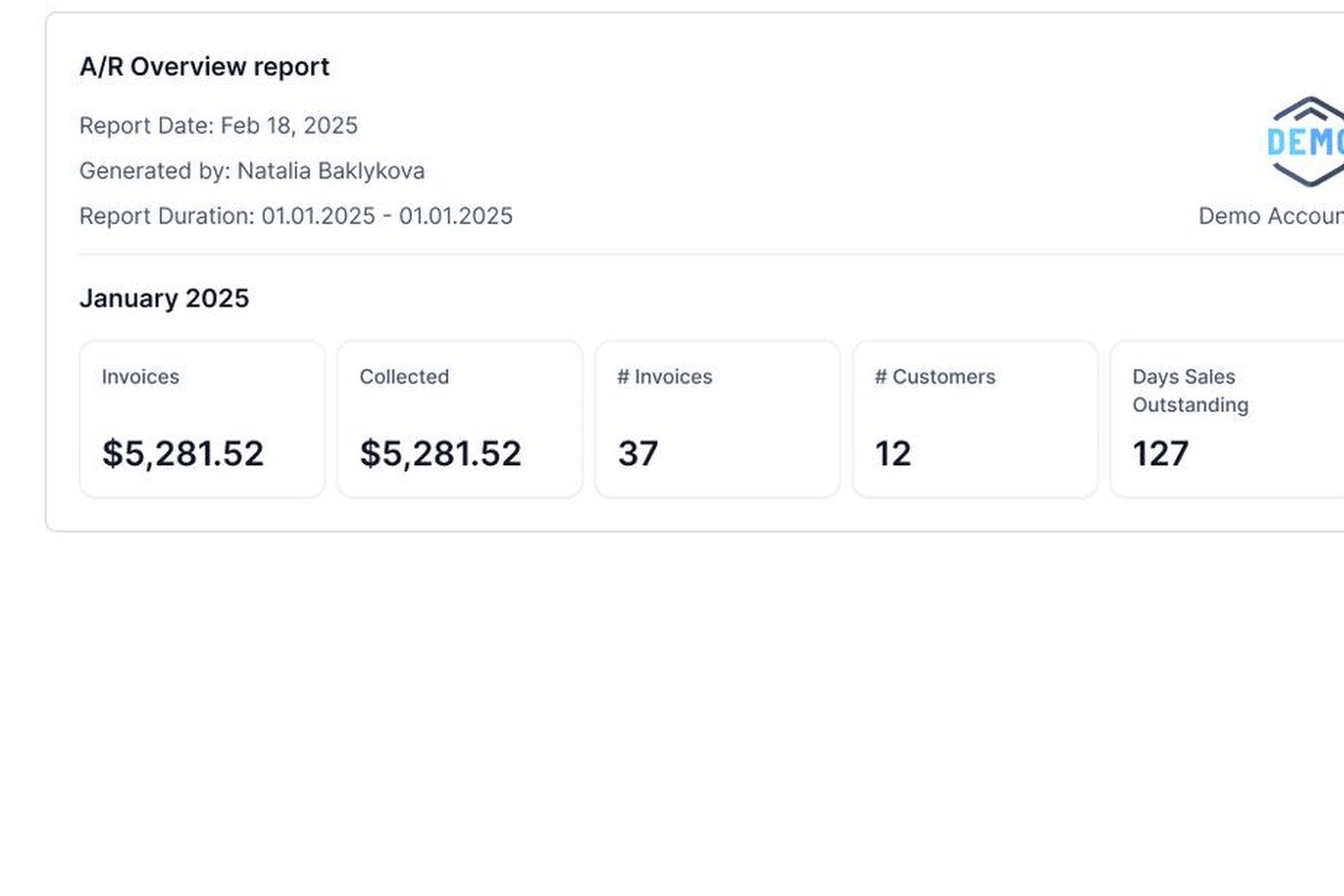
Reports the owner reads
Invoiced, collected and aging, without building a spreadsheet.
GETTING STARTED
From demo to first reminder, set up with you.
There's no free trial to figure out on your own. Our team walks through setup with you so the first workflow goes out right.
Book a demo
Bring one overdue invoice. We'll show you how AR Workflow would follow up on it.
Connect QuickBooks Online
Your customers and open invoices come in, and changes sync both ways.
Turn on payments
Set up card and ACH so every reminder carries a payment link.
Start your first workflow
Pick the invoices, choose a workflow and let the follow-up run. Then choose your plan.
PAYMENTS
Get paid by card or ACH on every plan.
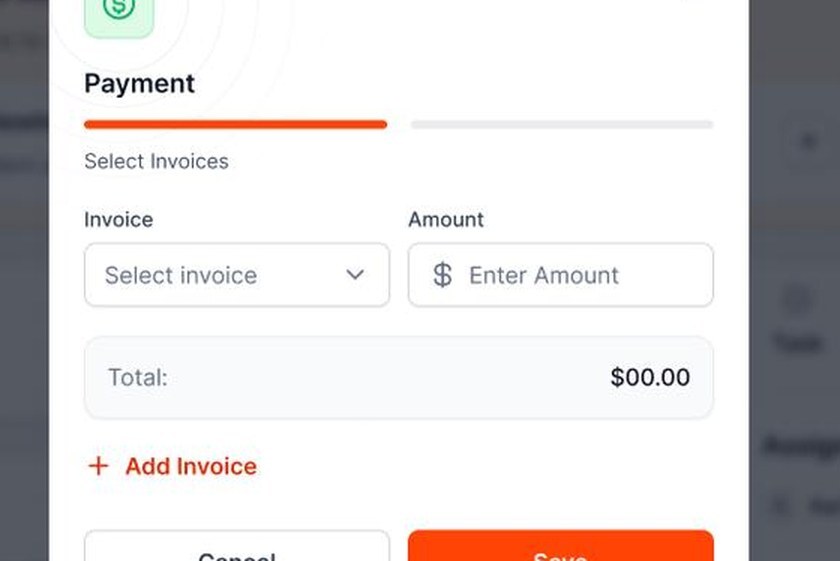
Every reminder carries a secure payment link. Customers pay online, and the payment posts back to QuickBooks without anyone retyping it.
- Card and ACH from a linkCustomers pay from their phone in full or in part. No card numbers read over the phone.
- Pass card fees on where allowedAdd a convenience fee to card payments so you keep the full invoice amount. Check your state's rules first.
- Payment plans that run themselvesSet up one-time or recurring installments, and follow-up pauses while the plan is on track.

ONE SUBSCRIPTION
What AR Workflow replaces in your office.
Most contractors chase invoices with a pile of separate tools. Every plan puts them in one place, tied to the invoice.
The spreadsheet
Who owes what and who called whom now lives on the invoice.
Sticky notes and reminders
Follow-up is scheduled, so it happens even on a busy week.
Personal cell phones
Texts and calls go through a dedicated business number with history.
Card numbers over the phone
Customers pay by card or ACH from a secure link.
Retyping payments
Payments post to QuickBooks so your books stay current.
USAGE AND ADD-ONS
What else shows up on the bill.
Your plan price covers the software. A few things are billed by use, so you only pay for what you send.
Extra users
$10 per user per month on Lite and Grow. Enterprise includes unlimited users.
Calls
Inbound and outbound calls are billed by the minute and recorded.
Texts
Two-way texts from your dedicated business number are billed per message.
Card and ACH
Processing fees apply per payment. You can pass card fees to customers where allowed.
Ask for current usage rates on your demo.
IS IT WORTH IT?
How to tell if AR Workflow will pay off for you.
You don't need a spreadsheet to decide. Look at three things in your own office this week.
Hours spent chasing
Add up the time your office spends sending reminders, making calls and updating notes each week.
Your 60-plus column
Run your QuickBooks aging report. The older the balance, the harder it gets to collect.
Who covers when they're out
If one person holds all the context, a week off means a week of no follow-up.
PRICING TERMS
How billing works, in plain English.
Open invoice
An unpaid invoice that AR Workflow is tracking. Plan limits count open invoices, not total invoices.
User
Anyone on your team who logs in to work accounts, send messages or run reports.
Customers
Unlimited on every plan. Add as many customers as you have.
Annual billing
Pay for the year up front and get one month free compared with paying monthly.
Changing plans
Move up or down anytime. Downgrades take effect at the start of your next billing cycle.
Canceling
There's no long-term contract. Partial months or years aren't refunded.
YOUR INVOICE, NOT A FEATURE TOUR
Bring us one overdue invoice. We'll build the workflow around it.
On the demo we connect a sample of your QuickBooks data and set up a real workflow for one invoice. You'll see:
- 1Each step it would send, and when
- 2What happens when your customer replies
- 3How the payment lands in QuickBooks
YOUR OPEN INVOICE
Past due[YOUR BALANCE]
Status requestEmail
Second touchText
Still openVoicemail
Payer can pay by card or ACH
Paid
Posted to QuickBooks
FAQ
Pricing questions, answered.
Still have a question about pricing?
Ask us on a demo. Bring one overdue invoice and we'll show you which plan fits.
How much does AR Workflow cost?

Lite is $295 a month, Grow is $395 a month and Enterprise is $495 a month. Pay yearly and the price drops to $278, $370 or $462 a month. Every plan has the same features. The difference is how many open invoices you track and how many people use it.
Is there a free trial?

No. Instead of a trial you figure out alone, every plan starts with a demo and setup with our team. Bring one overdue invoice to the demo and we'll show you how it would be followed up.
Which plan should I pick?

Count your unpaid invoices on a normal month and the people who work them. One person with under 50 open invoices fits Lite. A small team with up to 100 fits Grow. More than that, or several offices, fits Enterprise.
What happens if I go over my open invoice limit?

Move up to the next plan. You can switch plans anytime, and nothing you've set up changes when you do.
Can I add more users?

Yes. Lite includes one user and Grow includes ten. Extra users are $10 per user per month on either plan. Enterprise includes unlimited users.
Are texts, calls and payments included?

The tools are on every plan. Calls and texts are billed by use, and card and ACH payments have processing fees per payment. You can pass card fees to customers where your state allows it. Ask for current rates on your demo.
Do I need QuickBooks Online?

Yes. AR Workflow syncs both ways with QuickBooks Online. QuickBooks Desktop isn't supported. See QuickBooks collections for how the sync works.
Am I locked into a contract?

No. Monthly plans can be canceled anytime. You're billed at the start of each month or year, and partial periods aren't refunded.
How does annual billing work?

You pay for the year up front and get one month free compared with paying monthly. You can still change plans during the year.
Can I change plans later?

Yes. Upgrades take effect right away. Downgrades take effect at the start of your next billing cycle.
What does setup look like?

We connect QuickBooks Online, turn on card and ACH payments, set up your dedicated business number for texts and build your first workflow with you. You pick your plan once everything is working.
What kind of support do I get?

Every plan gets the same US-based support team and optional training for your staff. Help is also available inside the app.
How is my data kept safe?

Data is encrypted in transit and at rest, backed up daily, and every user can turn on two-factor authentication. Roles and permissions control who sees what.
See it work on your invoices. Then pick your plan.
Book a demo, bring one overdue invoice and we'll show you how AR Workflow would follow up on it.
Every feature on every plan
Setup done with you
No long-term contract