
 Log in


The challenge
Insurance claims aging while the team chased by hand
Keystone Emergency Services restores water, fire and mold damage. As the client base grew, insurance delays and manual follow-up left invoices aging and the AR team stretched.
Insurance claims often aged well past due. That made it hard to cover operating costs and plan new projects, and without a central AR system the team missed follow-ups.
- Claims that aged. Insurance invoices sat the longest and tied up cash needed for day-to-day work.
- No central system. Follow-up lived in inboxes and notes, so payment chances were missed.
- A busy AR team. Two people couldn't keep up with manual follow-up as the business grew.
“We were constantly behind on payments, and it was affecting our ability to grow. We needed a more efficient system to manage accounts receivable.”
Britney Keller, OwnerWhy they chose AR Workflow
A process built for growth
Here is what mattered most:
- Automated reminders. Email and text reminders went out on schedule without manual effort.
- Central tracking. A dashboard showed every outstanding invoice so the team knew where to focus.
- Task automation. Overdue invoices were assigned to team members automatically, so none were missed.
- A client portal. Clients could view and pay invoices online, with less back-and-forth.
Getting set up
Set up with the AR Workflow team
AR Workflow was set up quickly and fitted to Keystone's process, so the team could start working the new way right away.
- Automated follow-ups. Email and text reminders kept clients informed about overdue payments.
- A real-time dashboard. The team saw every invoice and client interaction and prioritized follow-up.
- Online self-service. Clients paid online instead of waiting on the AR team.
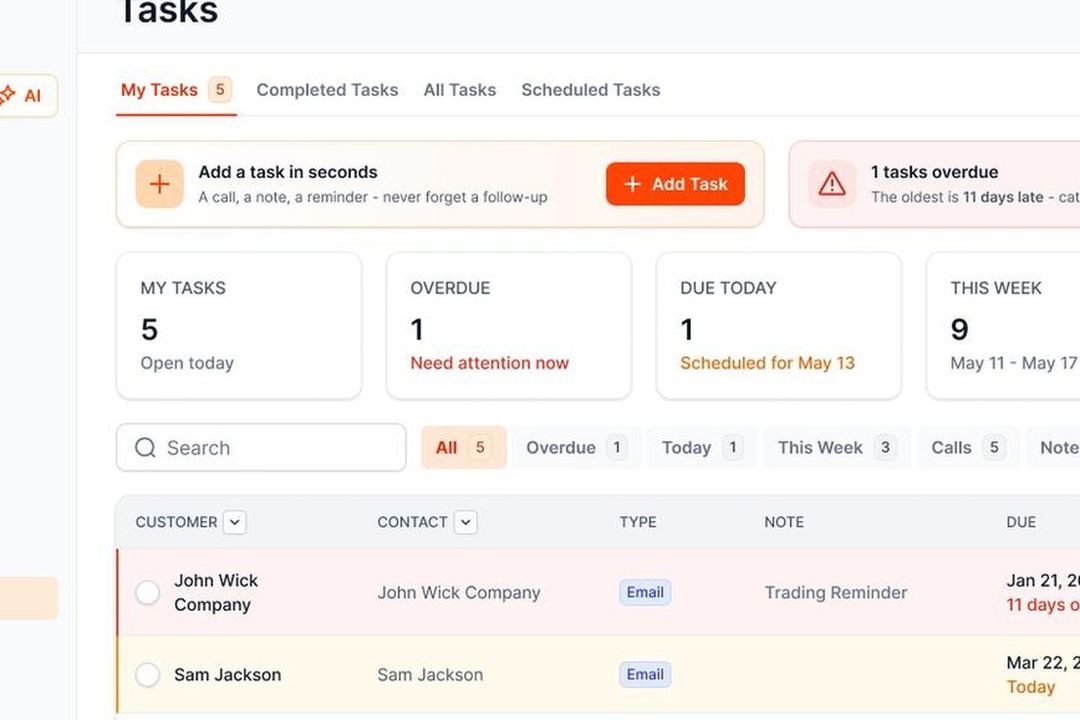
“The AR Workflow setup process was seamless, and we saw immediate improvements in our payment timelines.”
Britney Keller, OwnerWhat changed
Less chasing, steadier cash flow
- Fewer overdue invoices. Older overdue invoices dropped as automated follow-ups kept every account moving.
- Time back for the AR team. Automation took over routine follow-ups, so the team could focus on higher-value work.
- More payments online. More customers paid online, which cut manual payment handling.
The results
Overdue payments dropped by 71%
Keystone Emergency Services cut overdue payments by 71% in 63 days. That means much less money was stuck past its due date. Cash came in sooner, and the company had more room to pay its bills and plan new work.
The results came from three main changes:
- Fewer overdue invoices. Older overdue invoices dropped because automated follow-ups kept every account moving.
- More time for the team. Automation handled the routine reminders. The AR team could spend time on harder cases and bigger accounts.
- More payments online. More customers paid through the online portal. That cut down on manual payment handling and sped up collections.
For a small AR team, these changes matter a lot. Two people can only chase so many invoices by hand. When reminders run on their own, the team can keep up as the business grows.
How it works day to day
Follow-up that runs on a schedule
AR Workflow connects to QuickBooks Online and syncs your invoices. Then it follows up on the unpaid ones for you. Here is how that works for a company like Keystone, which often waits on insurance payments:
- Scheduled reminders. The AI sends follow-ups by email, text and voicemail on a schedule until the invoice is paid.
- Automatic stop. Follow-up ends the moment an invoice is paid. No one has to remember to turn it off.
- You choose the tone. You pick which invoices get follow-up and how firm or friendly the messages sound.
- Your team approves replies. When a customer writes back, AI drafts a reply. Your team reviews and approves it before it is sent.
- Promise-to-pay dates. If a customer promises to pay on a certain day, you can log that date. Follow-up waits. If the date passes with no payment, follow-up starts again.
- Insurance documents. For insurance jobs, the system can send adjusters the documents they need, such as the invoice, the certificate of completion and the work authorization.
- A kinder message for homeowners. Homeowners get a separate message that is gentler in tone than the one sent to adjusters.
- A live dashboard. You can see every overdue invoice and the next step for each one.
- Online payment. Customers can pay through a payment link or the client portal.
Before and after
Chasing by hand versus automated follow-up
Here is a simple side-by-side view of what changed for a team like Keystone's.
- Before: invoices aged a long time. Insurance invoices often went past 90 days. The team had to chase each one by hand.
- After: reminders go out on schedule. Follow-up runs every day without someone typing each message.
- Before: follow-up lived in inboxes and notes. Payment chances were missed because no one had one clear list.
- After: one dashboard shows every invoice. The team sees what is overdue and what comes next.
- Before: overdue work was not assigned. Some invoices slipped through.
- After: overdue invoices are assigned to team members. Each invoice has an owner, so fewer are missed.
- Before: customers had to wait on the AR team to pay. Payment took more back-and-forth.
- After: customers can pay online. Payment is easier, and the team does less manual work.
Many restoration companies face the same pattern. Insurance claims move slowly, and a small team cannot follow up on every one by hand. Automation keeps the work moving while the team handles the jobs in front of them.
Lessons for other contractors
Practical steps you can use now
Keystone's results point to a few habits that help any restoration company with slow-paying insurance claims.
- Keep one list of every open invoice. When all unpaid work lives in one place, nothing gets lost in an inbox.
- Send the documents adjusters ask for early. Invoices, completion certificates and work authorizations sent on time can prevent long delays.
- Use a different tone for homeowners. A homeowner who is waiting on an insurance check needs a gentler message than an adjuster does.
- Assign every overdue invoice to someone. A named owner for each invoice means fewer missed follow-ups.
- Make it easy to pay online. A payment link or portal cuts down on phone calls and checks that take weeks to arrive.
- Track the promises customers make. Write down the date a customer says they will pay, and check on that date.
Is this a fit for you?
Who this works best for
AR Workflow is a good fit for contractors who keep their books in QuickBooks Online and want less manual chasing. It works well for:
- QuickBooks Online users. AR Workflow connects to QuickBooks Online and syncs your invoices.
- Small AR teams. If one or two people handle all collections, automated follow-up can free up time for the work that needs a person.
- Insurance-heavy jobs. If many of your invoices wait on adjusters or insurance payments, the adjuster and homeowner messages can help keep those claims moving.
The best way to see if it fits is a demo. Bring one overdue invoice to your demo. We will show you how AR Workflow follows it up, step by step, using your own invoice.






 Built for contractors on QuickBooks Online